





What’s the best GPU upgrade for 1440p gaming on a budget?

Gaming at 1440p offers a significant visual upgrade over 1080p, providing sharper images and more screen real estate. However, achieving smooth frame rates at this resolution typically demands more powerful hardware, particularly a capable graphics processing unit (GPU). For gamers on a tight budget, finding the “best” GPU that balances performance and cost can feel like a daunting task. This article will guide you through the ideal candidates for a 1440p budget GPU upgrade, helping you make an informed decision without breaking the bank.
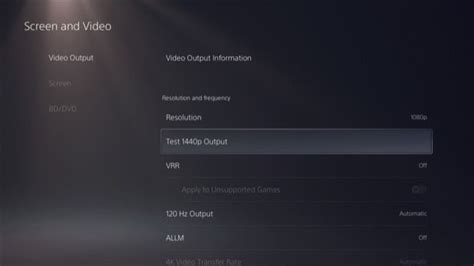
The 1440p Challenge: Why Resolution Matters
Moving from 1080p to 1440p means rendering over 70% more pixels. This increased pixel count translates directly to higher computational demands on your GPU. While a card might comfortably hit 60+ FPS at 1080p, it will struggle to maintain similar performance when tasked with rendering an additional 1.7 million pixels per frame. This is why a simple “upgrade” often isn’t enough; you need a significant jump in processing power and VRAM.
Key Considerations for a Budget 1440p GPU
When shopping for a budget 1440p GPU, several factors come into play beyond just the sticker price:
- VRAM (Video Random Access Memory): For 1440p gaming, 8GB of VRAM should be considered an absolute minimum, with 12GB or more being highly recommended, especially for modern AAA titles with high-resolution textures. Insufficient VRAM can lead to stuttering and poor performance, even on a powerful GPU core.
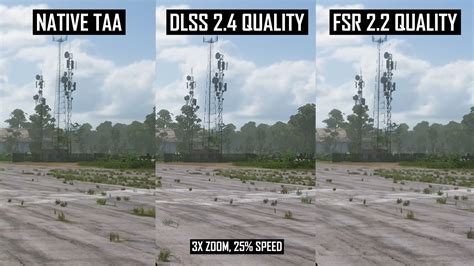
- Architecture & Features: Newer architectures often offer better performance per watt and support modern features like DLSS/FSR, which can significantly boost frame rates at 1440p without a major visual quality hit. These upscaling technologies are invaluable for budget cards.
- Price-to-Performance Ratio: This is paramount. We’re looking for cards that offer the most frames per dollar, often found in the mid-range of the previous generation or the lower-mid range of the current generation.
Top Budget GPU Contenders for 1440p
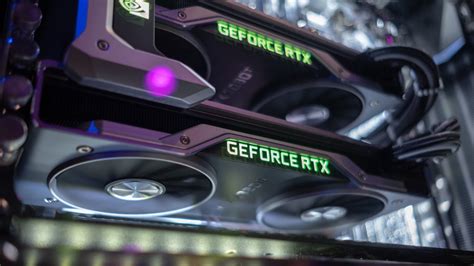
Based on current market prices and performance, here are some of the strongest contenders for 1440p gaming on a budget. Keep in mind that prices fluctuate, especially in the used market.
- AMD Radeon RX 6700 XT / RX 6800: The RX 6700 XT, with its 12GB of GDDR6 VRAM, is an excellent sweet spot. It offers solid 1440p performance in many titles, often outperforming the RTX 3060 Ti, especially in rasterization. The RX 6800, if found at a good price, provides an even greater uplift with its 16GB VRAM and stronger core, making it a fantastic choice. Both benefit from AMD’s FSR technology.
- NVIDIA GeForce RTX 3060 Ti / RTX 4060 Ti (8GB/16GB): The RTX 3060 Ti is a strong performer, especially if you can find it used. It’s often competitive with the RX 6700 XT and offers superior ray tracing performance and access to NVIDIA’s excellent DLSS technology. The RTX 4060 Ti (8GB) offers generational improvements in efficiency and DLSS 3/Frame Generation but can be VRAM limited in some demanding 1440p titles. The 16GB version addresses the VRAM concern but typically pushes beyond a strict “budget” definition.
- AMD Radeon RX 7700 XT: A more recent entry, the RX 7700 XT comes with 12GB of VRAM and offers performance generally between the RTX 4060 Ti and RTX 4070, making it a viable option if priced aggressively. It also supports FSR 3.
Performance Expectations and Optimizations
With these budget GPUs, you can generally expect playable frame rates (30-60+ FPS) at 1440p with a mix of medium to high settings, depending on the game. Not every title will run on ultra, especially graphically demanding AAA games with ray tracing enabled.
- Upscaling Technologies: Utilizing NVIDIA DLSS (for GeForce cards) or AMD FSR (for Radeon cards) is crucial. These technologies render the game at a lower resolution and then intelligently upscale it, often providing a significant frame rate boost with minimal perceived visual degradation.
- Graphical Settings Adjustments: Don’t be afraid to tweak settings. Shadows, anti-aliasing, and volumetric clouds are often performance hogs. Reducing these can yield substantial frame rate improvements without drastically impacting the overall visual experience.
The Used Market Advantage
For true budget hunters, the used market can be a goldmine. Cards like the RTX 3070, RX 6800 XT, or even higher-end previous generation cards can often be found at prices competitive with new mid-range options, offering superior performance. Always exercise caution and verify the card’s condition when buying used.
Choosing the best GPU for 1440p gaming on a budget involves a careful balance of VRAM, raw performance, and price. While current-gen options like the RTX 4060 Ti (16GB) or RX 7700 XT offer modern features, the previous generation’s RX 6700 XT and RX 6800 often deliver the best bang for your buck, especially when considering the used market. By leveraging upscaling technologies and smart settings adjustments, you can unlock a fantastic 1440p gaming experience without emptying your wallet.


