





What’s the best way to customize my gaming news feed for specific titles I follow?
The Quest for Personalized Gaming News
In the vast and ever-expanding universe of video games, staying on top of updates for your favorite titles can feel like a full-time job. From patch notes and DLC announcements to competitive play news and developer insights, the information flow is relentless. The key to not getting overwhelmed and always being in the loop for the games you care about most lies in effective news feed customization. This guide will walk you through the best strategies to curate a personalized gaming news experience.
Leveraging Dedicated Gaming Platforms
The most straightforward starting point for many gamers is the platforms they already use daily. Most major gaming ecosystems offer built-in features for following games and receiving updates.
- Steam: On PC, Steam allows you to follow specific game pages, wishlist upcoming titles, and subscribe to their official news feeds directly through the client or website. The “News” section of your Steam library is often personalized based on your owned and wishlisted games.
- Console Ecosystems (PlayStation, Xbox, Nintendo): Each console has its own dashboard or app where you can follow specific games, view official announcements, and sometimes even subscribe to newsletters. Using their companion mobile apps can also provide push notifications for major updates related to your library.
- Digital Storefronts (Epic Games Store, GOG.com): Similar to Steam, these platforms often have news sections and email subscription options for games you own or are interested in.
Harnessing Social Media Power
Social media platforms have become indispensable for direct communication between developers and players. Strategic use of these can provide real-time updates.
- Twitter: Follow the official Twitter accounts of game developers, publishers, and community managers for your target titles. Create a dedicated Twitter List for these accounts to view a streamlined feed solely focused on your games.
- Reddit: Nearly every major game has a dedicated subreddit (e.g., r/TheWitcher3, r/EldenRing). Subscribing to these allows you to see both official announcements and community discussions, often highlighting news you might otherwise miss. Many subreddits also have official developer presence.
- YouTube: Subscribe to official game channels, developer channels, and reputable gaming news outlets or content creators who frequently cover your desired games. YouTube’s subscription feed will then prioritize their new uploads.

Specialized News Aggregators & RSS Feeds
For those who prefer a centralized hub for all their news, aggregators and RSS feeds are powerful tools.
- Google News/Google Alerts: Set up custom topics or Google Alerts for specific game titles (e.g., “Cyberpunk 2077 news,” “Final Fantasy XIV patch notes”). Google will then deliver relevant articles and updates directly to your personalized news feed or email.
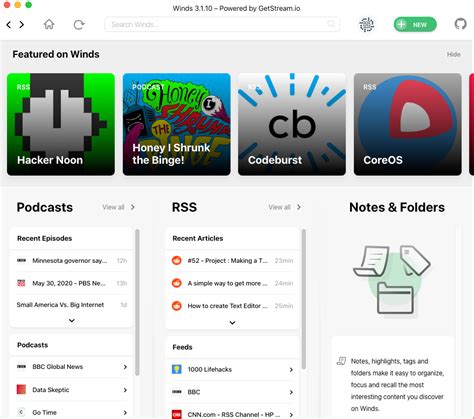
- RSS Readers (e.g., Feedly, Inoreader): Many gaming websites, developer blogs, and even some subreddits offer RSS feeds. You can add these feeds to an RSS reader to consolidate all updates into one clean, chronological stream. This is particularly effective for getting direct updates from developer blogs without having to visit multiple sites.
- Flipboard/Other Curated News Apps: These apps allow you to create magazines or topics around specific interests. Search for your game titles or create custom topics to pull in articles from various sources.
Community-Driven Solutions
Beyond official channels, vibrant player communities often serve as excellent sources of curated and timely information.
- Discord Servers: Join official or highly active community Discord servers for your specific games. Many servers have dedicated “news,” “announcements,” or “datamining” channels where updates are often posted immediately by moderators or bot integrations.
- Fan Forums & Wikis: While perhaps less instant than social media, active fan forums and game wikis are often maintained by dedicated players who compile and dissect every piece of new information, making them invaluable archives and discussion hubs.
Building Your Ultimate Gaming Hub
The best strategy for a truly customized gaming news feed is often a hybrid approach. Combine the directness of platform-specific news with the real-time nature of social media, the consolidation power of aggregators, and the community insights from Discord. Experiment with different tools and platforms to find what fits your workflow best. By strategically curating your sources, you can transform a chaotic deluge of information into a focused, personalized stream, ensuring you never miss a beat for the games you love.



