What’s the best way to filter gaming news for *my favorite titles*?

In the vast and ever-expanding universe of video games, staying updated on your favorite titles without drowning in a sea of irrelevant information can feel like a Herculean task. Whether you’re a fan of upcoming AAA blockbusters, niche indie gems, or long-running live service games, efficient news filtering is key to a streamlined and enjoyable experience. This guide will walk you through the best methods to cut through the noise and get straight to the news that matters most to you.
Leveraging Dedicated Gaming News Aggregators
Many popular gaming websites offer features that allow you to follow specific games or series. While not always perfect, these can be a good starting point.
- IGN, GameSpot, PC Gamer, etc.: Most major gaming news outlets have game-specific pages where you can find all articles, reviews, and videos related to that title. Some even offer ‘follow’ buttons or email newsletters for specific games.
- Metacritic/OpenCritic: Beyond reviews, these sites often aggregate news links for individual games, providing a centralized hub for content from various sources.
- Platform-Specific News Hubs: Steam, PlayStation, Xbox, and Nintendo all have dedicated news sections or game pages. Following games directly on their respective storefronts or console dashboards often provides updates from the developers or publishers themselves.

Mastering RSS Feeds for Ultimate Control
For those who prefer a more hands-on approach, Really Simple Syndication (RSS) feeds remain an incredibly powerful tool for filtering information. Many gaming news sites, developer blogs, and even specific sections of forums offer RSS feeds.
- Identify RSS Sources: Look for the RSS icon or ‘feed’ links on your favorite gaming sites. Many subreddits (e.g., r/gamernews, r/nameofyourgame) also provide RSS feeds.
- Choose an RSS Reader: Services like Feedly, Inoreader, or self-hosted options allow you to subscribe to multiple feeds. You can then organize these feeds into folders (e.g., one for each favorite game) and quickly scan headlines.
- Keyword Filters: Advanced RSS readers often let you set up keyword filters within a feed. This means you could subscribe to a general ‘PC Gaming News’ feed and only see articles containing ‘Cyberpunk 2077’ or ‘Baldur’s Gate 3’.
Smart Social Media and Community Engagement
Social media, despite its often overwhelming nature, can be an invaluable source of real-time updates directly from developers and the community, provided you use it strategically.

- Follow Developers & Publishers: Directly follow the official accounts of the games you love and the studios that make them.
- Create Twitter Lists: Group these accounts into private or public lists. This allows you to view a custom timeline containing only tweets from those specific sources, effectively filtering out general noise.
- Utilize Hashtags: Search for specific game hashtags (e.g., #FFXIV, #ElderScrolls6) but be prepared for a mix of official and fan content.
Reddit & Discord
- Game-Specific Subreddits: Nearly every major game has a dedicated subreddit. These are often moderated by passionate fans and provide a curated feed of news, discussions, and media. You can even subscribe to their RSS feeds!
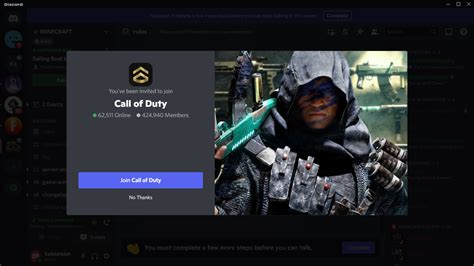
- Official Discord Servers: Many developers host official Discord servers where they share announcements, host Q&As, and engage directly with the community. Notifications can be tailored to specific channels.
Browser Extensions and Personalized News Readers
A variety of tools can integrate news filtering directly into your browsing experience.
- Google News/Alerts: Set up custom Google News feeds or Google Alerts for your game titles. You’ll receive email notifications or see results prominently displayed in your personalized news feed whenever new content is published online.
- Browser Extensions: Some extensions are designed to scrape web pages for keywords or block content you’re not interested in, though these are generally less refined for gaming news specifically.
- Customizable News Dashboards: Services like MyAnimeList (for anime/manga, but similar concepts exist for games) or even simply customizing your browser’s homepage with widgets for specific RSS feeds can help.

Creating a Routine and Consolidating Sources
The most effective strategy often involves combining several methods into a manageable routine. Instead of constantly checking dozens of sites, consolidate your information flow:
- Choose a primary aggregation tool: This could be an RSS reader, a Twitter list, or a set of bookmarked subreddits.
- Set up alerts for critical updates: Use Google Alerts for major announcements or email subscriptions for developer newsletters.
- Schedule check-ins: Dedicate specific times to scan your curated feeds, rather than letting notifications constantly interrupt you.
By taking a proactive approach to managing your gaming news, you can ensure you’re always in the loop about your favorite titles without feeling overwhelmed. It’s about building your personal news ecosystem that delivers exactly what you want, when you want it.