What’s the ideal CPU/GPU balance for 1440p 144Hz gaming builds?
Introduction: The Sweet Spot of Gaming
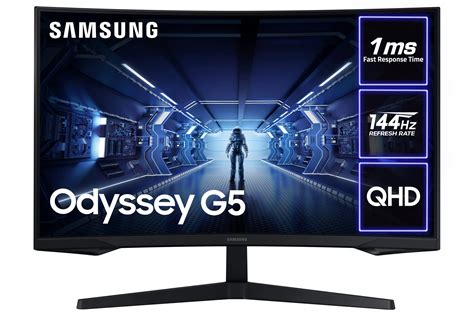
1440p resolution at a 144Hz refresh rate has rapidly become the gold standard for many PC gamers, offering a significant visual upgrade over 1080p without the extreme hardware demands of 4K. It delivers a crisp, detailed image paired with incredibly fluid motion, creating a truly immersive gaming experience. However, building a PC to consistently hit these targets requires more than just throwing the most expensive parts at it; it demands a strategic balance between your Central Processing Unit (CPU) and Graphics Processing Unit (GPU).
The quest for the ‘ideal’ balance is about optimizing performance per dollar and preventing one component from bottlenecking the other. A poorly balanced system might have an overpowered GPU sitting idle because the CPU can’t keep up, or a powerful CPU waiting on a struggling GPU to render frames. Let’s delve into how to achieve that perfect synergy for your 1440p 144Hz gaming rig.
The GPU: Your Primary Performance Engine
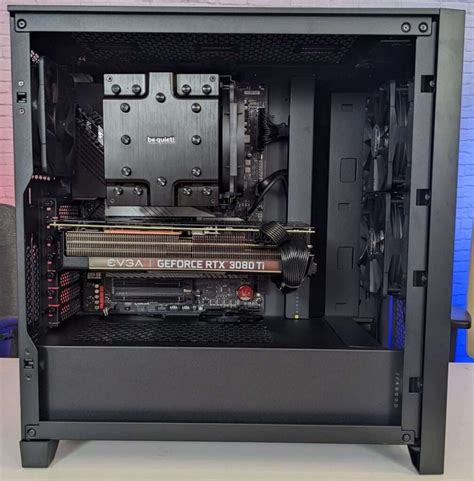
For 1440p gaming, especially at high refresh rates, the GPU is unequivocally the most critical component. It’s responsible for rendering every pixel on your screen, handling complex textures, shaders, and visual effects. As the resolution increases, the GPU’s workload scales dramatically. To push 144 frames per second (fps) at 1440p, you need a powerful graphics card capable of rendering those frames quickly and consistently.
For most modern AAA titles, aiming for 144fps at 1440p often necessitates a high-end or upper-mid-range GPU. Consider cards like the NVIDIA GeForce RTX 4070 SUPER or AMD Radeon RX 7800 XT as good starting points for achieving playable framerates (often exceeding 60fps and sometimes hitting 100+fps depending on settings). For a truly consistent 144fps experience across a wider range of titles and settings, stepping up to an RTX 4070 Ti SUPER, RX 7900 XT, or even an RTX 4080 SUPER or RX 7900 XTX would be ideal. These GPUs provide the raw horsepower to manage demanding visual fidelity at high frame rates.
The CPU: The Unsung Hero of Frame Delivery
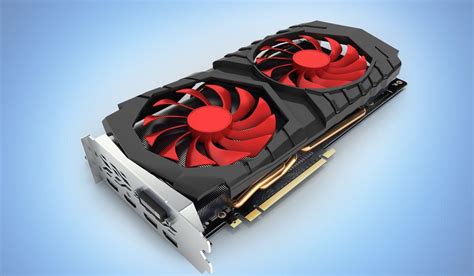
While the GPU shoulders the visual burden, the CPU plays a crucial supporting role, especially at high refresh rates. The CPU processes game logic, AI, physics, draw calls, and feeds instructions to the GPU. When targeting 144Hz, your CPU needs to be fast enough to prepare and deliver frames to the GPU rapidly, preventing what’s known as a ‘CPU bottleneck.’
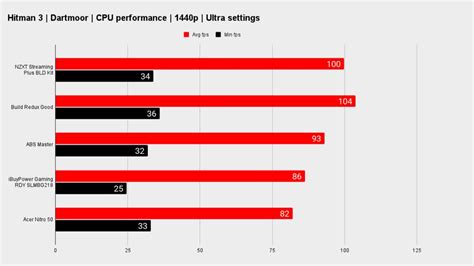
At 1440p, the CPU generally becomes less of a bottleneck compared to 1080p because the GPU is working harder. However, a weak CPU can still limit your minimum framerates and cause stuttering, detracting from the smooth 144Hz experience. Modern gaming CPUs with at least 6-8 cores and strong single-core performance are recommended. Options like the AMD Ryzen 5 7600X or Intel Core i5-13600K provide excellent value and performance for this target. For those seeking absolute top-tier performance, especially for competitive multiplayer games or future-proofing, CPUs like the AMD Ryzen 7 7800X3D (known for its large L3 cache) or Intel Core i7-14700K offer even more headroom.
![Best Budget Gaming CPU in 2024 [Intel & AMD Processors]](/images/aHR0cHM6Ly90czEubW0uYmluZy5uZXQvdGg/aWQ9T0lQLkN5NmRfX2VuWFNSU2FPSGtSQUp4YXdIYUR6JnBpZD0xNS4x.webp)
Striking the Balance: Avoiding Bottlenecks
The ideal balance means neither component is consistently waiting on the other. In a perfectly balanced system for 1440p 144Hz, your GPU should be operating at 95-100% utilization in graphically intensive games, while your CPU utilization remains comfortably below that, ensuring it’s not holding back the GPU. If your GPU utilization is consistently low (e.g., 50-70%) while your CPU is maxed out, you’re CPU-bound. Conversely, if your CPU is barely working but your GPU is at 100% and you’re not hitting your desired framerate, you’re GPU-bound (which is generally preferable at higher resolutions).
The general rule of thumb for 1440p is to allocate a larger portion of your budget to the GPU. For every dollar spent on a CPU, you might spend $1.50 to $2.00 on a GPU, depending on your specific performance targets. This ratio ensures that the component doing the heaviest lifting for high-resolution gaming is adequately powered.
Example Configurations for 1440p 144Hz
Mid-Range Sweet Spot (Good Value)
This tier aims for a consistent 80-120+ fps in most modern games at high settings, with some ability to hit 144fps in lighter titles or with slight setting adjustments. It offers an excellent performance-to-cost ratio.
- CPU: AMD Ryzen 5 7600X or Intel Core i5-13600K/14600K
- GPU: AMD Radeon RX 7800 XT or NVIDIA GeForce RTX 4070 SUPER
- RAM: 32GB DDR5-6000MHz CL30/32
High-End Performance (No Compromise)
This tier aims to hit or consistently exceed 144fps in nearly all modern games at high to ultra settings, offering the best possible 1440p 144Hz experience and greater future-proofing.
- CPU: AMD Ryzen 7 7800X3D or Intel Core i7-14700K/14900K
- GPU: AMD Radeon RX 7900 XTX or NVIDIA GeForce RTX 4080 SUPER
- RAM: 32GB DDR5-6000MHz+ CL30/32
Beyond CPU and GPU: Other Critical Components
While the CPU and GPU are the stars of the show, other components play vital supporting roles in a 1440p 144Hz build:
- RAM: 32GB of fast DDR4 (3200-3600MHz) or DDR5 (6000MHz+) is highly recommended. While 16GB might be sufficient for some titles, 32GB provides ample headroom for demanding games, multitasking, and future titles, ensuring consistent frame delivery.
- Storage: An NVMe SSD is essential. It drastically reduces game load times and improves overall system responsiveness. A 1TB or 2TB NVMe drive will be a significant upgrade over traditional HDDs or even SATA SSDs.
- Power Supply (PSU): Don’t skimp here. A reliable PSU with sufficient wattage (e.g., 750W-850W for the recommended builds) and at least an 80 PLUS Gold rating ensures stable power delivery to your components.
- Cooling: High-performance CPUs and GPUs generate significant heat. A robust air cooler or a 240mm/360mm AIO liquid cooler for the CPU, along with good case airflow, is crucial for maintaining optimal temperatures and boosting performance.
Conclusion: A Symphony of Hardware
The ideal CPU/GPU balance for 1440p 144Hz gaming is about intelligent component selection, prioritizing the GPU without neglecting the CPU’s ability to feed it efficiently. By investing wisely in both these core components, supported by fast RAM, an NVMe SSD, and a robust PSU and cooling system, you can build a formidable gaming machine that delivers a consistently smooth, high-fidelity experience. Remember to research specific game benchmarks for your chosen components, as performance can vary between titles. With the right balance, your 1440p 144Hz monitor will truly sing.