What’s the ideal monitor refresh rate & response time for competitive FPS games?

The Critical Role of Monitor Specs in Competitive FPS
In the high-stakes world of competitive First-Person Shooter (FPS) games, every millisecond counts. Your skill, strategy, and teamwork are paramount, but your hardware can provide a crucial edge. Among the most vital components for any aspiring esports pro or serious amateur is the monitor, specifically its refresh rate and response time. These two specifications directly impact how fluidly and responsively your game appears, potentially making the difference between a headshot and a missed opportunity.
Understanding Refresh Rate: Smoothness is Key
Refresh rate, measured in Hertz (Hz), indicates how many times per second your monitor can update its display. A 60Hz monitor refreshes 60 times per second, while a 144Hz monitor refreshes 144 times per second. For fast-paced FPS games, a higher refresh rate translates into a significantly smoother visual experience. More frames displayed per second mean less motion blur, clearer enemy movement, and a more up-to-date view of the action.
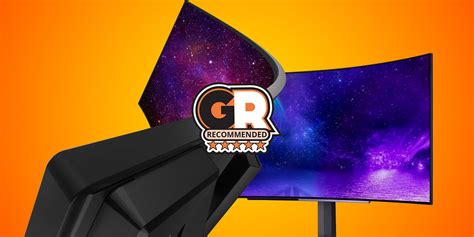
This increased visual fidelity allows players to react quicker to on-screen events, track fast-moving targets more effectively, and generally feel more connected to the game. When an opponent peeks around a corner, a higher refresh rate means you see them sooner and with greater clarity.
Finding Your Ideal Refresh Rate: 144Hz, 240Hz, or More?
For competitive FPS gaming, 144Hz is widely considered the minimum entry point for a truly advantageous experience. It offers a substantial upgrade over standard 60Hz monitors, noticeably reducing perceived input lag and improving visual fluidity.
For elite players and those seeking every possible advantage, 240Hz monitors have become increasingly popular. While the jump from 144Hz to 240Hz isn’t as dramatic as from 60Hz to 144Hz, it still provides a discernible improvement in smoothness, especially for players with incredibly fast reflexes and high-tier GPUs that can consistently push frame rates above 240 FPS.
Even higher refresh rates like 360Hz and beyond are available, typically targeting professional esports. These offer marginal gains over 240Hz, and their benefits are often only perceptible by the most sensitive eyes and competitive players. The key consideration here is your graphics card: you need a powerful GPU that can consistently output frames at or above your monitor’s refresh rate to fully utilize its potential.
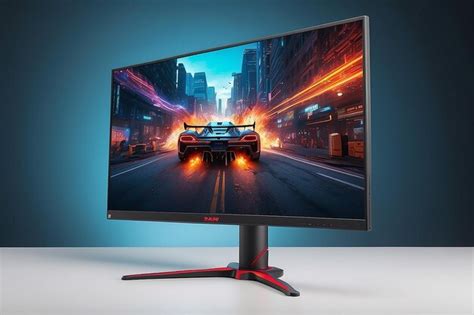
Demystifying Response Time: Eliminating Ghosting
Response time refers to how quickly a pixel can change from one color to another. It’s usually measured in milliseconds (ms). The two common measurements are Grey-to-Grey (GtG), which measures the time for a pixel to change from one shade of grey to another, and MPRT (Moving Picture Response Time), which focuses on perceived motion blur. For competitive gaming, GtG is often the more relevant spec for assessing how quickly pixels can actually change state.
A high response time leads to motion blur, ghosting, or smearing effects, where previous frames linger on the screen, creating fuzzy trails behind fast-moving objects. This can make it difficult to clearly distinguish enemies or track projectiles, particularly in frantic FPS scenarios.
The 1ms Golden Standard: Minimizing Motion Blur
For competitive FPS, an ideal response time is 1ms GtG. This ultra-low response time ensures that pixels change almost instantaneously, virtually eliminating ghosting and motion blur. This clarity is crucial when tracking opponents, making quick flick shots, or navigating complex environments at high speed.
While some monitors might advertise 1ms MPRT, it’s essential to look for 1ms GtG. MPRT often involves techniques like backlight strobing, which can reduce perceived motion blur but might introduce flickering or lower brightness. For raw pixel transition speed, GtG is the more direct measure.
Beyond Refresh Rate & Response Time: Other Crucial Factors
While refresh rate and response time are paramount, other monitor characteristics also play a role in competitive FPS performance:
- Input Lag: Separate from response time, input lag is the delay between when your input (mouse click, keyboard press) is registered and when it appears on screen. Lower is always better.
- Panel Type: TN panels historically offered the fastest response times, but modern IPS panels have significantly improved and often provide better color accuracy and viewing angles with comparable speed. VA panels generally have higher response times, making them less ideal for competitive FPS.
- Resolution: While 4K offers stunning visuals, competitive FPS players often stick to 1080p or 1440p to achieve the highest possible frame rates and refresh rates, as higher resolutions demand more GPU power.
![Frames Per Second: 10 Ways to Boost FPS Windows 10 [New Update]](/images/aHR0cHM6Ly90czIubW0uYmluZy5uZXQvdGg/aWQ9T0lQLm9LaUZwelV0MTZlSXJaMWNjdmRCRGdIYUZNJnBpZD0xNS4x.webp)
The Synergy: How They Work Together
It’s important to understand that refresh rate and response time work in tandem. A high refresh rate without a low response time can still result in motion blur, as the pixels aren’t changing fast enough to keep up with the rapid updates. Conversely, a super-fast response time on a 60Hz monitor won’t give you the smoothness of higher refresh rates. The ideal competitive FPS monitor pairs a high refresh rate (144Hz+) with an ultra-low response time (1ms GtG) to deliver a pristine, blur-free, and incredibly responsive visual experience.
Making Your Choice: Balancing Performance, Budget, and GPU Power
For competitive FPS, the sweet spot for most serious players is a monitor with at least 144Hz refresh rate and 1ms GtG response time. If your budget and GPU allow, upgrading to 240Hz with 1ms GtG will provide an even more refined experience. Always ensure your graphics card can consistently push frames at or above your chosen refresh rate to fully benefit from your investment.
Ultimately, the ideal monitor enhances your ability to perform at your best, offering a clear window into the fast-paced action and allowing your skills to shine without being held back by your display hardware.