





What’s the optimal guide structure for balancing quick answers vs. deep dives?

The Modern Conundrum: Serving Diverse User Needs
In today’s fast-paced digital landscape, users often arrive at guides with vastly different expectations. Some seek immediate solutions to pressing problems, demanding quick, actionable answers. Others are keen to understand the underlying mechanisms, best practices, and advanced configurations, requiring a deep dive into the subject matter. The challenge for content creators is to design a guide structure that caters effectively to both these user types without overwhelming one or underserving the other.
An optimal guide structure isn’t about choosing between speed and depth; it’s about seamlessly integrating both, allowing users to navigate to their desired level of detail with minimal friction. This balance is crucial for improving user satisfaction, reducing bounce rates, and establishing your content as a reliable resource.
Understanding Your Audience and Their Intent
Before designing any structure, it’s paramount to understand who your users are and what they hope to achieve. Are they beginners looking for step-by-step instructions? Are they experienced users troubleshooting a specific issue? Or are they power users seeking comprehensive reference material?
- The Quick Fix Seeker: Needs answers fast. Values brevity, bolded keywords, and clear calls to action.
- The Learner: Seeks understanding. Appreciates context, examples, and logical progression.
- The Expert/Troubleshooter: Knows basics but needs specific details, advanced configurations, or troubleshooting steps. Values comprehensive indexing and detailed technical information.

Key Strategies for Balancing Information Delivery
Achieving equilibrium between quick answers and deep dives involves employing several strategic content design techniques:
1. Progressive Disclosure
This principle involves presenting only the essential information initially, with options for users to reveal more detail if desired. Common implementations include:
- Accordions and Toggles: Collapsible sections that hide verbose explanations until clicked. Ideal for FAQs or detailed steps within a broader topic.
- “Read More” or “Expand Details” Links: Hyperlinks that lead to sub-pages or reveal hidden content on the same page.
2. Layered Information Architecture
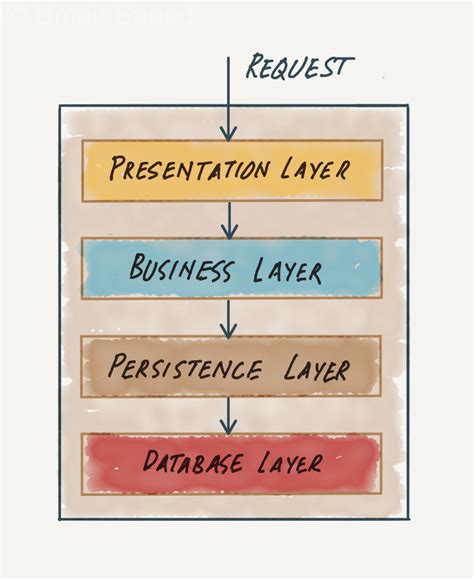
Design your guide with a hierarchical structure. Start with a high-level overview or summary, then progressively drill down into more specific and complex information.
- Introduction/Summary: A concise paragraph or bullet points summarizing the guide’s purpose and key takeaways.
- Quick Start Guide: A distilled version of the essential steps for immediate action.
- Detailed Explanation: Comprehensive sections covering each step or concept in depth, with examples and context.
- Advanced Topics/Troubleshooting: Dedicated sections for edge cases, complex scenarios, or problem-solving.
3. Effective Navigation and Internal Linking
A robust navigation system is vital. Users should be able to jump to specific sections or related topics effortlessly.
- Table of Contents (TOC): Prominently displayed at the top, allowing quick jumps to
<h2>and<h3>sections. Ensure it’s clickable. - Related Articles/Further Reading: Links to other relevant guides for those seeking more context or tangential information.
- Contextual Hyperlinks: Weave links to deeper explanations or definitions directly within the text for terms that might require clarification.

4. Visual Cues and Formatting
Leverage formatting to make quick answers stand out and guide users to deeper content.
- Bolded Key Terms and Actions: Helps scanners quickly grasp main points.
- Bullet Points and Numbered Lists: Break down complex information into digestible chunks.
- Callout Boxes/Alerts: Highlight critical information, warnings, or quick tips.
- Infographics and Diagrams: Provide visual summaries that can convey complex ideas quickly, with accompanying detailed text for those who need it.

Putting It Into Practice: Optimal Structures
Consider these structural models for your guides:
The “Quick Start + Reference” Model
Start with a brief, actionable “Quick Start” section that gets users up and running immediately. Follow this with a comprehensive “Reference” section that details every feature, setting, or concept, allowing for deep dives as needed. This is common in software documentation.
The “FAQ + Explainer” Model
Begin with a concise Frequently Asked Questions section addressing common immediate concerns. Each FAQ answer can either be brief or link to a more detailed “Explainer” section or sub-article that provides a thorough breakdown of the topic.

Conclusion: Continuous Optimization
There’s no single “perfect” guide structure, as user needs evolve and content grows. The optimal approach involves continuous testing, gathering user feedback, and iterative refinement. By prioritizing clear navigation, progressive disclosure, and a layered approach to information, you can create guides that efficiently serve the impatient problem-solver while simultaneously satisfying the curious deep-diver, ultimately enhancing the overall user experience and utility of your content.



