





Where can I find reliable community support for my broken game mods?
Running into issues with your game mods can be incredibly frustrating. One moment you’re enjoying an enhanced gameplay experience, the next your game is crashing, textures are missing, or a quest won’t progress. Thankfully, the vast and passionate modding community is often your best resource for troubleshooting and finding solutions. But with so many corners of the internet, where exactly should you look for reliable help?
Understanding Why Mods Break (and Why Community Matters)
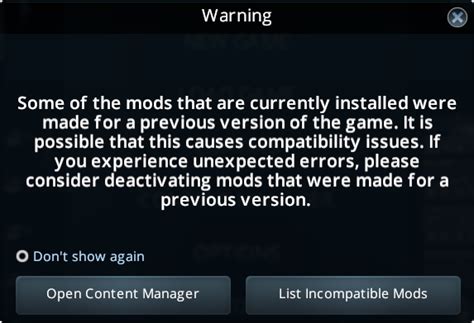
Game mods can break for a multitude of reasons: conflicting files, incorrect installation order, updates to the base game, or simply an outdated mod. Because modding often involves intricate interactions between various files and scripts, pinpointing the exact cause can be a Herculean task for an individual. This is where the collective knowledge of the community becomes invaluable. Others have likely faced similar issues, found workarounds, or even developed patches.
The shared experience and diverse technical skills within modding communities mean that you’re rarely the first person to encounter a specific problem. Leverage this collective wisdom, but always remember to approach the community with respect and provide as much detail as possible about your issue.
Top Platforms for Modding Support
Dedicated Modding Sites (e.g., Nexus Mods, Mod DB)
For many games, dedicated modding websites are the primary hub for content and discussion. Sites like Nexus Mods are indispensable. Each mod usually has a dedicated ‘Bugs’ tab, ‘Posts’ section, or comment thread where users report issues and mod authors or experienced community members offer solutions. Always check these sections first, as your problem might already be documented with a fix.
These sites also often host forums specific to different games, where you can post detailed requests for help, share load orders, and discuss complex mod interactions. These forums are typically moderated by knowledgeable individuals who can guide you through troubleshooting steps.
Game-Specific Forums & Subreddits
Beyond dedicated modding sites, many games have vibrant official or unofficial forums and subreddits on platforms like Reddit. For example, subreddits like r/skyrimmods or r/falloutmods are incredibly active, with thousands of users sharing advice, troubleshooting tips, and mod recommendations. These communities are often highly engaged and quick to respond, making them excellent places to seek real-time assistance.
When posting, ensure you use appropriate flair (if available) and adhere to community rules. A clear, concise title and a detailed description of your problem will significantly increase your chances of getting helpful responses.
Discord Servers
Discord has become a hugely popular platform for real-time community interaction. Many mod authors, modding collectives, and even entire game communities host their own Discord servers. These servers often have dedicated channels for mod support, specific game mods, or general troubleshooting. The advantage of Discord is the immediate feedback and direct communication you can have with experienced modders or even the mod author themselves.
A quick search for the game you’re modding, combined with ‘Discord server,’ will usually yield several options. Look for servers with active communities and clearly defined support channels.

Steam Workshop & Other Digital Stores
While often less robust than dedicated modding sites or forums, the comment sections on Steam Workshop items or other digital storefronts (like GOG or Epic Games Store mods) can sometimes provide basic support. For simpler mods or issues directly related to the platform’s distribution, you might find answers here. However, for complex problems, you’ll generally need to branch out to more specialized communities.
How to Ask for Help Effectively
Getting reliable support hinges on how well you communicate your problem. Always include the following when seeking help:
- Game Version: State the exact version of the game you are running.
- Mod List/Load Order: Provide a complete list of all installed mods and their load order, often generated by a mod manager. This is crucial for identifying conflicts.
- Problem Description: Clearly and concisely explain what is happening, when it happens, and what you’ve already tried.
- Error Messages/Logs: Copy and paste any error messages or relevant sections of crash logs.
- System Specs: Basic computer specifications (OS, CPU, GPU, RAM) can sometimes be relevant.
Be patient and polite. People are helping you in their free time, so a respectful approach goes a long way.
Contributing Back to the Community
Once your issue is resolved, consider sharing the solution with others. Update your original post with the fix, or contribute to existing discussions. Helping others not only strengthens the community but also ensures that the next person with a similar problem can find a solution more easily. Modding communities thrive on collaboration and shared knowledge, making them truly powerful resources for any gamer.
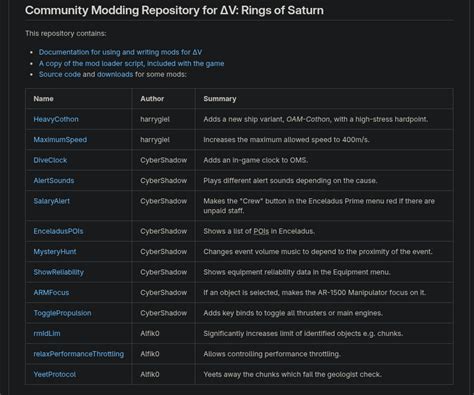
Navigating the world of broken game mods can be challenging, but you don’t have to do it alone. By tapping into the right community resources and clearly articulating your problems, you’ll find that reliable and experienced help is often just a few clicks away, ready to get you back to enjoying your modded games.

