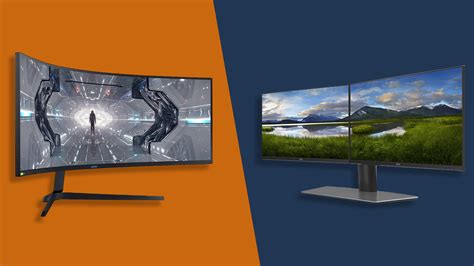
Which gaming monitor specs (Hz, resolution) are crucial for competitive FPS titles?
For competitive First-Person Shooter (FPS) games, every millisecond and visual detail can mean the difference between victory and defeat. While a powerful PC is fundamental, the monitor acts as your window into the game world, and its specifications play a pivotal role in translating your skills into in-game performance. Among the myriad of monitor specs, refresh rate (Hz) and resolution stand out as particularly critical for those aiming to climb the ranks.
Refresh Rate (Hz): The Unquestionable King for Smoothness
Refresh rate, measured in Hertz (Hz), indicates how many times per second your monitor can update the image displayed on screen. A higher refresh rate means more frames are shown in the same amount of time, resulting in significantly smoother motion. For competitive FPS titles, this isn’t just about eye candy; it offers tangible advantages.
The standard 60Hz monitor is a relic for competitive play. Upgrading to 144Hz provides a dramatically smoother experience, making enemy movements clearer and easier to track. Targets appear less “blurry” or “stuttery” as they move across your screen, allowing for quicker reaction times and more precise aim. Moving further to 240Hz or even 360Hz monitors offers diminishing returns but can still provide an edge for elite players, further reducing perceived input lag and enhancing clarity during rapid camera movements.
It’s crucial to remember that to fully benefit from a high refresh rate monitor, your graphics card must be able to push frame rates (FPS) equal to or exceeding your monitor’s refresh rate. A 144Hz monitor paired with a PC only achieving 60 FPS will still only display 60 unique frames per second, negating the monitor’s advantage.

Resolution: Clarity vs. Performance Trade-off
Resolution refers to the number of pixels displayed on your screen, typically expressed as width × height (e.g., 1920×1080). Higher resolutions offer greater visual fidelity and screen real estate, making images appear sharper and more detailed. While this sounds universally beneficial, for competitive FPS, it comes with a significant trade-off.
Common resolutions include 1080p (Full HD), 1440p (QHD), and 2160p (4K/UHD). While 4K offers stunning clarity, rendering a game at this resolution requires immense GPU power to maintain high frame rates. Since maintaining high FPS is paramount for competitive play, especially to match a high refresh rate monitor, pushing 4K often means sacrificing frame rates, leading to a less smooth experience.
For most competitive FPS players, 1080p remains a solid choice, as it’s easier for GPUs to achieve very high frame rates, even on mid-range hardware. 1440p is increasingly becoming the sweet spot for many, offering a good balance between visual clarity and achievable high frame rates, especially with powerful modern graphics cards. It provides a sharper image than 1080p without the extreme performance hit of 4K, making targets slightly clearer at a distance without significant FPS drops.
Beyond Hz and Resolution: Other Crucial Specs
While refresh rate and resolution are primary, other monitor specifications also contribute significantly to a competitive edge:
- Response Time (GtG): This measures how quickly a pixel can change from one color to another. A lower response time (e.g., 1ms Gray-to-Gray) is crucial to minimize ghosting or motion blur, ensuring crisp images during fast-paced action.
- Input Lag: This refers to the delay between an action on your input device (mouse click) and that action being displayed on screen. While often tied to refresh rate, monitors can introduce their own processing lag. Look for monitors with low input lag.
- Panel Type: TN panels historically offered the fastest response times and refresh rates, making them a favorite for competitive gaming. Modern IPS panels have significantly improved, now offering comparable speeds with vastly superior color accuracy and viewing angles, making them a popular choice. VA panels offer great contrast but can sometimes suffer from slower response times and ghosting, making them less ideal for twitch shooters.
- Adaptive Sync (G-Sync/FreeSync): These technologies synchronize your monitor’s refresh rate with your GPU’s frame rate, eliminating screen tearing and reducing stuttering without adding significant input lag. While not directly improving raw speed, they provide a smoother, more consistent visual experience, which is beneficial in competitive scenarios.

Finding the Balance: Your Hardware and Budget
The “best” monitor for you depends heavily on your existing PC hardware and budget. If you have a top-tier GPU (e.g., RTX 4080/4090, RX 7900 XT/XTX), you might comfortably run competitive FPS titles at 1440p with 240+ FPS, making a 1440p 240Hz monitor an excellent choice. For a mid-range system, a 1080p 144Hz or 240Hz monitor will likely yield higher and more consistent frame rates, providing a better competitive experience than struggling to hit 60 FPS at 1440p.
Prioritize refresh rate first for competitive FPS. A 1080p 144Hz monitor will almost always provide a more significant competitive advantage than a 4K 60Hz monitor, even if the latter looks visually superior. Once you’ve secured a high refresh rate, then consider the highest resolution your GPU can consistently drive at those high frame rates.
Conclusion
For competitive FPS players, refresh rate (Hz) is arguably the most crucial monitor specification, directly impacting the fluidity of motion and reaction times. Aim for 144Hz as a minimum, with 240Hz or higher being ideal if your system can support it. Resolution, while contributing to visual clarity, should be balanced against the ability to maintain consistently high frame rates; 1080p or 1440p are typically the sweet spots. Don’t forget other vital aspects like low response time, minimal input lag, and adaptive sync technologies. By understanding these key specs, you can choose a monitor that truly elevates your competitive FPS performance.