





Which gaming mouse sensor specs truly matter for competitive FPS?

Beyond Marketing Hype: Essential Sensor Specs for FPS
In the highly competitive world of First-Person Shooter (FPS) games, every millisecond and pixel of movement counts. While flashy RGB lighting and ergonomic designs often grab attention, the true heart of a gaming mouse for competitive play lies within its sensor. Many players are bombarded with technical specifications, making it difficult to discern which numbers genuinely impact performance and which are mere marketing fluff. This article will cut through the noise, detailing the mouse sensor specs that truly matter for gaining an edge in FPS.
CPI/DPI: Not Just About Higher Numbers
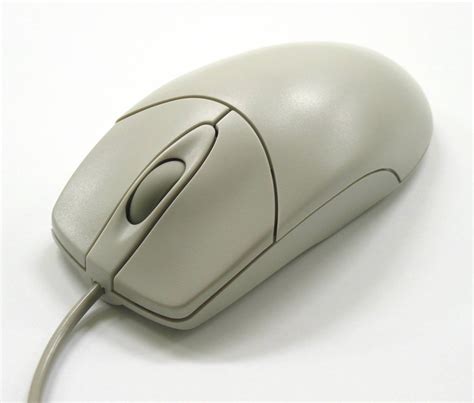
CPI (Counts Per Inch) or DPI (Dots Per Inch) refers to how many times the mouse sensor reads a surface movement for every inch it travels. A common misconception is that a higher DPI inherently makes you a better player. In reality, most professional FPS players utilize relatively low DPI settings (400-1600 DPI) combined with in-game sensitivity adjustments. What truly matters is consistent tracking at your preferred sensitivity. Modern sensors offer extremely high DPI ranges, but pushing these to the extreme can introduce interpolation or jitter, making fine adjustments difficult. Focus on finding a comfortable eDPI (effective DPI = in-game sensitivity * mouse DPI) that allows for precise aim and wide flick shots without running out of mousepad space.
IPS (Inches Per Second): The Speed Merchant
IPS, or Inches Per Second, dictates the maximum speed at which a mouse can be moved across a surface while maintaining accurate tracking. For competitive FPS players, especially those who rely on fast flick shots and large arm movements, a high IPS rating is critical. If your mouse’s IPS rating is too low for your movement speed, the sensor will “spin out,” losing track of the surface and causing erratic cursor movements. Modern high-end optical sensors typically boast IPS ratings well over 300-400 IPS, which is more than sufficient for even the fastest professional players, ensuring your rapid movements are always registered accurately.
Acceleration/Deceleration: The Enemy of Consistency
One of the most detrimental sensor “features” for competitive FPS is acceleration. Mouse acceleration means that the distance your cursor moves on screen is not only determined by how far you move the mouse but also by how fast you move it. This introduces inconsistency, making muscle memory incredibly difficult to build. For precise aim, a 1:1 tracking ratio – where a physical mouse movement always translates to the same on-screen distance, regardless of speed – is paramount. Ensure both your mouse software and operating system have mouse acceleration disabled. Good sensors are designed to provide raw, consistent tracking.
Lift-Off Distance (LOD): Control Your Resets
Lift-Off Distance (LOD) is the height at which the mouse sensor stops tracking the surface when lifted. A low and consistent LOD is highly desirable for FPS players. When you lift your mouse to reposition it on the mousepad (a common action during intense gunfights), you want the sensor to stop tracking immediately to prevent unwanted cursor movement. A high or inconsistent LOD can cause your crosshair to drift as you lift and reposition, disrupting your aim. Many modern gaming mice allow you to adjust the LOD, with 1-2mm being the ideal range for most competitive players.

Polling Rate: The Responsiveness Factor
Polling rate refers to how often your mouse reports its position to your computer, measured in Hertz (Hz). A 1000Hz polling rate means the mouse reports its position 1000 times per second, or every 1 millisecond. While higher polling rates reduce input lag, the difference between, say, 500Hz and 1000Hz is often imperceptible to the average human eye and reaction time, amounting to a 1ms difference. Most competitive players opt for 1000Hz for maximum responsiveness, but anything above 500Hz is generally excellent. The key is consistency; choose a rate your system can handle without dropping reports.

Modern Sensor Excellence: No Need to Obsess Over Specific Models
While historically, specific sensor models like the PixArt PMW3360 series (and its variants like the 3389, 3370) were benchmarked extensively, the good news is that most reputable gaming mouse manufacturers today use excellent, top-tier optical sensors. Proprietary sensors like Logitech’s HERO, Razer’s Focus Pro, or SteelSeries’ TrueMove Pro are all derivatives or direct competitors of these high-performance PixArt units. The general rule of thumb is: if you’re buying a gaming mouse from a well-regarded brand released in the last few years, its sensor performance in terms of raw tracking, IPS, and acceleration will likely be flawless for competitive FPS.
Conclusion: Focus on Consistency and Comfort
Ultimately, for competitive FPS, the true value of a mouse sensor lies in its ability to deliver consistent, raw, and accurate tracking across all your movements. Dispense with the notion that absurdly high DPI or obscure features are critical. Instead, prioritize a sensor with high IPS, zero acceleration, low and adjustable LOD, and a reliable polling rate. Combined with comfortable ergonomics and a weight that suits your grip style, a top-tier sensor will be a silent, dependable partner in your quest for those crucial headshots, allowing you to build muscle memory and focus on the game, not your hardware.


