





Which GPU drivers optimize performance for the latest AAA games?
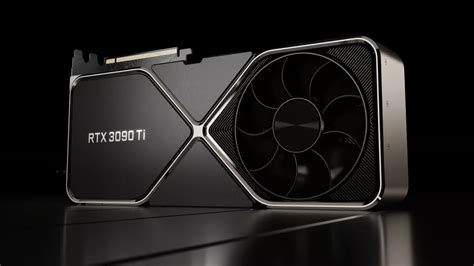
The Crucial Role of GPU Drivers in Gaming
In the ever-evolving landscape of PC gaming, where graphical fidelity and frame rates are paramount, the humble GPU driver often goes overlooked despite being a cornerstone of optimal performance. For those chasing the highest frame rates and smoothest gameplay in the latest AAA titles, understanding and managing your graphics card drivers is not just important—it’s essential. These software packages act as the critical bridge between your operating system, games, and the raw hardware power of your graphics processing unit, dictating how efficiently your GPU can render complex game worlds and visual effects.
Modern AAA games push hardware to its limits, requiring sophisticated optimizations to run well across diverse system configurations. This is where specialized GPU drivers come into play, meticulously tuned by manufacturers to extract every ounce of performance for new game releases. Without the correct, up-to-date drivers, even the most powerful graphics card can underperform, leading to stuttering, lower frame rates, and a generally sub-par gaming experience.
Nvidia’s Game Ready Advantage
Nvidia has long championed its “Game Ready” driver program, a testament to its commitment to day-one optimization for major game launches. These drivers are released in conjunction with, or just before, the release of highly anticipated AAA titles. Nvidia engineers work closely with game developers to identify performance bottlenecks and implement specific optimizations within the driver software. This ensures that when a new game hits the market, Nvidia GPU owners can download a driver that is specifically tailored to deliver the best possible performance and stability right out of the box.
Beyond raw performance gains, Game Ready drivers also often introduce support for new technologies, such as DLSS (Deep Learning Super Sampling) or Reflex, which further enhance the gaming experience. They also address specific bugs or compatibility issues that might arise with new game engines or rendering techniques. For Nvidia users, regularly checking for and installing these Game Ready updates is the single most effective way to ensure their system is primed for the latest gaming experiences.

AMD’s Adrenalin Software: Powering Performance
AMD users benefit from the “Adrenalin Software” suite, which serves a similar purpose to Nvidia’s Game Ready drivers. AMD consistently releases new versions of Adrenalin, often with specific optimizations for new AAA titles. These updates focus on enhancing frame rates, reducing latency, and improving overall stability for the latest games. AMD’s driver team also collaborates with game developers to fine-tune performance profiles and integrate support for AMD-specific technologies like FSR (FidelityFX Super Resolution) and Anti-Lag.
The Adrenalin Software isn’t just about performance; it also includes a wealth of features designed to enhance the gaming experience, from comprehensive overlay options for performance monitoring to advanced image sharpening and anti-lag settings. Keeping the Adrenalin Software up to date ensures access to these optimizations and features, making it crucial for maximizing gaming potential on AMD Radeon graphics cards.
Best Practices for Driver Management
Regardless of whether you own an Nvidia or AMD GPU, adopting a few best practices for driver management can significantly impact your gaming performance and system stability:
- Regular Updates: Always install the latest drivers when new AAA games are released or when your manufacturer issues a major update. These often contain critical performance improvements and bug fixes.
- Clean Installations: When updating drivers, especially if you’re experiencing issues or switching GPU brands, consider performing a clean installation. Tools like Display Driver Uninstaller (DDU) can thoroughly remove old driver files, preventing conflicts and ensuring a fresh start.
- Monitor Game-Specific Optimizations: Check release notes for driver updates. Manufacturers often highlight which games have received specific performance enhancements in a new driver version.
- Tweak In-Driver Settings: Both Nvidia Control Panel and AMD Adrenalin Software offer a range of global and game-specific settings that can further optimize performance. Experiment with options like image scaling, anti-aliasing modes, and low-latency modes.

Troubleshooting and Staying Informed
While new drivers typically bring improvements, occasionally a driver update might introduce unexpected issues. In such cases, knowing how to roll back to a previous stable driver version is crucial. Both Windows Device Manager and the respective driver software suites offer options to revert drivers. Additionally, staying informed through reputable tech news sites, forums, and manufacturer announcements can provide insights into current driver performance trends and any known issues with specific game titles.
Conclusion: Staying Ahead of the Game
For PC gamers who demand the best performance from their hardware, actively managing and updating GPU drivers is a continuous and vital task. Both Nvidia with its Game Ready drivers and AMD with its Adrenalin Software provide dedicated solutions tailored to optimize performance for the latest AAA games. By understanding their importance, diligently updating, and applying best practices, gamers can ensure their system is always ready to deliver the immersive, high-fidelity experiences that modern titles promise.


