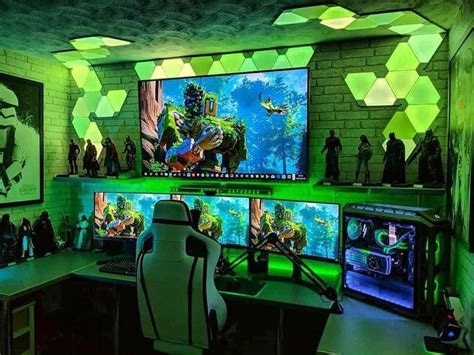
Upgrade CPU or GPU first for better 1440p gaming performance?
The 1440p Gaming Dilemma
For PC gamers eyeing smoother frame rates and richer visuals at 1440p resolution, the question of whether to upgrade the CPU or GPU first is a classic conundrum. Both components are vital, but their impact on performance can differ significantly depending on the game, your existing hardware, and your performance goals. Making the right choice not only saves money but also ensures a noticeable improvement in your gaming experience.
Understanding 1440p Demands
1440p, or Quad HD, offers a substantial jump in pixel count over 1080p, requiring significantly more processing power to render each frame. This higher resolution inherently places a heavier load on your graphics card, as it’s directly responsible for rendering all those pixels. While 1080p might often be CPU-bound in certain titles, 1440p gaming typically shifts the primary performance bottleneck towards the GPU.
The GPU’s Dominance at 1440p
In most modern AAA games played at 1440p, the Graphics Processing Unit (GPU) is the primary workhorse. It dictates how many frames per second (FPS) you can achieve and at what graphical settings. A powerful GPU can render high-resolution textures, complex shaders, and elaborate effects without breaking a sweat, ensuring a fluid and visually stunning experience. If your current GPU is struggling to maintain desirable frame rates at 1440p, exhibiting low GPU utilization or constantly hitting 100% usage with low FPS, it’s a strong indicator that it’s your main bottleneck.

The CPU’s Crucial Role
While the GPU handles the visuals, the Central Processing Unit (CPU) is responsible for a multitude of tasks essential for gaming. This includes processing game logic, AI, physics, draw calls, and managing data flow to the GPU. A weak CPU can “starve” a powerful GPU, preventing it from reaching its full potential, even at 1440p. This often manifests as lower minimum frame rates and stuttering, particularly in CPU-intensive open-world games or titles with many concurrent entities. If your CPU utilization is consistently high while your GPU utilization is low, despite low FPS, a CPU upgrade might be necessary.

Identifying Your Bottleneck
The most effective way to determine whether your CPU or GPU is holding back your 1440p performance is by using monitoring software. Tools like MSI Afterburner, HWMonitor, or the in-game overlays offered by Steam or Nvidia GeForce Experience can display real-time usage statistics for both your CPU and GPU while gaming. Pay close attention to:
- GPU Utilization: If it’s consistently at 95-100% and your FPS is lower than desired, your GPU is the bottleneck.
- CPU Utilization: If one or more CPU cores are consistently at 90-100%, and your GPU utilization is lower (e.g., 60-80%), your CPU is likely limiting performance.
- Frame Rate Consistency: Stutters and drops in FPS, especially with high CPU usage, can point to a CPU bottleneck.

When to Upgrade Your GPU First
For most 1440p gamers, especially those coming from mid-range GPUs (e.g., GTX 1070, RTX 2060, RX 5700), a GPU upgrade will yield the most significant performance boost. This is particularly true if your existing CPU is a relatively modern mid-to-high-end processor (e.g., Intel Core i5 9th Gen or newer, AMD Ryzen 5 3000 series or newer). A more powerful GPU will directly translate to higher frame rates and the ability to enable more demanding graphical settings without sacrificing fluidity.
When to Upgrade Your CPU First
A CPU upgrade should be prioritized if:
- You’re pairing a very powerful GPU with an older or weaker CPU (e.g., an RTX 3080 with an Intel Core i5 7th Gen).
- You frequently play CPU-intensive games (e.g., grand strategy games, open-world titles, simulators) where your CPU is hitting max utilization while your GPU is underutilized.
- You’re experiencing significant frame rate drops and stuttering even in games that aren’t graphically demanding, suggesting a CPU struggle to keep up with game logic.
- You also use your PC for CPU-heavy tasks like video editing, streaming, or 3D rendering alongside gaming.
The Balanced Approach and Future-Proofing
Ultimately, a truly balanced system is ideal. If both your CPU and GPU are aging, consider the more immediate bottleneck first, then plan for the other component down the line. Remember that an upgrade often isn’t just about the single component; a new CPU might necessitate a new motherboard and RAM, adding to the overall cost.
Conclusion
For the majority of 1440p gaming scenarios, upgrading your GPU first will provide the most substantial and noticeable improvement in frame rates and visual fidelity. However, neglecting a significantly older or underpowered CPU can create a bottleneck that prevents even the strongest GPU from shining. Always monitor your system’s performance to make an informed decision, ensuring your hard-earned money delivers the best possible upgrade for your specific gaming setup and aspirations.