





CPU vs. GPU upgrade: Which boosts 1440p gaming FPS most?
For PC gamers, the pursuit of higher frame rates, especially at resolutions like 1440p, is a constant quest. When performance starts to dip, the immediate question often revolves around which component to upgrade: the CPU or the GPU? While both are vital, their impact on 1440p gaming FPS can differ significantly, depending on your current system and the games you play.
The Demands of 1440p Gaming
1440p (2560×1440) resolution renders nearly double the pixels of 1080p, placing a substantially higher load on your system. This increased pixel count translates directly into greater graphical demand, meaning more data needs to be processed and rendered per frame. At this resolution, the rendering workload is almost always the primary determinant of frame rate.

The GPU: The FPS Powerhouse
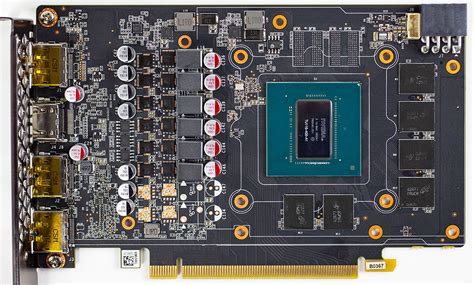
In most 1440p gaming scenarios, the Graphics Processing Unit (GPU) is the single most critical component for achieving high frame rates. Its specialized architecture is designed to handle the massive parallel computations required for rendering detailed textures, complex shaders, anti-aliasing, and other graphical effects. A more powerful GPU can process more pixels per second, leading directly to a higher FPS.
- Visual Fidelity: The GPU dictates how good your games look and how smoothly they run at higher resolutions.
- Pixel Push: At 1440p, the sheer number of pixels means the GPU is almost always working at or near its limit in graphically intensive titles.
- Modern Games: Contemporary AAA titles often push graphical boundaries, making GPU performance paramount.

The CPU: More Than Just Processing
While the GPU handles the bulk of the visual rendering, the Central Processing Unit (CPU) is far from irrelevant. The CPU manages game logic, artificial intelligence, physics calculations, background processes, and crucial ‘draw calls’ – instructions sent to the GPU to render objects. A weak CPU can become a bottleneck, preventing even a powerful GPU from reaching its full potential, particularly in games that are CPU-bound.
- Minimum FPS: The CPU often has a greater impact on your minimum and 1% low frame rates, ensuring a smoother, more consistent gaming experience.
- Game Engines: Some game engines, especially for open-world games or titles with many on-screen entities, are more CPU-intensive.
- Overall System Responsiveness: A strong CPU ensures your operating system and background applications don’t impact gaming performance.
Identifying Bottlenecks: CPU vs. GPU
To determine which upgrade will benefit you most, you need to identify your system’s bottleneck. During gameplay, monitor your CPU and GPU utilization using tools like MSI Afterburner or your operating system’s Task Manager.
- GPU at 95-100% utilization: If your GPU is consistently maxed out while your CPU is significantly lower (e.g., below 70-80%), then your GPU is the bottleneck. A GPU upgrade will provide the most significant FPS boost.
- CPU at 95-100% utilization: If your CPU is consistently maxed out while your GPU is lower (e.g., below 90%), then your CPU is the bottleneck. A CPU upgrade (which might also necessitate a new motherboard and RAM) would be beneficial.
- Both High: If both are consistently high, your system is relatively balanced. Upgrading either could offer improvements, but typically the GPU will still offer more noticeable gains at 1440p.
When to Prioritize a GPU Upgrade
For most 1440p gamers, especially when playing graphically demanding AAA titles, a GPU upgrade will provide the most substantial increase in average frame rates. If you have a decent modern CPU (e.g., an Intel Core i5/i7/i9 from the last 3-4 generations or an AMD Ryzen 5/7/9), and your GPU utilization is consistently high, investing in a newer, more powerful graphics card is almost always the answer.
When to Prioritize a CPU Upgrade
While less common as the primary FPS booster at 1440p, a CPU upgrade becomes critical in specific scenarios:
- Older CPU: If you’re running an older quad-core CPU or a very early generation multi-core chip, it might struggle to feed a modern GPU efficiently, leading to a CPU bottleneck.
- CPU-Intensive Games: Games like strategy titles (e.g., Total War series), simulators, or certain online multiplayer games with many players/AI units can be heavily CPU-bound.
- Minimum FPS Issues: If you experience frequent frame drops, stuttering, or very low 1% and 0.1% low FPS, a CPU upgrade can significantly smooth out gameplay.
- Productivity/Streaming: If you also use your PC for CPU-heavy tasks like video editing, streaming while gaming, or complex simulations, a CPU upgrade offers broader benefits.
Conclusion: Making the Right Choice
For the vast majority of 1440p gamers looking to boost average FPS in modern titles, upgrading your GPU will yield the most significant and noticeable improvements. The sheer pixel count at 1440p ensures that the graphics card is almost always the primary component under stress.
However, don’t overlook your CPU. An aging or underpowered processor can certainly hold back a top-tier GPU. Always check your system’s utilization to identify the bottleneck before making a significant investment. A balanced system, where neither component is excessively bottlenecked, offers the best overall gaming experience. But when in doubt for pure FPS gains at 1440p, start with the GPU.


