





Upgrade GPU or CPU first for better gaming FPS?

The Eternal Dilemma: GPU or CPU?
For any PC gamer looking to squeeze more frames per second out of their rig, the question inevitably arises: should I upgrade my graphics card (GPU) or my processor (CPU) first? This isn’t a one-size-fits-all answer, as the optimal choice depends heavily on your current system’s specifications, the types of games you play, and your overall budget.
The Dominant Force: Your Graphics Card (GPU)
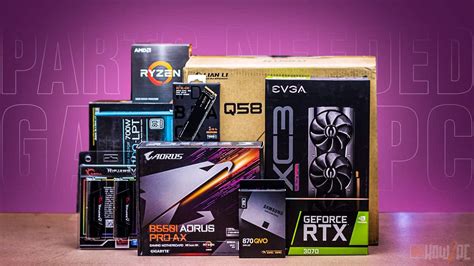
In most modern gaming scenarios, the GPU is the primary determinant of your frame rate. It’s responsible for rendering all the visuals on your screen – textures, lighting, shadows, and complex 3D models. A more powerful GPU can process these tasks faster, allowing for higher resolutions, more demanding graphical settings, and ultimately, higher FPS.
If you’re playing graphically intensive AAA titles at 1080p, 1440p, or 4K, your GPU will almost always be the bottleneck if it’s not a high-end model. Upgrading a dated or mid-range GPU to a newer, more powerful one will typically yield the most significant and noticeable FPS boost in the majority of games.
The Brain Behind the Operation: Your Processor (CPU)
While the GPU handles the visuals, the CPU is responsible for managing game logic, AI, physics, draw calls, and feeding instructions to the GPU. If your CPU is significantly older or underpowered compared to your GPU, it can struggle to keep up, leading to a “CPU bottleneck.” In such cases, even a powerful GPU won’t be able to reach its full potential because it’s waiting for the CPU to deliver data and instructions.
CPU bottlenecks are more common in certain scenarios:
- High Refresh Rate Gaming: If you’re aiming for very high FPS (120Hz, 144Hz, or more) at lower resolutions (e.g., 1080p) in competitive games like Valorant, CS:GO, or Overwatch, the CPU’s ability to process game logic quickly becomes crucial.
- CPU-Intensive Games: Strategy games (e.g., Total War), simulations (e.g., Flight Simulator), and open-world titles with many NPCs or complex physics often lean heavily on the CPU.
- Streaming/Multitasking: If you stream your gameplay or run many background applications, a stronger CPU with more cores and threads is highly beneficial.
Identifying the Bottleneck: How to Check Your System
The best way to decide is to observe your current system’s performance. Monitoring tools like MSI Afterburner, HWiNFO64, or the built-in Task Manager can show you real-time usage statistics for your CPU and GPU while gaming.
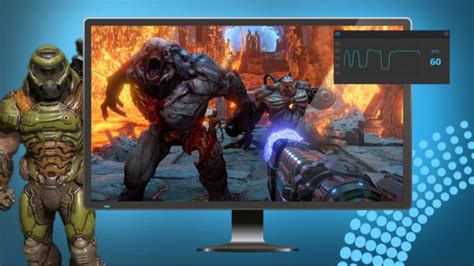
- GPU Usage at 90-100% and Low FPS? This indicates a GPU bottleneck. Your graphics card is working at its maximum capacity, and upgrading it will likely improve performance.
- CPU Usage at 90-100% and GPU Usage Low (e.g., 60% or less)? This points to a CPU bottleneck. Your CPU can’t feed data to the GPU fast enough, preventing the GPU from being fully utilized. Upgrading your CPU (and potentially motherboard/RAM) would be the priority.
- Both Low? This might indicate a problem with the game itself, driver issues, or a power limit.
Common Scenarios and Recommendations
Scenario 1: Old GPU, Decent Modern CPU (e.g., GTX 1060 with Ryzen 5 3600)
Recommendation: Upgrade GPU first. Your CPU is still capable, but the older GPU is holding back your visual fidelity and frame rates in demanding titles. A new mid-range or high-end GPU will offer a substantial boost.
Scenario 2: Modern GPU, Old CPU (e.g., RTX 3070 with i5-6600K)
Recommendation: Upgrade CPU first (and likely motherboard/RAM). Your powerful GPU is likely being bottlenecked by the older CPU, especially at lower resolutions or in CPU-intensive games. You’re not getting the full value out of your GPU. This upgrade often entails a new motherboard and RAM (DDR4 to DDR5, for example).
Scenario 3: Balanced Mid-Range System (e.g., RTX 2060 with Ryzen 5 2600)
Recommendation: Depends on games and desired resolution.
- For higher resolutions (1440p+) or maximum graphical settings, a GPU upgrade will likely yield more.
- For competitive gaming at 1080p with high refresh rates, a CPU upgrade might be more beneficial.
Monitoring is key here.
Budget and Future-Proofing
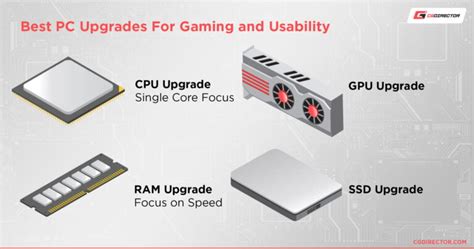
Consider your overall budget. GPU upgrades can be very expensive, but CPU upgrades often come with the added cost of a new motherboard and potentially new RAM, making them a more significant investment. Think about your long-term goals: are you aiming for 4K gaming, or high refresh rate esports titles? This will guide your decision.
Ultimately, a balanced system is always the goal. Neither component should be vastly more powerful or weaker than the other to ensure optimal performance. Prioritize the component that is currently limiting your gaming experience the most.
Conclusion
There’s no universal answer to whether to upgrade your GPU or CPU first. The best approach is to understand your current system’s limitations by monitoring component usage during gameplay. Generally, the GPU has a greater impact on overall FPS in most modern games, especially at higher resolutions and settings. However, a lagging CPU can severely limit even a top-tier GPU. Take the time to diagnose your specific bottleneck, and your upgrade path will become clear, leading to a more satisfying gaming experience.


