





My gaming PC runs hot. What’s the best way to improve airflow & cooling?

Why Your Gaming PC Runs Hot
A gaming PC running hot is a common issue that can lead to reduced performance (thermal throttling), shortened component lifespan, and an overall noisy experience. Modern high-performance components, especially CPUs and GPUs, generate a significant amount of heat under load. If this heat isn’t efficiently dissipated, it builds up inside the case, leading to the problems mentioned. Improving airflow and cooling is crucial for maintaining optimal performance and extending the life of your expensive hardware.
The Essential First Step: Dust Cleanup
Over time, dust accumulates inside your PC case, coating components like heatsinks, fans, and vents. This layer of dust acts as an insulator, trapping heat and impeding the efficient transfer of heat away from components. Dust also clogs fan blades, reducing their effectiveness. Regular cleaning is the simplest and often most effective first step to improve cooling.
- Power Down and Unplug: Always turn off and unplug your PC before opening the case.
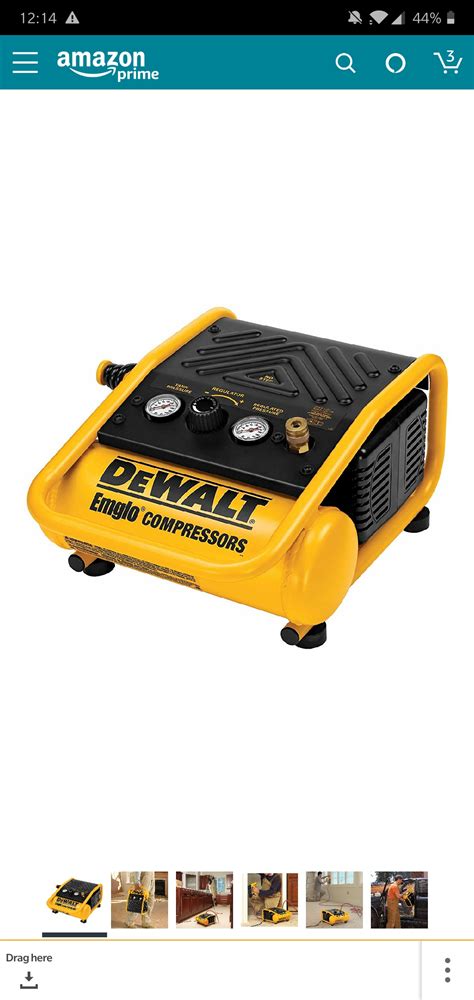
- Compressed Air: Use cans of compressed air (holding them upright to avoid propellant discharge) to blow dust out of heatsinks (CPU, GPU), power supply, and case fans. Hold fan blades gently to prevent them from spinning too fast and damaging bearings.
- Gentle Brushing/Wiping: For stubborn dust, use a soft-bristled brush or a microfiber cloth.
Optimizing Your Case Fan Setup
Case fans are the primary drivers of airflow within your PC. Their number, size, and orientation significantly impact cooling efficiency. The goal is to create a clear path for cool air to enter and hot air to exit.
- Positive vs. Negative Pressure:
- Positive Pressure: More intake fans than exhaust fans. This pushes air out of small gaps, preventing dust from being sucked in, but can lead to slightly warmer internal temps if not balanced.
- Negative Pressure: More exhaust fans than intake fans. This pulls air in from any opening, making dust accumulation worse but can sometimes be more effective at removing hot air quickly.
- Balanced Pressure: An equal number of intake and exhaust fans is often the ideal compromise, providing good airflow without excessive dust buildup.
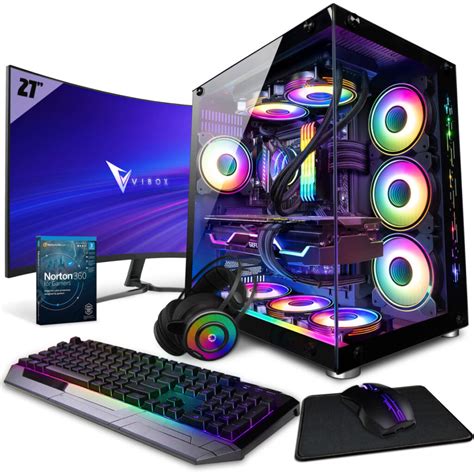
- Fan Placement: Generally, front and bottom fans should be intake (bringing cool air in), while rear and top fans should be exhaust (pushing hot air out).
- Fan Quality: Higher quality fans offer better airflow (CFM – Cubic Feet per Minute) and static pressure (for pushing air through restrictive heatsinks/radiators) at lower noise levels.

Upgrading Your CPU Cooler
The stock CPU coolers that come with many processors are often adequate for basic use but quickly become insufficient under heavy gaming loads, especially with higher-end CPUs or overclocking. Upgrading your CPU cooler can drastically improve CPU temperatures.
- Air Coolers: Large heatsinks with one or two fans. They are generally reliable, less prone to failure than liquid coolers, and don’t involve pumps or liquid. High-end air coolers can often compete with entry-level liquid coolers.
- All-in-One (AIO) Liquid Coolers: Closed-loop liquid cooling systems that are easier to install than custom loops. They typically offer superior cooling performance compared to most air coolers, especially in smaller cases where large air coolers might not fit. Ensure your case has space for the radiator (e.g., 240mm, 280mm, or 360mm).
- Thermal Paste: Whether upgrading or just cleaning, reapplying high-quality thermal paste between your CPU and cooler base is essential. Old, dried-out thermal paste loses its conductivity.
Addressing GPU Cooling and Other Components
Your graphics card is often the hottest component in a gaming PC. While upgrading a GPU cooler is more complex and often involves aftermarket solutions or custom water loops, you can still improve its cooling indirectly:
- Good Case Airflow: A well-ventilated case with optimized fan placement will provide cooler ambient air to your GPU’s fans.
- Undervolting: Reducing the voltage supplied to your GPU (while maintaining performance) can significantly lower power consumption and heat generation without noticeable performance loss. This requires careful testing.
- RAM/SSD Cooling: While not as critical as CPU/GPU, some high-performance NVMe SSDs can benefit from heatsinks, and some high-speed RAM kits include built-in heatsinks.
Cable Management and Case Choice
These two often overlooked factors play a crucial role in overall system cooling.
- Cable Management: Messy cables obstruct airflow, creating pockets of stagnant hot air. Route cables behind the motherboard tray or along the case’s edges to keep the main airflow path clear. Use zip ties or Velcro straps to bundle cables neatly.
- Case Choice: A case designed for good airflow typically features mesh front panels, multiple fan mounting options, and good clearance for large coolers. Compact or aesthetically focused cases often prioritize looks over optimal thermal performance, leading to higher temperatures. If upgrading your case, look for models with excellent reviews for airflow.
Monitoring and Final Tips
After making changes, it’s vital to monitor your temperatures to see the impact. Use software like HWMonitor, MSI Afterburner (for GPU), or your motherboard’s monitoring utilities to check CPU and GPU temperatures under load. Run stress tests or play a demanding game to see the real-world difference.
Consider the ambient room temperature. If your room is hot, your PC will naturally run warmer. Ensuring good room ventilation can indirectly help your PC stay cooler.

Conclusion
Tackling high temperatures in your gaming PC is a multi-faceted approach. Start with the basics: a thorough dust cleaning. Then, strategically optimize your case fans for balanced airflow. If temperatures remain high, consider upgrading your CPU cooler to an aftermarket air or AIO liquid solution. Don’t underestimate the power of good cable management and choosing a case designed for airflow. By implementing these strategies, you’ll ensure your gaming rig runs cooler, quieter, and performs at its peak for years to come.


