





How can I quickly find essential gaming update news without sifting through fluff?

The Information Overload Challenge for Gamers
In the fast-paced world of gaming, staying on top of the latest updates, patch notes, DLC releases, and developer announcements can feel like a full-time job. The internet is awash with gaming content, from enthusiast blogs and streaming highlights to forum discussions and clickbait headlines. Sifting through this deluge to find the truly essential news relevant to your favorite titles can be exhausting and time-consuming. Many gamers struggle to distinguish crucial information from mere hype or outdated rumors, leading to missed opportunities or frustration.
The core problem isn’t a lack of information, but an overabundance of it, often presented without clear hierarchy or context. This article will guide you through effective methods to streamline your news consumption, ensuring you catch the updates that matter most.

Go Straight to the Source: Official Channels
The most reliable and often quickest way to get essential updates is directly from the game developers and publishers themselves. They are the primary source of accurate information regarding patch notes, release dates, maintenance schedules, and new content.
- Developer Blogs & Websites: Many studios maintain dedicated news sections or blogs where they post detailed updates. Bookmark these for your most played games.
- Official Social Media: Follow games, developers, and publishers on platforms like Twitter, Facebook, or even TikTok. They frequently use these channels for immediate announcements and quick updates.
- Game Launchers & Stores: Platforms like Steam, Epic Games Store, Battle.net, or console dashboards often have built-in news feeds or dedicated sections for game updates and announcements.
- Official Discord Servers: For many online games, Discord servers act as central hubs for real-time announcements, developer Q&As, and community interaction.
Leverage Reputable Gaming News Outlets
While official channels are crucial, trusted gaming news websites act as valuable aggregators and provide analysis, helping you understand the broader context of an update. Look for sites known for their journalistic integrity and a track record of accurate reporting.
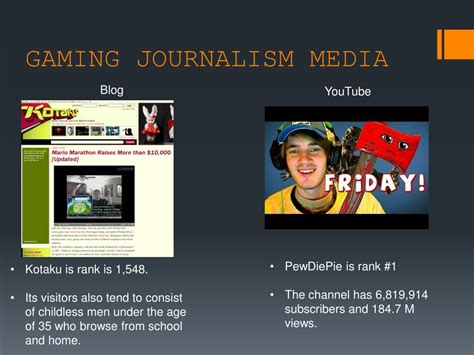
- Established Gaming Publications: Websites like IGN, PC Gamer, Eurogamer, GameSpot, Polygon, and Rock Paper Shotgun often have dedicated news teams that consolidate information, review updates, and provide insightful commentary.
- Specialized Sites: If you’re into specific genres (e.g., MMOs, fighting games, indie games), there are often niche websites that offer hyper-focused news, cutting out general gaming fluff.
- Content Creators: Some YouTubers or streamers specialize in breaking down patch notes or analyzing new game features. Choose those known for their factual reporting rather than purely entertainment value.
Smart Aggregation and Custom Feeds
To avoid manually checking dozens of sources, employ tools that bring the news to you in a curated fashion.
- RSS Feeds: For websites that offer RSS, use an RSS reader (e.g., Feedly, Inoreader) to collect all your news in one place. You can subscribe to specific categories or tags on larger sites.
- Google News/Alerts: Set up custom Google News feeds or Google Alerts for specific game titles, developers, or keywords. This will notify you when new articles or posts related to your interests appear online.
- Dedicated Gaming News Apps: Some apps are designed to aggregate gaming news from multiple sources, often allowing you to customize your feed based on preferred games or platforms.
- Twitter Lists: Create private Twitter lists of developers, publishers, and trusted gaming journalists. This allows you to view a focused feed without the noise of your main timeline.
Engage with Curated Communities
While general forums can be chaotic, well-moderated subreddits or Discord channels focused on specific games can be goldmines for essential news, often with community members highlighting critical updates.
- Game-Specific Subreddits: Many popular games have active subreddits where official announcements are often cross-posted, discussed, and sometimes summarized by diligent community members.
- Official Discord Servers: As mentioned, these often have dedicated announcement channels that are read-only for community members, ensuring you see official posts without chatter.
- Avoid Overly Casual Forums: While fun for discussion, general chat forums or unmoderated community groups can quickly become sources of misinformation or irrelevant posts. Stick to channels with a clear purpose for news dissemination.

Master Your Notifications and Subscriptions
Finally, tailor your notification settings to ensure important updates reach you directly without becoming a distraction.
- Email Subscriptions: Sign up for newsletters from your favorite developers or gaming sites. Filter these emails into a specific folder so you can review them at your convenience.
- App Notifications: Configure notifications for gaming news apps, official game launchers, or Discord servers. Be selective, choosing to receive alerts only for critical announcements.
- Push Notifications: Enable push notifications for key social media accounts of developers, but ensure they are for ‘top posts’ or ‘all posts’ depending on the platform’s options, to avoid missing critical alerts.
- Schedule Your News Consumption: Dedicate specific times each day or week to review your curated news feeds. This prevents constant interruption and ensures you process information efficiently.

Conclusion
Finding essential gaming update news doesn’t have to be an overwhelming chore. By strategically utilizing official sources, reputable news outlets, smart aggregation tools, and curated communities, you can build a personalized and efficient news pipeline. Focus on quality over quantity, be selective with your sources, and master your notification settings to ensure you’re always informed about the updates that truly matter to your gaming experience.



