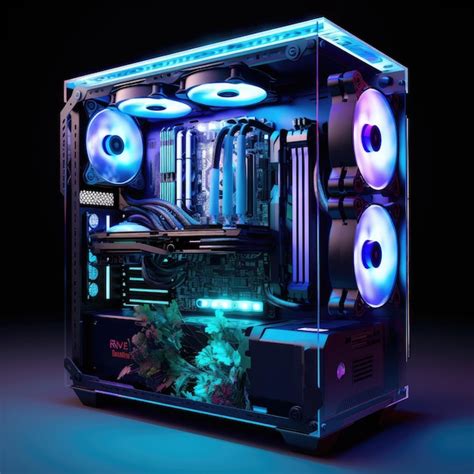
My CPU temps hit 90°C while gaming. Best cooling solutions for high-performance builds?
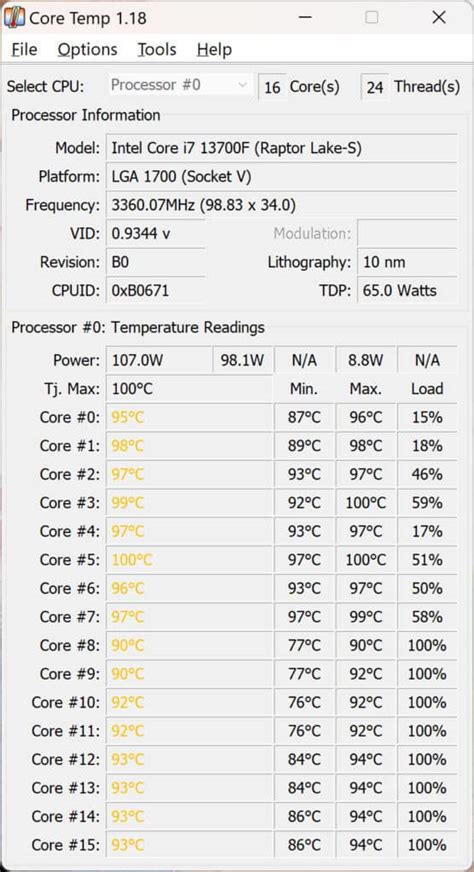
Understanding High CPU Temperatures
Reaching 90°C on your CPU while gaming is a clear indicator that your cooling system is struggling to keep up with the demands of your high-performance components. While modern CPUs are designed to withstand high temperatures, sustained operation at 90°C or above can lead to thermal throttling, reduced performance, and potentially shorten the lifespan of your processor and other components. It’s crucial to address these temperatures to ensure your system runs optimally and remains stable during intense gaming sessions.
Thermal throttling is your CPU’s self-preservation mechanism. When temperatures get too high, the CPU automatically reduces its clock speed and voltage to generate less heat, which directly translates to a drop in gaming frame rates and overall system responsiveness. This isn’t just about comfort; it’s about protecting your investment and maximizing your gaming experience.

Initial Checks and Quick Fixes
Before diving into expensive cooling solutions, it’s wise to perform some basic checks:
- Dust Accumulation: Over time, dust can significantly impede airflow and cooling efficiency. Use compressed air to clean out your CPU cooler heatsink, case fans, and any vents.
- Thermal Paste Application: The thermal paste between your CPU and cooler base can dry out or degrade, losing its effectiveness. Reapplying fresh, high-quality thermal paste can make a noticeable difference.
- Fan Curves: Ensure your case fans and CPU cooler fans are spinning at appropriate speeds under load. Adjusting fan curves in your BIOS/UEFI can provide more aggressive cooling when needed.
- Case Airflow: Check that your case has a good balance of intake and exhaust fans, creating positive or neutral air pressure for optimal heat dissipation.
Top-Tier CPU Cooling Solutions
1. High-Performance Air Coolers
For many high-performance builds, a premium air cooler can be surprisingly effective and often provides a better value proposition than entry-level liquid coolers. Modern air coolers feature massive heatsinks with numerous fins and multiple high-static-pressure fans, capable of dissipating a significant amount of heat. They are generally quieter, more reliable (fewer moving parts, no pump failure risk), and easier to install.
When to choose: If you prefer reliability, a simpler setup, and don’t plan on extreme overclocking. They are excellent for many high-end CPUs (e.g., Intel i7/i9, AMD Ryzen 7/9).
2. All-in-One (AIO) Liquid Coolers
AIO liquid coolers have become extremely popular for their superior cooling performance, sleek aesthetics, and ability to keep the area around the CPU socket clear. These closed-loop systems circulate coolant through a water block on the CPU, to a radiator where fans dissipate the heat into the case. Larger radiators (240mm, 280mm, 360mm) with more fans generally offer better cooling capacity.
When to choose: For top-tier CPUs, heavy overclocking, compact cases where airflow might be restricted, or if you simply prefer the clean look and often better thermal performance they offer compared to air coolers.
![Liquid Cooling [What, Why, How To Install] - Tech4Gamers](/images/aHR0cHM6Ly90czMubW0uYmluZy5uZXQvdGg/aWQ9T0lQLi1ab3RhQldKUlBRcXZ5Z1ZHTGdlZEFIYUdMJnBpZD0xNS4x.webp)
3. Custom Liquid Cooling Loops
For the ultimate in cooling performance and aesthetic customization, a custom liquid cooling loop is unmatched. This involves individually selecting and assembling components like pumps, reservoirs, radiators, CPU blocks, GPU blocks (optional), and tubing. While significantly more complex and expensive, custom loops offer the best thermal performance, allowing for extreme overclocking and very low temperatures, even under heavy load. They also provide unparalleled visual appeal.
When to choose: Enthusiasts seeking the absolute best performance, thermal headroom for extreme overclocking, or those who enjoy the challenge and customization of building a unique system.
Optimizing Your Case Airflow
Even the best CPU cooler won’t perform optimally if your case airflow is poor. Consider the following:
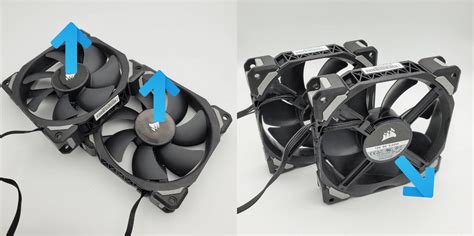
- Fan Configuration: Aim for a balanced setup. Typically, front and bottom fans act as intake (bringing cool air in), while rear and top fans act as exhaust (pushing hot air out).
- Fan Quality: Invest in good quality case fans. Fans designed for high airflow are best for unrestricted areas, while high static pressure fans are better for pushing air through radiators or restrictive mesh.
- Cable Management: Poor cable management can obstruct airflow, creating pockets of hot air. Tidy up your cables to ensure unobstructed paths for air.
Conclusion: Keeping Your Cool
A CPU hitting 90°C during gaming is a call to action. Whether you opt for a powerful air cooler, a robust AIO liquid cooler, or even venture into custom loops, addressing these high temperatures is vital for the longevity and performance of your high-end gaming PC. Start with basic maintenance, evaluate your budget and needs, and then choose a cooling solution that provides ample headroom for your CPU, ensuring cool, stable, and high-performance gaming for years to come.