





How to get instant alerts for new game patch notes and updated guides for my top games?

In the fast-paced world of video games, staying on top of the latest patch notes, bug fixes, new content releases, and updated strategies can be a daunting task. For your most cherished titles, missing a crucial update can mean falling behind the meta, struggling with outdated builds, or simply not experiencing the game at its best. Fortunately, a variety of effective strategies and tools exist to ensure you receive instant alerts, keeping you perfectly informed and ahead of the curve.

Leveraging Official Developer Channels
The most reliable source for game updates is always the developers themselves. Most game studios maintain dedicated channels to communicate with their player base:
- Official Websites & Blogs: Bookmark the official game website or developer blog. Many developers post detailed patch notes and news articles here. Consider using an RSS reader to subscribe to their feed if available.
- In-Game News Feeds: Many modern games integrate a news feed directly into their client or main menu. Make it a habit to check this section whenever you log in.
- Social Media: Follow the official game and developer accounts on platforms like Twitter, Facebook, and Instagram. Turn on notifications for their posts to get immediate alerts.
- Official Forums: Developers often post announcements and interact directly with players on their dedicated forums.
Harnessing Gaming News Sites and Aggregators
For a broader view and curated information, gaming news websites and aggregators are invaluable:
- Major Gaming Publications: Websites like IGN, PC Gamer, GameSpot, and Eurogamer often break down complex patch notes into digestible articles and feature guides. Set up custom alerts if they offer them, or rely on their daily newsletters.
- Specialized Game Sites: For hugely popular games (e.g., League of Legends, World of Warcraft, Destiny 2), there are often dedicated fan sites or news portals that specialize in tracking every minute detail.
- RSS Feed Readers: Use a tool like Feedly or Inoreader to subscribe to the RSS feeds of multiple gaming news sites and official developer blogs. This centralizes all your news in one place.

Engaging with Community-Driven Platforms
The gaming community itself is an incredible source of immediate information, often dissecting updates and creating guides faster than official channels can publish:
- Reddit: Subscribe to the official subreddit for your game(s) and relevant general gaming subreddits (e.g., r/games, r/gamingnews). Use Reddit’s notification features for hot posts or specific keywords.
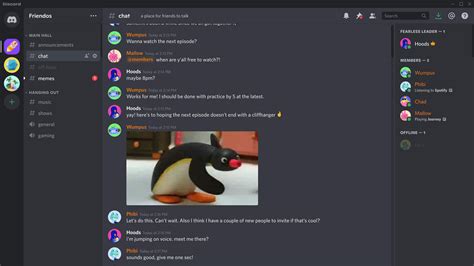
- Discord Servers: Join official and unofficial Discord servers for your favorite games. Many have dedicated channels for patch notes, news, and guide discussions, often with bots that pull information directly from official sources. Configure server notifications to stay alert.
- Fan Wikis & Databases: Websites like Fandom wikis or game-specific databases are community-maintained and frequently updated with new item stats, quest details, and build information post-patch.
Utilizing Specialized Tools and Apps
Beyond general platforms, several tools are designed specifically for tracking game updates:
- Game Launchers: Platforms like Steam, Epic Games Store, GOG Galaxy, and Battle.net often have built-in news sections or community hubs where developers post updates. Enable desktop notifications for these launchers.
- Third-Party Tracking Apps/Sites: Some websites or apps specialize in tracking updates across multiple games. For example, some offer email alerts for specific game updates or new guide publications. (Note: Specific names might change or become outdated, so focus on the type of tool).
- Browser Extensions: Certain browser extensions can monitor specific web pages for changes, notifying you when new content (like patch notes) appears.
Setting Up Email Newsletters and Subscriptions
Don’t underestimate the power of a good old-fashioned email newsletter:
- Official Developer Newsletters: Sign up for newsletters from the game developers. They often consolidate important news and patch summaries.
- Guide Creator Newsletters: Many prominent content creators (streamers, YouTubers, website owners) who produce guides offer newsletters. Subscribing ensures you get their updated strategies directly.
Conclusion
To truly get instant alerts for new game patch notes and updated guides, a multi-pronged approach is most effective. Combine official sources with community platforms and specialized tools. Start by bookmarking official channels and joining relevant Discord servers. Supplement this with RSS feeds for news sites and consider dedicated tracking apps for your absolute top-priority games. By strategically configuring your notifications across these platforms, you’ll ensure you’re always one step ahead, ready to dive into the latest content and master the updated meta of your favorite games.



