





How to effectively filter gaming news to only see relevant patch notes and major updates?
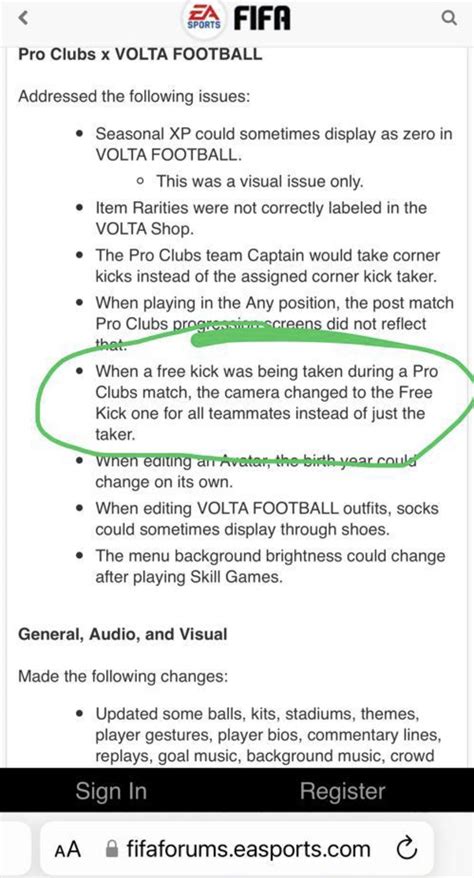
Navigating the Deluge of Gaming Information
In the fast-paced world of gaming, staying informed about your favorite titles can feel like an overwhelming task. Developers release constant updates, community managers share announcements, and countless content creators generate daily news. Amidst this deluge, distinguishing between crucial patch notes and minor blog posts, or major game-changing updates versus trivial events, is paramount for any serious player. This guide will equip you with effective strategies to streamline your information intake, ensuring you only see the news that truly matters.

Why Filtering is Crucial for Gamers
The sheer volume of gaming news often leads to information overload, making it easy to miss critical details that impact gameplay, meta shifts, or even major new content releases. Without a proper filtering system, you might spend valuable time sifting through irrelevant speculation, clickbait articles, or marketing fluff, rather than focusing on the actual mechanics and changes that affect your gaming experience. Effective filtering not only saves time but also enhances your ability to adapt to game evolutions and stay competitive.
Leveraging Official Developer Channels
Your first and most reliable source for patch notes and major updates should always be the game’s official channels. Developers and publishers directly communicate significant changes through their own websites, dedicated game forums, or official news portals. This ensures accuracy and often provides the most comprehensive breakdown of changes.
Key Official Sources:
- Official Game Websites: Most games have a dedicated “News” or “Updates” section.
- Developer Blogs: Often contain detailed insights into upcoming changes.
- Game Launchers: Platforms like Steam, Epic Games, Battle.net, or Riot Client frequently integrate news feeds directly into their interface.
- Official Forums: Developers often post updates and engage with players here.
Harnessing News Aggregators and RSS Feeds
For those who follow multiple games or prefer a centralized news hub, aggregators and RSS feeds are invaluable. Websites like IGN, PC Gamer, or GameSpot often categorize news, allowing you to focus on specific game titles or genres. RSS (Really Simple Syndication) feeds take this a step further, enabling you to subscribe directly to news streams from various sources and consolidate them into a single reader.
Popular Aggregation Methods:
- Dedicated Gaming News Apps: Many apps allow you to follow specific games and filter by type of news.
- RSS Readers: Tools like Feedly or Inoreader can pull updates from dozens of official blogs and news sites into one customizable dashboard.
- Custom Google News Alerts: Set up alerts for “[‘Game Name’ patch notes]” or “[‘Game Name’ major update]” to get notifications.

Smart Social Media Engagement
While social media can be a minefield of irrelevant posts, it’s also a powerful tool when used strategically. Most developers have official Twitter, Facebook, or Instagram accounts where they announce major updates. The trick is to cut through the noise.
Social Media Strategies:
- Follow Official Accounts: Only follow the primary accounts for the games you play.
- Utilize Lists/Groups: Create private lists on Twitter for developers and publishers to see a clean feed of their announcements.
- Mute Keywords: Use platform-specific features to mute keywords or hashtags that are irrelevant to your interests (e.g., specific esports drama if you only care about game updates).
- Discord Servers: Many games have official or large community Discord servers with dedicated “announcements” or “patch notes” channels.

Leveraging Community Hubs and Wikis
Sometimes, the community itself is the best filter. Platforms like Reddit or dedicated game wikis (e.g., Fandom, Gamepedia) often have highly engaged users who quickly disseminate, summarize, and discuss patch notes and major updates. While not official, these platforms can provide quick overviews and community interpretations, which can be incredibly useful.
Community Resources:
- Subreddits: Join subreddits for your specific games; many have rules enforcing relevant content and sticky important updates.
- Fan Wikis: Often updated quickly with changes from patch notes, making it easy to see what’s new for items, characters, or mechanics.
- YouTube Channels: Select content creators specialize in breaking down complex patch notes into digestible videos. Choose those known for accuracy and brevity.

Conclusion: Stay Informed, Play Smarter
By implementing a combination of these strategies, you can transform your gaming news consumption from a chaotic struggle into an efficient, productive routine. Prioritize official sources, centralize information with aggregators, use social media judiciously, and tap into reliable community insights. The goal isn’t to avoid news entirely, but to filter it effectively so you can spend less time searching and more time playing, equipped with the knowledge of every crucial update and patch.



