





How to structure game guides for quick, spoiler-free info finding?

Modern video games are vast and complex, offering hundreds of hours of content, intricate lore, and challenging mechanics. While players often seek assistance, they rarely want their experience ruined by spoilers or to wade through paragraphs of irrelevant text. The key to a successful game guide lies in its structure: making information readily accessible, concise, and entirely spoiler-free.
The Pillars of Modular Design
The foundation of any user-friendly game guide is a modular structure. Think of your guide not as a linear novel, but as a collection of interconnected, self-contained modules. Each module, whether it’s a chapter, a section, or even a single page, should focus on a specific topic: a quest, a character, an item, or a location. This allows players to jump directly to what they need without sifting through unrelated content.
- Clear Headings: Use descriptive and unambiguous headings (H2, H3, H4) that immediately tell the reader what the section contains. Avoid vague titles.
- Logical Grouping: Group related information together. For example, all details about a specific boss should reside in one place, easily linkable.
- Navigable Table of Contents (TOC): An interactive TOC at the beginning of the guide is crucial. It acts as a roadmap, allowing players to click on a specific entry and instantly navigate to that section.

Prioritizing Information and Clarity
When structuring your guide, always consider the player’s immediate need. Most users coming to a guide are looking for a quick answer to a specific problem. Therefore, information should be presented clearly, concisely, and with an emphasis on “need-to-know” details upfront.
Employ bullet points, numbered lists, and bold text to highlight critical information, steps, or items. Avoid verbose explanations where a simple list will suffice. Break down complex processes into digestible steps. For instance, rather than a paragraph describing how to defeat a boss, list out the boss’s attack patterns, weaknesses, and optimal strategies in a clear, actionable format.
Mastering Spoiler Management
This is perhaps the most critical aspect of spoiler-free guide design. Players want help with a puzzle or a tough enemy, not to learn about major plot twists or secret endings. Implement a multi-layered approach to spoiler control:
- Spoiler Warnings: Clearly label sections that contain potential spoilers (e.g., “Endgame Spoilers Ahead,” “Major Plot Details”).
- Dedicated Spoiler Sections: For heavily story-driven games, consider creating entirely separate sections or even distinct guides for lore, endings, or post-game content that inherently involve spoilers.
- Concealed Text (if platform allows): On web platforms, use spoiler tags or collapsible elements to hide text until a user explicitly clicks to reveal it. While static HTML doesn’t support this functionality directly, the guide’s structure should account for where such features would be beneficial.
- Path Segregation: Separate main story quest walkthroughs from optional side quests, collectibles, or secret areas. Players can then choose to only follow the main path guidance without stumbling upon hidden content spoilers.
Enhancing Navigability and Searchability
Beyond a good TOC, several elements contribute to a guide’s overall navigability. Internal linking is paramount; when mentioning an item or NPC, link directly to its dedicated page or section within the guide. This creates a web of interconnected information, reducing the need for players to manually search.
Furthermore, ensure your guide uses consistent terminology for in-game elements. This aids both human readability and any potential search functionality. Think about what terms players would use to find specific information – these should be present in your headings and main text.

Visual Aids and Quick References
Sometimes, the quickest way to convey information is visually. Incorporate relevant images, maps, and diagrams judiciously. For example:
- Area Maps: Highlight key locations, collectibles, or quest objectives directly on a map.
- Flowcharts: Illustrate complex questlines with branching decisions or puzzle solutions.
- Infographics/Tables: Present stat comparisons, item crafting recipes, or character builds in an easy-to-digest visual format.
- Annotated Screenshots: Use screenshots with callouts or arrows to point out specific details for puzzles, secret areas, or combat mechanics.
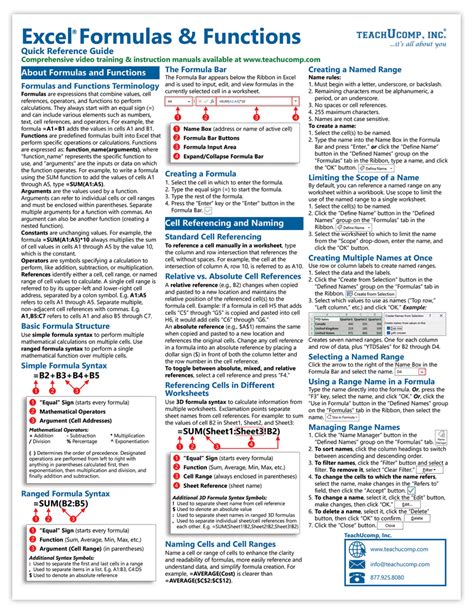
Consider creating “quick reference” sections or appendices that summarize key data like character stats, enemy weaknesses, or crafting ingredients. These are invaluable for players who just need a rapid lookup without reading a full walkthrough.
By adopting these structural and design principles, you can create game guides that are not only comprehensive but also incredibly user-friendly. Empowering players to find exactly what they need, exactly when they need it, without ruining their journey, is the hallmark of a truly professional and considerate guide.



