





Should I upgrade my GPU or CPU first for better gaming FPS?

The Perennial Gamer’s Dilemma
For PC gamers chasing higher frame rates, the question of whether to upgrade the GPU (Graphics Processing Unit) or CPU (Central Processing Unit) first is a common and critical one. There’s no single, one-size-fits-all answer, as the optimal choice hinges on a variety of factors unique to your current system, gaming habits, and aspirations.
Understanding Your Current System
Before making any upgrade decisions, it’s essential to understand how your existing components interact and where the bottlenecks might lie. A bottleneck occurs when one component limits the performance of another, preventing your system from achieving its full potential. Identifying this weakest link is key to a smart upgrade.
The Role of the GPU
The GPU is the heart of gaming performance when it comes to visual fidelity. Its primary job is to render graphics, processing textures, shaders, and polygons to create the images you see on your screen. Higher resolutions (like 1440p or 4K) and more demanding graphics settings (ultra textures, complex shadows, ray tracing) place a greater burden on the GPU. If your GPU is struggling, you’ll see lower frame rates, especially in visually intensive games or at higher resolutions.
The Role of the CPU
While the GPU renders the visuals, the CPU handles the underlying game logic. This includes everything from artificial intelligence (AI), physics calculations, world simulation, loading assets, and managing draw calls (instructions to the GPU on what to render). If your CPU can’t process this information fast enough, it can’t feed the GPU new frames quickly enough, even if the GPU itself is powerful. This leads to what’s often called being “CPU bound”.
When to Prioritize the GPU First
Most modern games, especially graphically intensive AAA titles, are primarily GPU-bound. If any of the following describe your situation, a GPU upgrade is likely your best bet:
- High Resolution Gaming: If you play at 1440p or 4K, or plan to, your GPU is almost always the limiting factor. Rendering millions more pixels per frame heavily taxes the graphics card.
- Visually Demanding Games: Playing the latest AAA games with high or ultra graphics settings.
- Older GPU: If your current GPU is several generations old (e.g., a GTX 10-series, RX 500-series, or older), even with a decent modern CPU, a new GPU will provide a significant leap in FPS.
- Consistent Low FPS in Most Games: If you’re consistently getting low frame rates across a wide variety of games, a more powerful GPU is usually the solution.

When to Prioritize the CPU First
While less common for pure FPS gains across all scenarios, a CPU upgrade can be crucial in specific situations:
- High Refresh Rate Gaming at Lower Resolutions: If you’re targeting very high frame rates (144Hz, 240Hz, or more) at 1080p, your CPU often becomes the bottleneck, as it needs to prepare frames incredibly quickly for the GPU.
- CPU-Intensive Games: Games with complex simulations, large open worlds, many NPCs, or real-time strategy games (e.g., Factorio, Cyberpunk 2077 in crowded areas, Microsoft Flight Simulator) are highly dependent on CPU performance.
- Stuttering Despite High Average FPS: If you experience frequent frame drops or stuttering, especially in busy scenes, even when your average FPS is high, it could indicate a CPU bottleneck preventing consistent frame delivery.
- Very Old CPU: If you’re running a very old CPU (e.g., an Intel Core i5-6600K or older, or an early Ryzen 1000 series with a modern GPU), it might be struggling to keep up with even a mid-range GPU.
The Importance of Balance and Budget
The goal is to achieve a balanced system where neither component is disproportionately holding the other back. Throwing a high-end GPU into a system with a decade-old CPU will yield disappointing results, and vice-versa. Additionally, consider:
- Motherboard & RAM: A new CPU often requires a new motherboard and potentially new RAM (e.g., DDR5 for current generation CPUs), significantly increasing the overall cost. A GPU upgrade is usually a simpler “drop-in” replacement.
- Power Supply: Ensure your PSU has enough wattage and the necessary connectors for any new component, especially a powerful GPU.
Making the Final Decision
To make the best choice, ask yourself these questions:
- What resolution and refresh rate do I play at or target? (Higher resolution/lower refresh rate = leaning GPU; Lower resolution/higher refresh rate = leaning CPU)
- What games do I primarily play? (Graphically demanding AAA = GPU; Simulations/RTS/Open-world with many NPCs = CPU)
- How old are my current GPU and CPU? (If GPU is much older than CPU, upgrade GPU. If CPU is much older than GPU, upgrade CPU.)
- Am I experiencing consistent low FPS or frequent stuttering? (Low FPS often GPU; Stuttering often CPU)
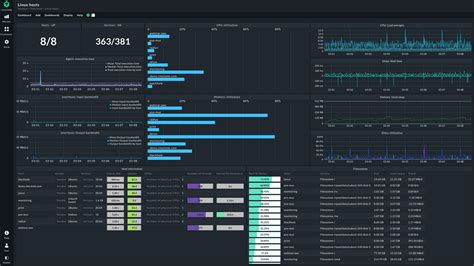
- What does monitoring software tell me? (Use tools like MSI Afterburner, HWiNFO, or Task Manager to see which component hits 99-100% usage during gaming. If GPU is at 99-100% and CPU is low, upgrade GPU. If CPU is at 99-100% and GPU is low, upgrade CPU.)
Conclusion
In most cases, especially for 1440p and 4K gaming, upgrading your GPU first will provide the most significant boost in gaming FPS and visual quality. However, for those aiming for ultra-high refresh rates at 1080p or playing highly CPU-intensive titles, a CPU upgrade might be the more impactful choice. Always diagnose your system first to identify the true bottleneck, ensuring your hard-earned money goes towards the upgrade that will deliver the best return in gaming performance.


