





How to efficiently update complex gaming walkthroughs for frequent game patches?

In the dynamic world of modern gaming, where developers frequently release patches, hotfixes, and expansions, maintaining an accurate and comprehensive game walkthrough can feel like a relentless battle. What was once a definitive guide can quickly become outdated, leading to frustration for both the guide creator and the players relying on it. The key to success lies in establishing an efficient system for adaptation.
Understanding the Scope of Changes
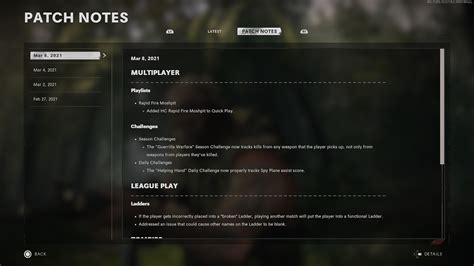
Before diving into updates, it’s crucial to first grasp the breadth and depth of a new patch. Start by meticulously reviewing official patch notes, developer blogs, and community forums. Pay close attention to changes impacting core mechanics, questlines, item stats, enemy behaviors, or map layouts. Categorize changes by their potential impact on your existing walkthrough: critical (game-breaking or progression-altering), significant (strategy-altering), or minor (cosmetic or quality-of-life).
Strategic Documentation and Modular Design
The foundation of an efficient update process is how your walkthrough is structured. Avoid monolithic blocks of text. Instead, adopt a modular design where sections like “Quest A,” “Boss B Strategy,” or “Item C Location” are distinct and easily editable units. This allows you to update specific parts without overhauling the entire guide. Implement a robust version control system, even for text-based guides. Tools like Git can track every change, show differences between versions, and allow you to revert if necessary. Clearly timestamp all updates within your guide to inform readers about the last revision date for specific sections.
Leveraging Specialized Tools for Efficiency
Modern tools can dramatically cut down update time. Text comparison software (often called ‘diff’ tools) can highlight exact changes between two versions of your written content, making it easy to spot what needs updating. For visual elements, maintain an organized library of screenshots and video clips, tagged for easy retrieval. Consider using a dedicated content management system (CMS) or wiki software that supports revision history and collaborative editing if you work with a team.
Prioritizing Updates and Community Engagement
Not all changes carry the same weight. Prioritize updates that directly affect game progression, critical strategies, or prevent players from completing objectives. Minor balance tweaks or cosmetic changes can often wait. Engage with your community; they are often the first to notice changes and can provide invaluable feedback. Establish a clear channel for bug reports or outdated information submissions within your guide or associated platforms. Transparently communicate your update schedule and what sections are currently being revised.

Establishing a Rapid Iteration Workflow
Integrate updates into a routine. Dedicate specific time slots after a patch release for evaluation and implementation. Develop a streamlined testing process for new content: quickly verify if the updated strategies still work, if item locations are correct, or if quest steps have changed. Archive older versions of your walkthroughs, especially for major patches, as they can serve as historical records or references for players still on older game versions (if applicable). This continuous cycle of review, update, and verification ensures your guides remain perpetually relevant.

Efficiently updating complex gaming walkthroughs in the face of frequent game patches requires a combination of strategic planning, intelligent tooling, and an adaptable mindset. By adopting modular design, leveraging version control, prioritizing changes, and engaging with your audience, you can transform a daunting task into a manageable and rewarding process, ensuring your guides remain an invaluable resource for the gaming community.



