What’s the best strategy to track specific game updates & essential patch notes?

In the fast-evolving world of video games, staying on top of the latest updates, balance changes, and essential patch notes isn’t just a nicety—it’s often a necessity. Whether you’re a competitive player looking to adapt your strategies, a casual fan eager for new content, or just trying to understand why your favorite character suddenly feels different, knowing where and how to track game developments effectively is key. But with so many games and platforms, what’s the most efficient strategy?
Prioritize Official Developer Channels
The undisputed best source for game updates and patch notes is always the official developer or publisher channels. This includes their dedicated game website, official forums, and sometimes even a dedicated blog or news section within the game client itself. Developers are the creators of the content, meaning their notes are the most accurate, comprehensive, and timely.
- Official Websites: Many games have a “News,” “Updates,” or “Patch Notes” section directly on their main website. Bookmark these pages for your most-played games.
- Developer Forums: Often, developers will post detailed patch notes and engage in discussions directly with players on their official forums.
- In-Game Clients: Launchers like Steam, Epic Games Store, Battle.net, or Riot Client often feature news feeds or direct links to the latest patch notes for games you own.
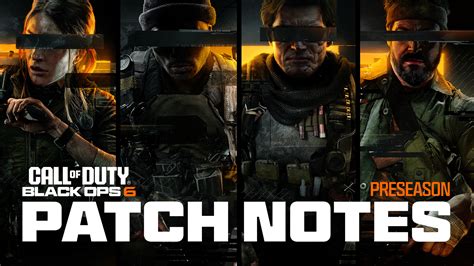
Leverage Gaming News Outlets and Aggregators
While official sources are paramount, major gaming news websites and aggregators play a crucial role in disseminating information, often with additional analysis, commentary, and accessibility. These sites can distill complex patch notes into more digestible articles, highlight key changes, and offer context.
- Major Gaming Publications: Sites like IGN, PC Gamer, GameSpot, Eurogamer, and Polygon frequently cover significant game updates. They often publish articles summarizing patch notes shortly after they go live.
- Game-Specific News Sites: For highly popular games (e.g., Destiny 2, League of Legends, Fortnite), dedicated news sites or fan-run hubs often exist purely to track updates and community discussions.
- RSS Feeds: If available, subscribing to RSS feeds from your preferred news outlets or official game sites can provide automatic notifications of new content.
Engage with Social Media and Community Platforms
In today’s digital age, social media has become an indispensable tool for real-time updates and community interaction. Developers often use platforms like Twitter to announce new patches, hotfixes, or downtime, sometimes even before official notes are fully published.

- Twitter: Follow the official game accounts, lead developers, and community managers. Tweets can provide immediate alerts.
- Reddit: Dedicated subreddits for specific games are goldmines. Players often quickly compile, discuss, and even translate patch notes, sometimes highlighting details missed by official channels.
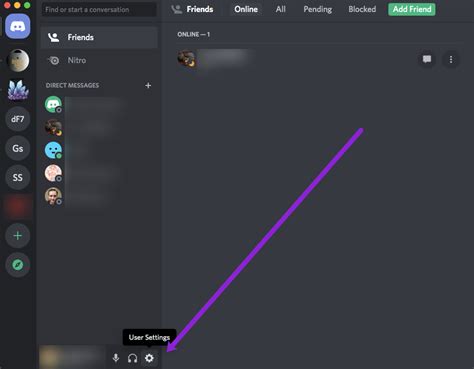
- Discord Servers: Many games have official or large community-run Discord servers. These often feature dedicated channels for “patch notes,” “announcements,” or “datamining,” offering direct communication and discussion.
- YouTube/Twitch: Content creators often break down patch notes, demonstrating changes in-game, which can be invaluable for visual learners.
Utilize Game Launchers and Platforms
Most modern game launchers and digital storefronts integrate some form of news or update tracking directly into their interface. This is often the most passive yet effective way to catch updates for games within their ecosystem.
- Steam: The Steam client’s “News” section, game library pages, and community hubs often display recent updates. You can also follow specific games for news notifications.
- Epic Games Store: Similar to Steam, the EGS launcher provides news and update information on game pages and in a general news feed.
- Console Dashboards: PlayStation, Xbox, and Nintendo Switch consoles often have a news feed or dedicated game hubs that highlight major updates and events for your installed games.
Tips for an Effective Tracking Strategy
Combine Multiple Sources
No single method is perfect. A robust strategy involves combining a few key sources. For example, bookmarking the official patch notes page, following the game’s official Twitter, and joining its subreddit or Discord server can provide comprehensive coverage.
Customize Notifications
Configure notifications where possible. Many platforms (Discord, Reddit, Twitter) allow you to set up alerts for specific channels or accounts, ensuring you don’t miss critical announcements.
Check Before Playing
Make it a habit to quickly check for updates before diving into a game, especially if it’s a multiplayer title. This can save you from frustration caused by unexpected changes or outdated strategies.

Conclusion: A Multi-Pronged Approach Wins
The best strategy for tracking game updates and essential patch notes is rarely a singular one. By intelligently combining official developer channels, trusted gaming news outlets, active community platforms, and built-in launcher features, you can build a comprehensive and efficient system. Stay informed, stay ahead, and enjoy your games to the fullest!