





How do I filter gaming news to only see critical updates & meta shifts?

In the fast-paced universe of video games, staying informed is crucial, especially for competitive players or those deeply invested in specific titles. However, the sheer volume of daily gaming news—from rumors and speculation to promotional fluff and minor announcements—can be overwhelming. Cutting through the noise to find truly critical updates and significant meta shifts is an art form. This guide will equip you with the strategies and tools needed to curate your news feed, focusing only on the information that truly impacts your gameplay and understanding of the evolving gaming landscape.
The Deluge of Digital Gaming News
The modern gaming ecosystem thrives on constant communication. Developers release frequent patches, content creators produce daily videos, community forums buzz with discussions, and news outlets vie for clicks with every whisper of a new game or update. This creates an ‘always-on’ environment where distinguishing between signal and noise becomes increasingly difficult. For the average gamer, sifting through this deluge can be a time-consuming and frustrating endeavor, often leading to important information being missed or irrelevant details consuming valuable attention. Understanding what constitutes ‘critical’ information versus general interest news is the first step in effective filtering.

Defining “Critical Updates” and “Meta Shifts”
Before you can filter, you need a clear understanding of what you’re looking for. These two categories represent the most impactful information for engaged gamers:
Critical Updates: More Than Just Patch Notes
Critical updates encompass official information that directly alters the game’s mechanics, content, or competitive environment. This includes:
- Major Patch Notes: Detailed breakdowns of balance changes (buffs/nerfs to characters, weapons, items), bug fixes, and performance improvements. These are paramount for understanding immediate game changes.
- New Content Releases: Information on new characters, maps, game modes, expansions, or significant story additions that change how the game is played or experienced.
- Esports Rule Changes: For competitive titles, alterations to tournament formats, player eligibility, or anti-cheat measures can dramatically affect the professional scene.
- Security Alerts & Service Status: Warnings about significant exploits, server downtime, or major connectivity issues that affect gameplay.
- Developer Roadmaps: High-level plans for future content, features, or system overhauls that indicate the game’s long-term direction.
Understanding Meta Shifts: The Evolving Battlefield
Meta (Most Effective Tactics Available) shifts refer to changes in player strategies, character popularity, item builds, or team compositions that become dominant within a game. Unlike critical updates, meta shifts are often community-driven and emerge organically, even if triggered by a critical update. They are crucial because they dictate:
- Optimal Playstyles: Which characters or strategies are currently strongest or most effective in competitive play.
- Counter-Strategies: How to adapt your own play to counter prevailing meta trends.
- Player Development: What skills or knowledge are most important to acquire to stay competitive.
- Community Consensus: The shared understanding of the game’s current balance and strategic depth among high-level players.
Strategic Approaches to Information Filtering
With a clear understanding of what to look for, you can now implement effective filtering strategies.
Prioritize Official Developer Channels
The most reliable and immediate source for critical updates is always the game’s developer. Cut out the middleman and go straight to the source:
- Official Game Websites: Most games have a dedicated news or blog section for patch notes, announcements, and developer diaries. Bookmark these pages.
- Developer Blogs/Forums: Many developers maintain active blogs or official forums where community managers and developers directly communicate.
- Official Social Media Accounts: Follow the game’s official Twitter, Facebook, or Discord channels for immediate, concise updates and links to more detailed information.
- In-Game News Feed: Many modern games include a news panel or launcher that displays critical updates upon logging in.

Leverage Reputable Gaming News Outlets and Aggregators
While official sources are paramount for updates, reputable news sites and aggregators can help contextualize these changes, provide analysis, and sometimes offer early insights into meta shifts:
- Selectively Follow Major Outlets: Identify a few well-respected gaming news sites known for accurate reporting and insightful analysis. Avoid those focused solely on clickbait or speculation.
- RSS Feeds: Utilize an RSS reader (like Feedly or Inoreader) to subscribe directly to the news feeds of your chosen official sources and reputable sites. This centralizes your news intake and allows for quick scanning.
- Personalized News Apps: Apps like Google News or specific gaming news aggregators can be customized to show news from your favorite games or topics. Configure these carefully to prioritize keywords like ‘patch notes,’ ‘balance update,’ ‘meta analysis,’ and the game titles you care about.
Engage with Curated Community Hubs
The community is often where meta shifts are first identified and extensively discussed. However, these hubs also generate a lot of non-critical content, requiring careful navigation:
- Game-Specific Subreddits: Join subreddits dedicated to your games. Look for highly upvoted posts, discussions from known competitive players, and threads tagged as ‘meta discussion,’ ‘patch analysis,’ or ‘competitive.’ Filter out memes and general fan art.
- Dedicated Discord Servers: Many games have large Discord communities. Join servers that have dedicated channels for patch notes, competitive discussion, or strategy. Mute general chat channels to reduce noise.
- Specialized Forums: Beyond Reddit, some games have their own competitive forums or community sites where high-level players share insights.
- Caution: Always cross-reference community claims with official sources or multiple respected analysts, as speculation and misinformation can spread quickly.
Utilizing Content Creators and Analysts Wisely
YouTube, Twitch, and podcasts are rich sources of information, but it’s essential to distinguish between entertainers and insightful analysts:
- Identify Analytical Creators: Seek out streamers and YouTubers who focus on in-depth patch breakdowns, meta analysis, competitive strategy, and data-driven insights, rather than just gameplay highlights or entertainment.
- Look for Expertise: Prioritize content creators who have a proven track record of competitive success, deep game knowledge, or access to high-level information.
- Filter Your Subscriptions: Only subscribe to channels that consistently deliver the type of critical content you seek. Unsubscribe from those that primarily produce irrelevant or overly speculative content.
- Podcasts: Many games have dedicated podcasts featuring professional players, coaches, or analysts who discuss meta changes and competitive trends in detail.
Advanced Filtering Techniques and Tools
To further refine your news consumption, consider these advanced strategies:
Smart Keyword Tracking and Alerts
- Google Alerts: Set up Google Alerts for specific game titles combined with terms like “patch notes,” “balance update,” “meta shift,” “nerf,” “buff,” and names of key characters or items.
- Social Media Keyword Filters: Platforms like Twitter allow you to mute specific keywords, preventing irrelevant posts from appearing in your feed. Use this to block generic terms or topics you’re not interested in.
- Browser Extensions: Some browser extensions can highlight or filter content on web pages based on keywords, though these are more niche.
Building a Personalized News Dashboard
For the ultimate control, create a centralized hub for your gaming news:
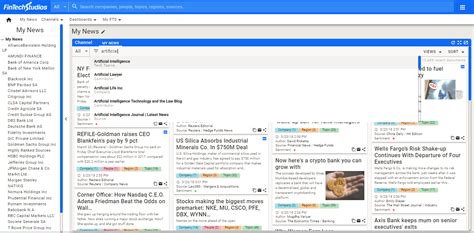
- Custom RSS Reader Setup: Configure your RSS reader with folders for different games and categories (official, community, analysis).
- Custom Twitter Lists: Create private Twitter lists of only official developer accounts, reputable news sites, and trusted analysts for each game. Check these lists directly instead of your main feed.
- Dedicated News Apps/Folders: Use a specific news app or create a dedicated folder on your smartphone’s home screen for your chosen news sources.
The Power of Selective Subscriptions
Be ruthless with what you allow into your digital space. If an email newsletter, YouTube channel, or social media account isn’t consistently providing critical updates or valuable meta analysis, unsubscribe or unfollow. Your time and attention are finite resources; dedicate them to high-quality information.
Developing Your Personal Gaming News Strategy
The best filtering strategy is one tailored to your specific needs and the games you play. Start by:
- Identifying Your Core Games: Which games are you most invested in competitively or strategically?
- Listing Key Information Needs: For each game, what specific types of updates and meta insights are most important to you?
- Selecting Your Primary Sources: Choose 2-3 official sources, 1-2 reputable news sites, and 1-2 trusted community hubs/analysts per game.
- Setting Up Your Tools: Implement RSS feeds, Twitter lists, Google Alerts, or personalized apps.
- Regularly Review and Refine: The news landscape changes. Periodically review your sources and filtering methods to ensure they remain effective. Unsubscribe from outdated or low-value sources.
- Allocate Time: Set aside specific, short blocks of time each day or week to consume your curated news feed, rather than passively browsing all day.

Conclusion
Filtering gaming news to focus on critical updates and meta shifts is not just about saving time; it’s about empowerment. By deliberately curating your information sources and employing smart filtering techniques, you transform from a passive consumer into an active strategist. You’ll gain a clearer understanding of your favorite games, anticipate changes, adapt faster, and ultimately, enhance your competitive edge and overall enjoyment. Take control of your gaming news, and let the signal shine through the noise.



