





Gaming news overload? How to pinpoint crucial patch updates for my top games fast?

Tired of Drowning in Gaming News? Find Patches That Matter!
In today’s fast-paced gaming world, a constant deluge of information flows from developers, publishers, content creators, and the community. While exciting, this news overload can make it incredibly challenging to cut through the noise and pinpoint the most crucial details: the patch updates for the games you actually play and care about. Missing a significant patch could mean missing out on vital bug fixes, game-changing balance adjustments, or even new content releases. Fear not, fellow gamer! This guide will equip you with strategies to efficiently track essential updates for your top games.

Why Staying Updated on Patches is Critical
Before diving into how, let’s briefly touch upon why patch updates are so important. They are the lifeblood of live-service games and often bring significant improvements to single-player experiences too. Patches can:
- Fix Bugs and Glitches: Improving stability and overall player experience.
- Balance Gameplay: Addressing overpowered or underpowered elements in multiplayer games.
- Introduce New Content: Adding characters, maps, modes, or story expansions.
- Implement Quality-of-Life Changes: Making the game more intuitive and enjoyable.
- Address Security Vulnerabilities: Protecting players and game integrity.
Official Channels: Your First and Most Reliable Source
When seeking accurate and timely information, always start at the source. Developers and publishers are keen to communicate changes directly to their player base.
Developer Websites & Blogs
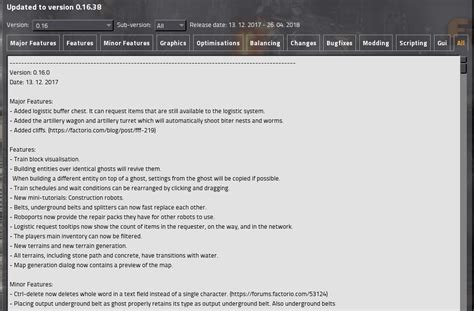
Most game developers maintain an official website with a dedicated news or blog section. This is often where the most comprehensive patch notes are first published. Bookmark these pages for your top games and check them regularly, or look for RSS feed options to subscribe directly.
Official Social Media Accounts
Twitter, Facebook, and even Instagram are primary communication tools for many studios. Follow the official accounts for your favorite games. They often post immediate announcements about upcoming patches, maintenance, and links to detailed patch notes.
Game Launchers & Client News
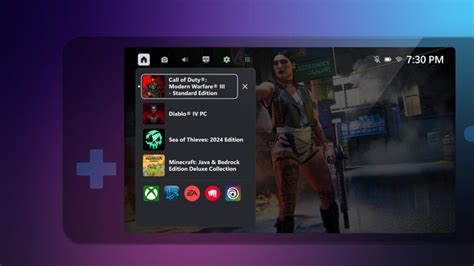
Platforms like Steam, Epic Games Store, Battle.net, Riot Client, and others often have built-in news feeds or dedicated sections that highlight updates for games in your library. Enable notifications within these launchers to get alerts when a game you own receives an update.
Community Hubs: The Player’s Pulse
While official sources provide the raw data, community channels offer discussion, analysis, and often quicker dissemination of news.
Dedicated Subreddits
For almost every popular game, there’s a thriving subreddit. These communities are often incredibly fast at sharing and dissecting patch notes. Many subreddits have moderators who will sticky important updates to the top of the feed. Join and customize your Reddit feed to prioritize these.
Official Discord Servers
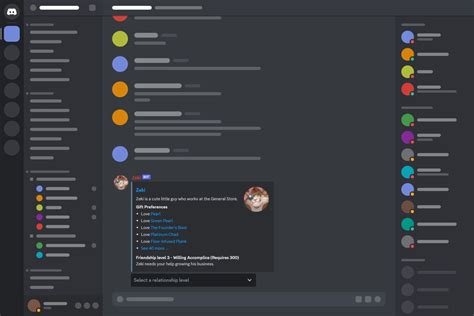
Many games have official or large community-run Discord servers. These often have dedicated channels for ‘Patch Notes’, ‘Announcements’, or ‘News’. Enable notifications for these specific channels to receive real-time alerts.
Fan Wikis & Databases
Sites like Fandom wikis or independent game databases (e.g., Wowhead for World of Warcraft) are often meticulously maintained by fans. They might not be the absolute first to report, but they excel at compiling and explaining patch changes in an accessible, searchable format, often with historical context.
Aggregators & Tools: Centralized Information Streamlining
If you play many games, checking individual sources can be time-consuming. Aggregators can consolidate information.
Major Gaming News Websites
Sites like IGN, PC Gamer, Eurogamer, and Polygon often report on major patch updates for popular titles. While not always the absolute first, they provide good summaries and broader context. Use their search functions or dedicated game sections.
Dedicated News Apps & RSS Readers
Consider using an RSS reader (like Feedly) to subscribe to the news feeds of your favorite game websites and developer blogs. Some third-party apps also specialize in tracking game updates and sales. While these are less common specifically for patches, they can be useful for broader news.
YouTube Creators & Streamers
Many content creators specialize in breaking down patch notes, explaining changes, and demonstrating their impact. Find reliable creators who cover your games; their analysis can save you time and provide valuable insights into how patches affect gameplay.

Smart Strategies for Maximum Efficiency
- Curate Your Information: Unfollow irrelevant accounts, mute channels that don’t serve your purpose, and only join communities for games you actively play.
- Enable Selective Notifications: Don’t allow every app to notify you. Pick specific Discord channels, Twitter accounts, or launcher notifications that provide truly critical updates.
- Create a ‘Patch Update’ Folder/Bookmark Bar: Group all your official sources for your top games into one easily accessible place.
- Prioritize Your Top 3-5 Games: Focus your intense tracking efforts on the games where updates truly impact your enjoyment and playtime, letting less critical titles have more casual monitoring.
- Set a Weekly Check-in: Dedicate 15-30 minutes once a week to quickly scan your curated sources for any major updates you might have missed.
Conclusion: Be Smart, Not Overwhelmed
The key to navigating gaming news overload is to be proactive and strategic. By leveraging a mix of official channels for accuracy, community hubs for rapid discussion, and smart aggregation tools for efficiency, you can ensure you’re always clued into the crucial patch updates that matter most to your gaming experience. Stop endlessly scrolling and start playing smarter!



