





How to get critical gaming news & guide updates without endless scrolling?

Tired of the Endless Scroll? Your Guide to Efficient Gaming News
In the fast-paced world of video games, staying updated can feel like a full-time job. New games are announced daily, patches drop weekly, and guides for the latest meta shift constantly. The sheer volume of information often leads to endless scrolling through social media feeds, forums, and countless websites, leaving you overwhelmed rather than informed. But what if there was a better way to get critical gaming news and guide updates without sacrificing all your free time?
This article will explore practical strategies and tools to streamline your gaming news consumption, ensuring you catch the crucial updates without getting lost in the noise.
Curated Newsletters & Email Subscriptions
One of the most effective ways to cut through the clutter is to subscribe to highly curated newsletters from reputable gaming outlets, developers, or specific game communities. Many major gaming sites offer daily or weekly roundups that summarize the most important news, reviews, and guides. This allows experts to do the heavy lifting of sifting through information for you, delivering key insights directly to your inbox.
When choosing newsletters, prioritize sources known for their accuracy and concise reporting. You can also sign up for official developer newsletters for games you play, ensuring you receive direct updates on patches, events, and new content.

Leverage RSS Feeds for Custom Streams
While often seen as an older technology, Really Simple Syndication (RSS) feeds remain incredibly powerful for personalized news consumption. Most gaming websites, news outlets, and even some blog sections offer RSS feeds. By using an RSS reader (like Feedly, Inoreader, or even some browser extensions), you can create a single, centralized hub for all your preferred news sources.
The beauty of RSS is that you control what you see. There are no algorithms dictating your feed, no distracting ads (within the feed itself), and no social media noise. You simply get the latest articles from your chosen sources, in chronological order, allowing you to quickly scan headlines and dive into what matters most.
Dedicated Gaming Apps & Platforms
Many gaming platforms and launchers now integrate news feeds directly into their interface. Steam, Epic Games Store, Xbox, PlayStation, and even specialized apps for certain MMOs or competitive titles often have dedicated sections for news, updates, and community announcements. While these feeds can sometimes be platform-specific, they are excellent for staying informed about the games within their ecosystem.
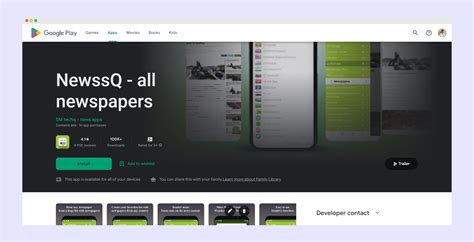
Beyond launchers, consider dedicated gaming news apps that aggregate content from multiple sources. These apps often allow for customization based on your favorite games, genres, or platforms, pushing relevant notifications directly to your device.
Targeted YouTube Channels & Podcasts
If you prefer audio-visual content, subscribing to specific YouTube channels or podcasts dedicated to gaming news and guides can be highly efficient. Many creators specialize in daily or weekly news recaps, game analysis, or in-depth guide breakdowns for popular titles. This format allows you to absorb information while commuting, exercising, or doing other tasks.
Look for channels and podcasts with a good reputation for accurate reporting, insightful commentary, and clear explanations. A well-produced news show can condense hours of reading into a concise and engaging summary.

Smart Use of Community Hubs (Discord, Reddit)
Community platforms like Discord and Reddit can be treasure troves of information, especially for game-specific guides and breaking news that might not hit mainstream outlets immediately. However, they are also notorious for noise and misinformation. The key is to be selective.
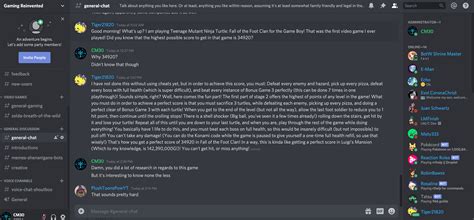
- Discord: Join official game servers or reputable community servers. Utilize dedicated #news or #updates channels. Many servers also have channels for specific builds or guide discussions. Turn off notifications for general chat channels and only enable them for critical announcement channels.
- Reddit: Subscribe to specific subreddits for games you play (e.g.,
r/destiny2,r/leagueoflegends) and filter by ‘New’ or ‘Hot’ posts. Be wary of speculative posts and always cross-reference information. Many subreddits have excellent curated guides in their wikis or sidebars.
Customizing Social Media Feeds (with caution)
While social media is often the culprit for endless scrolling, it can be tamed. On platforms like X (formerly Twitter) or Facebook, follow only the official accounts of game developers, publishers, and a handful of trusted gaming journalists or outlets. Use lists or specific feeds to isolate gaming content, preventing it from getting mixed with general noise. Actively mute keywords or accounts that consistently post irrelevant content.
However, approach social media with caution; it’s designed to keep you scrolling. For critical, in-depth information, other methods often prove more reliable and less distracting.

Conclusion: Tailor Your Information Diet
The solution to endless scrolling isn’t to disconnect entirely, but to be intentional about your information diet. By combining a few of these strategies – a curated newsletter, a personalized RSS feed, a couple of targeted YouTube subscriptions, and smart engagement with community hubs – you can create an efficient system that delivers critical gaming news and guide updates directly to you, on your terms. Stop scrolling aimlessly and start consuming gaming information effectively, leaving more time for what truly matters: playing the games themselves.



