How to optimize Wi-Fi for low latency online gaming, or is Ethernet always key?
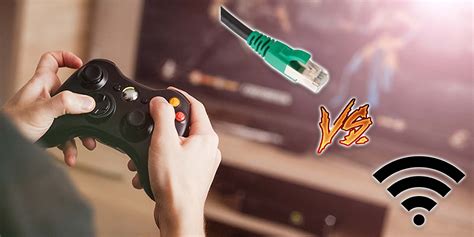
The Great Debate: Wi-Fi vs. Ethernet for Gaming
For online gamers, every millisecond counts. Latency, often referred to as ping, can be the difference between a headshot and a respawn screen. This pursuit of minimal delay naturally leads to a fundamental question: Should you connect via Wi-Fi, or is a wired Ethernet connection always the superior choice? While Ethernet has long been championed as the undisputed champion for its stability and speed, modern Wi-Fi technology has made strides. But can it truly compete when low latency is paramount?
Understanding the Ethernet Advantage
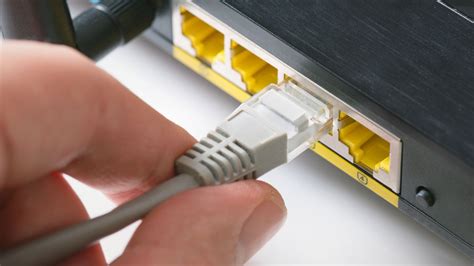
Ethernet cables offer a direct, physical connection between your gaming device and your router. This direct link provides several key advantages:
- Lower Latency: Data travels more consistently with fewer hops and less processing overhead.
- Greater Stability: Wired connections are not susceptible to wireless interference from other devices, neighboring networks, or physical obstructions.
- Higher Bandwidth: While Wi-Fi bandwidth has improved, Ethernet generally provides more consistent, higher speeds, especially for sustained transfers.
For professional esports players or anyone seeking the absolute best, an Ethernet connection is almost always the recommended path due to its unmatched reliability and minimal latency.
When Wi-Fi is Your Only Option: Optimizing for Performance
Many gamers, for various reasons, cannot run an Ethernet cable. This doesn’t mean you’re doomed to a laggy experience. With careful optimization, Wi-Fi can be significantly improved for online gaming. The goal is to minimize interference and maximize signal quality and throughput.
Router Placement is Critical
Your router’s location dramatically impacts Wi-Fi performance. Place it:
- Centrally: To distribute signal evenly throughout your home.
- High Up: Wi-Fi signals travel better downwards.
- Away from Obstructions: Walls, large furniture, and appliances (microwaves, cordless phones) can block or interfere with signals.
- Away from Interference Sources: Bluetooth devices, baby monitors, and even certain light fixtures can cause issues.
Choose the Right Frequency Band (5GHz vs. 2.4GHz)
Modern routers typically offer two frequency bands:
- 5GHz: This band offers faster speeds and lower latency, but has a shorter range and is more easily obstructed. It’s ideal for gaming in the same room or close proximity to the router.
- 2.4GHz: Offers greater range and better penetration through walls, but is slower and more prone to interference (as many household devices use this band). Avoid for gaming if possible.
Ensure your gaming device is connected to the 5GHz network, or even better, a dedicated Wi-Fi 6 (or newer) network if your router and device support it.
Optimize Wi-Fi Channels
Wi-Fi networks operate on different channels. If multiple networks in your vicinity use the same channel, it creates congestion and interference. Most routers automatically select a channel, but this isn’t always optimal. You can use Wi-Fi analysis tools (available for smartphones or PCs) to identify the least congested channels in your area and manually set your router to one of those channels (typically 1, 6, or 11 for 2.4GHz; many non-overlapping options for 5GHz).
Enable Quality of Service (QoS)
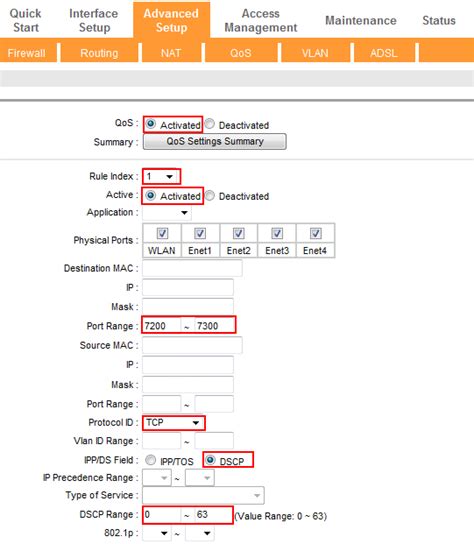
Many modern routers include a Quality of Service (QoS) feature. QoS allows you to prioritize certain types of network traffic. By setting your gaming device or specific game applications to high priority, your router will ensure that gaming data packets are sent and received before less critical traffic (like video streaming or downloads), significantly reducing latency spikes.
Update Firmware and Consider Hardware Upgrades
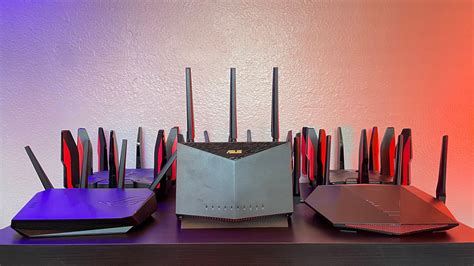
Regularly update your router’s firmware. Manufacturers often release updates that improve performance, stability, and security. If your router is old, consider upgrading to a modern gaming router with Wi-Fi 6 (802.11ax) or Wi-Fi 6E (802.11ax on 6GHz) or even Wi-Fi 7 (802.11be). These standards offer significant improvements in speed, efficiency, and latency management, especially in congested environments. Also, ensure your gaming PC’s Wi-Fi adapter is up to date and supports the latest standards.
Minimize Network Congestion
Even with a fast router, too many devices simultaneously consuming bandwidth can hurt performance. During critical gaming sessions, try to limit other network activities like large downloads, 4K streaming, or multiple users on video calls.
The Verdict: Is Ethernet Always Key?
For the ultimate, most reliable, and lowest latency online gaming experience, a wired Ethernet connection remains the gold standard. It eliminates variables that can plague wireless connections, offering unparalleled stability and speed that are crucial in competitive play.
However, if a wired connection isn’t feasible, modern Wi-Fi, especially with thoughtful optimization and newer hardware, can provide a perfectly acceptable and even excellent gaming experience for many. By strategically placing your router, utilizing the 5GHz band, optimizing channels, enabling QoS, and ensuring your equipment is up to date, you can significantly mitigate the inherent latency disadvantages of wireless connectivity.
Ultimately, the key is to understand your specific needs and network environment. Optimize your Wi-Fi as much as possible, and if you still encounter performance issues that impact your enjoyment or competitiveness, then bridging the gap with an Ethernet cable will always be the most definitive solution.