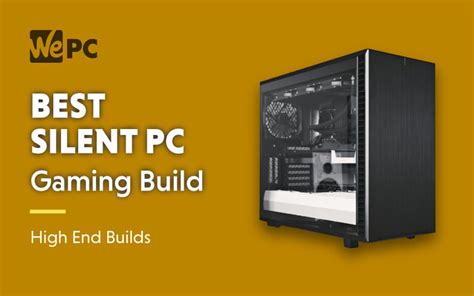
Best CPU/GPU cooler for stable gaming temps & silent operation?

The quest for the ultimate gaming experience often boils down to a delicate balance between raw power, stable performance, and an immersive, quiet environment. High-performance CPUs and GPUs generate significant heat, and managing this heat effectively is paramount. Without proper cooling, your components can throttle, reducing frame rates and stability, while noisy fans can break immersion. This article explores the best CPU and GPU cooling solutions to achieve stable gaming temperatures and whisper-quiet operation.
The Importance of Effective Cooling
Modern gaming hardware pushes performance boundaries, leading to increased heat generation. When components like your CPU or GPU get too hot, they automatically reduce their clock speeds (thermal throttling) to prevent damage. This directly impacts gaming performance, causing stuttering or lower frame rates. Beyond performance, excessive fan noise from struggling coolers can detract significantly from your gaming experience. Investing in a robust cooling solution ensures consistent peak performance and a more enjoyable, silent setup.
CPU Cooling Solutions: Air vs. Liquid
The brain of your gaming PC, the CPU, requires dedicated cooling. There are two primary categories:
Air Coolers
Traditional air coolers consist of a heatsink with fins and heat pipes, paired with one or more fans to dissipate heat.
- Pros: Generally more affordable, easier to install, very reliable with no pump failure risk, and often sufficient for most CPUs, especially mid-range ones. High-end air coolers can even rival AIOs in performance.
- Cons: Can be very bulky, potentially interfering with RAM clearance or case side panels. Their performance scales with size, so the best ones are often large.
For silent operation, look for models with large heatsinks and low-RPM fans.

All-in-One (AIO) Liquid Coolers
AIOs are sealed liquid cooling systems consisting of a CPU block (with pump), tubing, a radiator, and fans.
- Pros: Excellent cooling performance, often outperforming air coolers, especially in smaller cases where airflow is restricted. Aesthetically pleasing, offering a cleaner look inside the case.
- Cons: Generally more expensive, involve a pump which can sometimes fail or create a subtle hum. Installation can be slightly more complex due to radiator mounting.
For silent operation, prioritize AIOs with larger radiators (280mm or 360mm) and high-quality, low-noise fans, allowing them to cool effectively at lower RPMs.
GPU Cooling Solutions
Your graphics card is often the hottest component in your gaming rig.
Stock Coolers
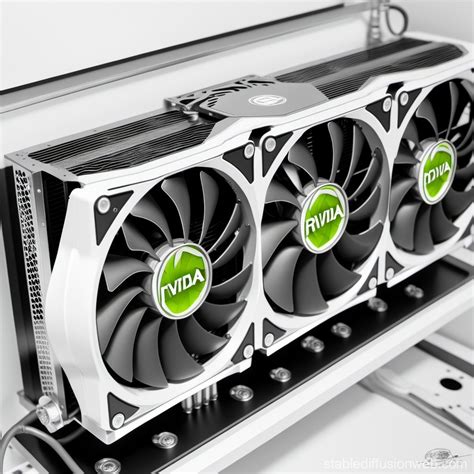
Most GPUs come with effective factory-installed coolers, often featuring multiple fans and large heatsinks. Modern stock coolers from reputable brands are generally very good at keeping temperatures in check under load. However, they can become quite loud when pushed to their limits, especially in smaller cases or during extended gaming sessions.
Aftermarket GPU Cooling
For those seeking lower temperatures and quieter operation than stock, or for extreme overclocking, aftermarket solutions exist:
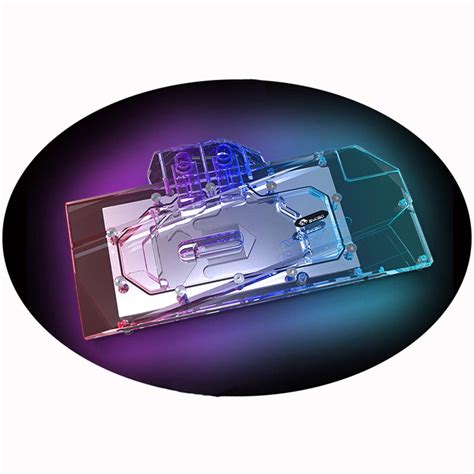
- Hybrid Kits: Some manufacturers offer “hybrid” GPUs or conversion kits that add an AIO liquid cooler to the GPU, significantly improving thermal performance and reducing noise.
- Custom Liquid Loops: The ultimate solution for both CPU and GPU cooling involves building a custom liquid cooling loop. While expensive and complex, it offers unparalleled thermal performance and near-silent operation, as larger radiators can dissipate heat more efficiently at lower fan speeds.
Key Factors for Selection
Choosing the right cooler involves several considerations:
- Case Compatibility: Ensure your chosen cooler (especially large air coolers or AIO radiators) fits your PC case and doesn’t interfere with RAM or other components.
- TDP (Thermal Design Power): Match the cooler’s cooling capacity to your CPU/GPU’s TDP. Overkill is better for silence, as it allows fans to spin slower.
- Noise Profile: Look for coolers with high-quality fans that have good static pressure and airflow at low RPMs. Many brands provide dB ratings.
- Budget: Cooling solutions range widely in price. Determine what you’re willing to spend for the performance and acoustic benefits.
Conclusion
Achieving stable gaming temperatures and silent operation requires a strategic approach to cooling. For most users, a high-performance air cooler or a well-chosen 240mm/280mm AIO for the CPU, combined with a modern GPU’s stock cooler, will offer an excellent balance. For enthusiasts chasing absolute silence and extreme overclocks, hybrid GPU solutions or a full custom liquid loop present the pinnacle of performance and acoustic control. By carefully considering your components, case, and priorities, you can build a gaming rig that stays cool, performs flawlessly, and remains whisper-quiet, enhancing every gaming session.