





Aging gaming PC struggling? Best upgrade path for new AAA games at 1440p/1080p?

The thrill of new AAA game releases often comes with the dread of your trusty, but aging, gaming PC struggling to keep up. Frame drops, low settings, and long loading screens can quickly ruin the immersive experience you crave. But before you shell out for an entirely new system, consider a strategic upgrade path. Breathing new life into your current rig for smooth 1080p or even 1440p gaming is often more achievable and affordable than you might think.
Diagnosing Your PC’s Bottleneck
The first step in any upgrade journey is identifying the weakest link in your current setup. Is your graphics card (GPU) simply too old? Is your processor (CPU) struggling to keep up with modern game engines? Or perhaps a lack of RAM or slow storage is holding you back? Tools like MSI Afterburner, HWMonitor, or the Task Manager in Windows can help you monitor CPU usage, GPU usage, RAM usage, and temperatures while gaming. High GPU usage (90-100%) combined with lower CPU usage usually points to a GPU bottleneck, which is often ideal for gaming.
Conversely, low GPU usage coupled with high CPU usage suggests your processor isn’t feeding the graphics card fast enough. Slow loading times indicate a need for faster storage. Identifying the bottleneck will ensure your money is spent wisely on the components that will deliver the most significant performance boost.

The Core Pillars of a Gaming PC Upgrade
Graphics Card (GPU): The Performance Powerhouse
For gaming, the GPU is almost always the most critical component. It handles rendering all the beautiful graphics, textures, and effects you see on screen. Upgrading your GPU will typically yield the most substantial increase in frame rates and allow you to crank up settings.
For 1080p high refresh rate (100Hz+) gaming, look towards modern mid-range GPUs. For 1440p gaming, you’ll need a more powerful high-end card to maintain smooth frame rates in demanding AAA titles.
Processor (CPU): The System’s Brain
While the GPU does the heavy lifting for graphics, the CPU is responsible for game logic, AI, physics, and preparing data for the GPU. An old or underpowered CPU can significantly limit even a powerful GPU. If your current CPU is more than 4-5 generations old, especially if it’s a quad-core without hyper-threading, a CPU upgrade might be necessary. Be aware that a CPU upgrade often entails a new motherboard and RAM (a ‘platform upgrade’) due to changing socket types and memory standards.
Random Access Memory (RAM): Smooth Multitasking
Most modern AAA games recommend at least 16GB of RAM. If you’re still on 8GB, upgrading to 16GB (or even 32GB for future-proofing and heavy multitasking) will provide a noticeable improvement in game stability, load times, and overall system responsiveness. Ensure your new RAM has a decent speed (e.g., DDR4-3200MHz or DDR5-6000MHz) and correct timings for your motherboard and CPU.
Storage (SSD): Eliminate Load Times
If you’re still gaming on a traditional Hard Disk Drive (HDD), upgrading to a Solid State Drive (SSD) is a game-changer. NVMe M.2 SSDs offer significantly faster load times for games and the operating system compared to SATA SSDs, which are already vastly superior to HDDs. This upgrade won’t directly boost frame rates but will dramatically improve your quality of life.
Power Supply Unit (PSU): The Unsung Hero
A more powerful GPU or CPU will draw more power. Ensure your existing Power Supply Unit has enough wattage to handle your new components, with some headroom. Check online PSU calculators and consult the recommended wattage for your chosen GPU. A reliable PSU is crucial for system stability and longevity.
Recommended Upgrade Paths for Different Resolutions
Targeting 1080p High Refresh Rate / Max Settings
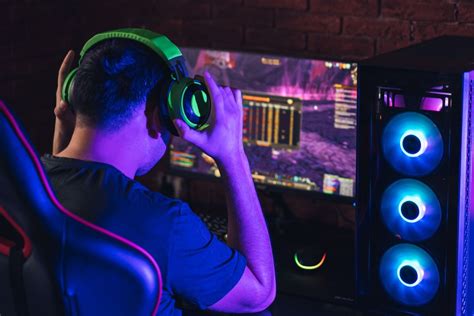
For a fantastic 1080p experience, the focus should be on a strong mid-range GPU. Pair this with a capable 6-core (or better) CPU from the last few generations and at least 16GB of fast RAM. An NVMe SSD for your operating system and primary games is essential.
- GPU Focus: NVIDIA RTX 4060/4060 Ti, AMD RX 7600 XT/7700 XT.
- CPU Consideration: Intel Core i5-12th gen/13th gen or AMD Ryzen 5 5600X/7600X.
- RAM: 16GB DDR4-3200MHz or 32GB DDR4-3600MHz (if your motherboard supports it).
- Storage: 1TB NVMe M.2 SSD.
Conquering 1440p Gaming
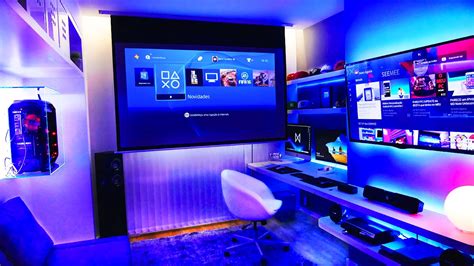
1440p demands more from your hardware, especially the GPU. You’ll need a higher-tier graphics card and a strong CPU to avoid bottlenecks. 32GB of RAM is highly recommended for modern AAA titles at this resolution.
- GPU Focus: NVIDIA RTX 4070/4070 SUPER/4070 Ti SUPER, AMD RX 7800 XT/7900 XT.
- CPU Consideration: Intel Core i5-13th gen/14th gen, Core i7-12th gen/13th gen, or AMD Ryzen 7 5800X3D/7700X/7800X3D. The 5800X3D is particularly good value for gaming if you’re on an AM4 platform.
- RAM: 32GB DDR4-3600MHz or 32GB DDR5-6000MHz+.
- Storage: 1-2TB NVMe M.2 SSD.

Budgeting and Smart Upgrading Tips
Before buying anything, set a realistic budget. Prioritize the component that will give you the most significant boost based on your bottleneck diagnosis. Always check compatibility (motherboard socket for CPU, PCIe slot for GPU, RAM type) before purchasing. Don’t forget to factor in the cost of a new PSU if your current one isn’t sufficient.
Consider buying used components from reputable sources, especially for GPUs and older CPUs/RAM, to save money. Keep an eye out for sales, especially around major holidays. A well-planned upgrade can extend the life of your gaming PC by several years, allowing you to enjoy the latest AAA titles without breaking the bank on a brand new system.

Conclusion
Upgrading an aging gaming PC for new AAA titles at 1080p or 1440p is a rewarding endeavor. By systematically diagnosing bottlenecks and focusing your investment on key components like the GPU, CPU, and RAM, you can achieve a significant performance leap. With careful planning and smart choices, your existing rig can continue to deliver thrilling gaming experiences for years to come.


