





Best way to filter gaming news for my favorite games without information overload?
Navigating the Deluge: Why Filtering Gaming News is Essential
In the fast-paced world of video games, staying updated on your favorite titles can feel like an impossible quest. New announcements, patches, leaks, and community discussions emerge constantly across countless platforms. The challenge isn’t finding news; it’s sifting through the overwhelming volume of irrelevant information to pinpoint what truly matters to you, without succumbing to information overload. This guide will explore effective strategies to curate your gaming news feed, ensuring you never miss a beat on the games you love while keeping the digital noise at bay.

Leveraging RSS Feeds for Precision Control
RSS (Really Simple Syndication) feeds might seem like a relic of the past, but they remain one of the most powerful tools for custom news aggregation. Many major gaming websites, developer blogs, and even community wikis offer RSS feeds. By using an RSS reader (like Feedly, Inoreader, or The Old Reader), you can subscribe directly to the news sources relevant to your specific games or developers. This allows you to create a centralized, ad-free stream of updates, completely tailored to your interests. You’re in control of which sources you follow, eliminating the algorithm’s influence and extraneous content.
- Identify official game websites and developer blogs that offer RSS.
- Look for RSS feeds from reputable gaming news sites with specific tags or categories for your games.
- Use an RSS reader to consolidate and organize your subscriptions.
Dedicated Gaming Apps and Platform Tools
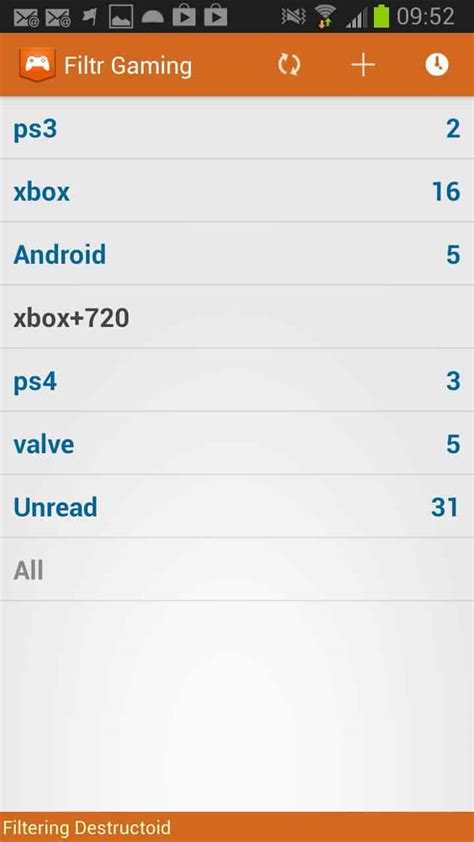
Many gaming platforms and third-party apps now offer personalized news experiences. Consoles like PlayStation and Xbox have built-in news sections that often highlight updates for games you own or follow. Similarly, PC launchers like Steam and Epic Games Store feature news feeds that can be customized to some extent. Beyond these, specialized gaming news apps might offer advanced filtering options, allowing you to select specific genres, developers, or even individual game titles to track. Explore the settings within your preferred gaming clients or look for independent apps designed for personalized game news.

Mastering Social Media Filters and Lists
Social media platforms are bustling hubs for gaming news, but they are also prime breeding grounds for overload. To tame the beast, utilize platform-specific features:
- Twitter Lists: Create private or public lists of official game accounts, developers, and trusted journalists. This allows you to view a timeline only from these sources.
- Reddit Subreddits: Subscribe only to the official subreddits for your favorite games and highly curated news subreddits. Use multi-reddits to group them together.
- Discord Servers: Join official game Discord servers or communities dedicated to specific titles. Many have dedicated “news” or “announcements” channels.
Actively curate who you follow and engage with. Unfollow accounts that consistently post irrelevant content and prioritize those that deliver concise, high-quality updates.

Personalized News Aggregators and Smart Alerts
Tools like Google News, Feedly (beyond just RSS), and others allow for advanced keyword tracking and personalization. You can set up specific alerts for game titles, developers, or even specific patch names. Google Alerts, for instance, can send you email notifications whenever new web content appears for your chosen search terms. While less about active browsing, these tools provide an excellent safety net for critical updates you might otherwise miss.
- Set up Google Alerts for specific game titles and developer names.
- Use Feedly’s keyword filters or “Boards” feature to organize content.
- Explore other AI-powered news aggregators that learn your preferences.

Engaging with Curated Communities and Newsletters
Sometimes, the best filter is a human one. Subscribing to high-quality, curated email newsletters from trusted gaming journalists or outlets can provide a concise weekly or daily summary of key news without the incessant stream. Similarly, active participation in well-moderated forums or Discord communities centered around your specific games can be invaluable. These communities often share and discuss relevant news, effectively doing some of the filtering work for you.

Conclusion: Tailoring Your Gaming News Ecosystem
Escaping the overwhelm of gaming news requires a proactive approach. By combining various strategies – from the structured precision of RSS feeds and dedicated apps to the intelligent filtering of social media lists and smart aggregators – you can build a personalized news ecosystem. Regularly review your sources, prune outdated subscriptions, and refine your keywords to ensure your news feed remains a lean, highly relevant source of updates for the games you truly care about. Take control, and enjoy a cleaner, more focused gaming news experience.



