





How can I get timely updates for my favorite live-service PC games?

Live-service PC games thrive on continuous updates, bringing new content, balancing changes, bug fixes, and seasonal events that keep the player base engaged. Missing out on these crucial updates can mean falling behind, missing limited-time rewards, or being unprepared for significant meta shifts. Fortunately, there are multiple reliable channels to ensure you’re always in the loop.
Leveraging Official Developer Channels
The most direct and authoritative sources for game updates come straight from the developers themselves. These channels offer first-hand information, often including detailed patch notes and future roadmap insights.
- Official Game Websites and Blogs: Many developers maintain dedicated news sections or blogs on their game’s official website. This is often where comprehensive patch notes, developer diaries, and major announcements are first published. Make it a habit to bookmark these pages for your favorite titles.
- Social Media: Developers and publishers frequently use platforms like Twitter, Facebook, and sometimes Instagram or YouTube to disseminate real-time updates, teasers, and hotfixes. Following these official accounts ensures you catch urgent news as it breaks.
- In-Game News Feeds: Most modern live-service games feature an in-game news feed or announcement panel that highlights recent updates, ongoing events, and server status. Always check this upon logging in.
Furthermore, PC gaming launchers play a pivotal role:
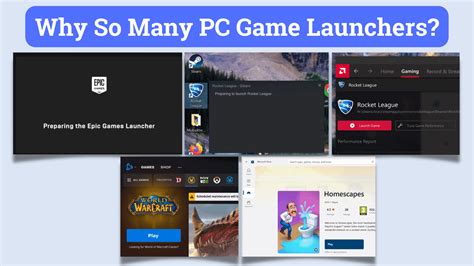
- Game Launchers (Steam, Epic Games Store, Battle.net, etc.): These platforms often have dedicated news sections for games in your library. They also manage automatic downloads, ensuring your game client is always up-to-date. Configure your launcher settings to enable automatic updates and consider setting download times to off-peak hours.
- Official Discord Servers: Many game developers host official Discord servers where they interact directly with their community, share real-time announcements, host Q&A sessions, and post immediate updates. Joining these can provide unparalleled access to timely information and community discussion.
Engaging with Gaming Communities and News Outlets
Beyond official channels, vibrant communities and dedicated news sites serve as excellent aggregators and discussants of game updates.
- Reddit Subreddits: For almost every major live-service game, there’s an active subreddit where players discuss updates, share findings, and often consolidate information from various official sources. These communities can be excellent for quick summaries and player reactions.
- Dedicated Fan Wikis and Databases: Community-run wikis often update rapidly with new content and game changes, providing detailed breakdowns of new items, abilities, or map alterations. While not primary sources, they are invaluable for in-depth information.

Content creators and specialized news platforms also play a significant role:
- Gaming News Websites and Blogs: Major gaming news sites (e.g., IGN, PC Gamer, Eurogamer) frequently cover significant updates for popular live-service games. Subscribing to their newsletters or RSS feeds can keep you broadly informed.
- Content Creators and Streamers: Many Twitch streamers and YouTube creators focus on specific live-service games. They often analyze patch notes, demonstrate new content, and provide their insights, making updates more digestible and entertaining. Following a few reputable creators can be a great way to stay informed.
Tips for Efficiently Staying Up-to-Date
Managing multiple sources can feel overwhelming, but a few strategies can streamline the process:
- Curate Your Sources: Choose 2-3 primary official sources (e.g., official website + Discord) and 1-2 community/news sources (e.g., subreddit + a favorite content creator) per game.
- Enable Notifications: Turn on notifications for critical channels like official Discord announcements or Twitter accounts.
- Use RSS Feeds: If an official blog or news site offers an RSS feed, use an RSS reader to aggregate updates in one place.
- Set Up Google Alerts: Create alerts for “{Game Name} patch notes” or “{Game Name} update” to catch news as it’s published across the web.

Staying on top of live-service game updates doesn’t have to be a chore. By strategically utilizing a blend of official developer channels, active community platforms, and dedicated gaming news outlets, you can ensure you’re always informed about the latest developments, keeping your gaming experience fresh and competitive.



