





How do I filter my gaming news to quickly find key updates for specific titles?

Navigating the Gaming News Deluge: Your Guide to Targeted Updates
In the fast-paced world of video games, staying informed about your favorite titles can feel like an impossible quest. From new patch notes and developer diaries to event announcements and release date changes, the sheer volume of information can be overwhelming. This guide will equip you with effective strategies and tools to cut through the noise, ensuring you quickly find the key updates that matter most for the specific games you love.
The Challenge of Information Overload
Every day, countless articles, videos, and social media posts flood the internet with gaming news. For a dedicated player, sifting through general industry news, unrelated game announcements, and speculative rumors to find crucial updates for a handful of beloved titles is a time-consuming and often frustrating endeavor. The goal isn’t to consume all news, but to efficiently access the right news.
Essential Tools and Strategies for Filtering
To master your gaming news intake, a combination of dedicated tools and smart practices is key:
1. RSS Feeds and News Aggregators
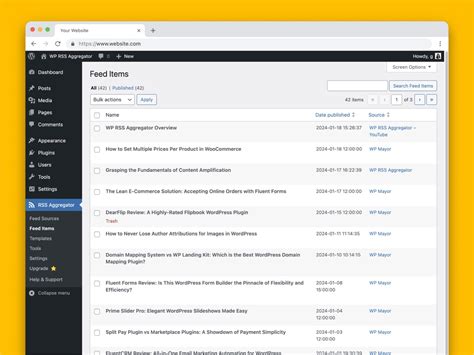
RSS (Really Simple Syndication) feeds allow you to subscribe to updates from websites without having to visit them individually. News aggregators like Feedly, Inoreader, or Flipboard collect these feeds into one centralized dashboard. You can create custom categories for specific games or genres, making it easy to see only the headlines from your chosen sources that pertain to your interests.
2. Utilizing Dedicated Gaming News Sites
Major gaming news outlets such as IGN, GameSpot, PC Gamer, Eurogamer, and Polygon often have robust search functionalities and tagging systems. Instead of browsing their front pages, use their internal search bars to look for specific game titles. Many also offer dedicated game pages where all news related to that title is collected. Bookmark these specific game pages for quick access.
3. Social Media Monitoring (Twitter, Reddit, Discord)
Official developer accounts on Twitter, dedicated subreddits, and official Discord servers are often the quickest sources for immediate updates. Create Twitter lists specifically for game developers, publishers, and key community managers. Subscribe to subreddits like r/Games or specific game subreddits and filter by “news” or “official” tags. Discord servers for individual games are also invaluable for real-time announcements and discussions.

4. YouTube Subscriptions and Playlists
Many developers and content creators publish update videos, patch breakdowns, and dev diaries on YouTube. Subscribe directly to official game channels, popular gaming news channels, or specific content creators known for covering your titles. You can also create YouTube playlists to organize update videos for different games.
5. Game Launchers and Official Developer Blogs
Don’t overlook the obvious! Platforms like Steam, Epic Games, PlayStation, Xbox, and Nintendo often feature news feeds directly within their launchers or stores. Similarly, most game developers maintain official blogs where they post detailed updates, patch notes, and future plans. These are often the most accurate and in-depth sources.
6. Google Alerts and Custom Search Queries
Set up Google Alerts for specific game titles (e.g., “Cyberpunk 2077 patch notes,” “Elden Ring DLC news”). Google will send you email notifications whenever new content matching your query appears online. For more precise results, use advanced search operators in Google (e.g., "game title" site:developerwebsite.com).

Personalizing Your News Feed for Maximum Efficiency
Beyond the tools, your approach to personalizing your news sources is crucial:
- Create Specific Folders/Lists: Organize your bookmarks, RSS feeds, Twitter lists, and Discord servers into game-specific or genre-specific categories.
- Mute Irrelevant Topics: On platforms like Twitter or Reddit, utilize muting features for games or topics you have no interest in to clean up your feed.
- Prioritize Official Sources: While community insights are valuable, always prioritize news directly from developers or publishers for accuracy.
- Schedule Check-ins: Instead of constantly refreshing, dedicate specific times each day or week to check your curated news sources.

Advanced Tips for the Savvy Gamer
- Browser Extensions: Explore extensions that can further filter content on news sites or social media based on keywords.
- IFTTT or Zapier: For power users, consider using automation tools like IFTTT (If This Then That) or Zapier to create custom alerts or aggregate news from disparate sources into a single dashboard.
- Refine Regularly: The gaming landscape changes, and so should your news sources. Periodically review your subscriptions and filters, removing inactive sources or adding new ones as your interests evolve.
Streamline Your Gaming Updates, Enhance Your Experience
By implementing these strategies, you can transform your gaming news consumption from a chaotic deluge into a streamlined, efficient process. No longer will you spend precious gaming time sifting through irrelevant articles; instead, you’ll have instant access to the crucial updates that directly impact your in-game experience. Build your personalized news hub today and stay ahead of the curve for all your favorite titles.



