





How do you efficiently update complex game walkthroughs after major patches/DLC?

The Challenge of Dynamic Game Walkthroughs
In the ever-evolving landscape of modern gaming, complex titles often receive numerous patches, balance changes, and significant downloadable content (DLC) long after their initial release. For content creators dedicated to providing comprehensive game walkthroughs, this dynamic environment poses a significant hurdle: how to efficiently update these intricate guides without completely redoing them after every major alteration. The key lies in strategic planning, adaptable content structures, and leveraging available resources.
The goal isn’t just to make changes, but to do so with minimal effort while maximizing accuracy and player assistance.

1. Proactive Design for Flexibility
The most efficient update strategy begins with the initial creation of the walkthrough. Instead of a rigid, linear document, design your guides with anticipated changes in mind:
- Modular Sections: Break down the walkthrough into self-contained, easily digestible modules. This could be by quest, area, boss fight, or specific mechanic. If one module changes, you only need to update that specific part, not the entire guide.
- Externalized Data: If possible, separate numerical data (e.g., item stats, enemy HP, quest rewards) into easily editable tables or lists. When a patch changes numbers, you can update a single table rather than searching through paragraphs of text.
- Annotate Potential Change Points: During initial creation, make internal notes or use a specific formatting style to highlight sections that are most likely to be affected by future patches (e.g., meta-dependent builds, exploit descriptions, exact spawn timers).
2. Leverage Official & Community Resources
Staying informed is crucial. Don’t wait for players to point out discrepancies; be proactive:
- Scrutinize Patch Notes & Developer Blogs: These are your primary sources for understanding what has changed. Pay close attention to changes impacting core mechanics, quest progression, item availability, or build viability.
- Engage with the Game’s Community: Forums, Discord servers, and subreddits are excellent places to gauge the impact of changes, identify new bugs, or discover emergent strategies that might necessitate walkthrough updates.
- Early Access & PTR (Public Test Realm): If available, participate in these programs to get a head start on understanding upcoming changes and their effects.
3. Implement a Version Control System
For large, complex walkthroughs, treating your content like code can be incredibly beneficial:
- Track Changes: Use features in your word processor (e.g., Google Docs ‘Suggesting Mode’, Microsoft Word ‘Track Changes’) or dedicated version control software (e.g., Git, though often overkill for text-only guides) to highlight specific alterations.
- Archive Old Versions: Keep previous versions of the walkthrough. This not only serves as a backup but also allows you to quickly reference what was changed if a patch is reverted or further modified.
- Clearly Label Updates: For your readers, clearly mark sections that have been updated and include the patch version (e.g., [Updated for Patch 2.5]). This builds trust and shows your dedication to accuracy.

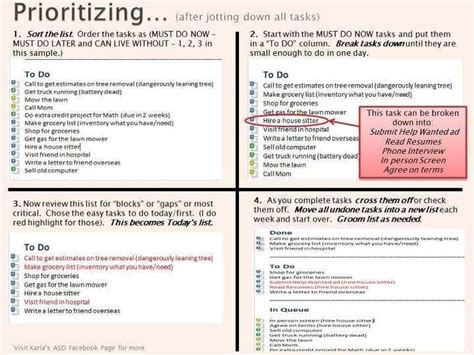
4. Prioritize & Phased Rollouts
Not all updates are equally critical. Develop a system for prioritization:
- Critical Path First: Focus on changes that impact the main story, essential progression, or make existing instructions completely unworkable.
- Game-Breaking Bugs & Exploits: Address information related to significant bugs or exploits that have been fixed, as these can quickly mislead players.
- Balance & Meta Changes: Update sections related to character builds, optimal strategies, or gear recommendations after critical path changes are handled.
- Side Content & Minor Details: Less critical updates can be rolled out in phases, allowing you to get urgent corrections live quickly.
5. Tools and Automation
While walkthroughs are text-heavy, certain tools can streamline the update process:
- Advanced Search & Replace: For specific item names, values, or recurring phrases that change across many sections.
- Content Management Systems (CMS): If you host your walkthroughs on a website, a robust CMS can facilitate easier editing, versioning, and publishing of individual sections.
- Templating: For repetitive elements, use templates that can be updated in one place and propagate changes across multiple instances.

Conclusion
Efficiently updating complex game walkthroughs after major patches or DLC is an ongoing commitment rather than a one-time task. By adopting a proactive mindset during creation, leveraging all available information sources, utilizing smart organizational tools, and prioritizing updates strategically, content creators can ensure their guides remain invaluable resources for the gaming community, providing accurate and timely assistance through every evolution of their favorite titles.



