How to effectively cover PC performance and technical issues in game reviews?

The Critical Role of PC Performance in Game Reviews
Unlike console counterparts, PC games introduce a variable element that significantly impacts the player experience: hardware. A game’s performance and technical stability can drastically alter perception, even for a title with stellar design. Therefore, a comprehensive game review on PC must extend beyond gameplay mechanics and story, delving deep into how the game actually runs on a diverse range of systems. This aspect isn’t just about raw frame rates; it encompasses everything from optimization and stability to driver compatibility and system resource utilization.
Establishing a Robust Testing Methodology
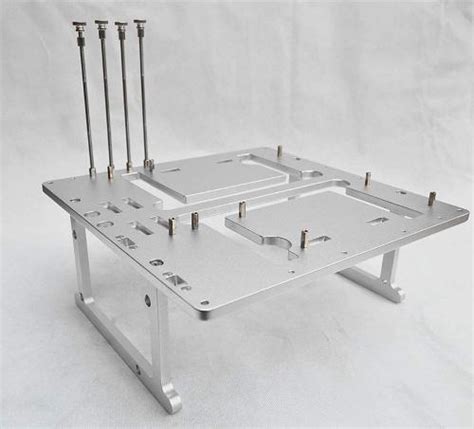
To provide accurate and repeatable results, a standardized testing environment is paramount. Reviewers should clearly disclose their test bench specifications, including CPU, GPU, RAM, storage (SSD/HDD), operating system version, and graphics driver version. Consistency is key; running tests on a clean system with minimal background processes ensures that results are attributable to the game itself, rather than external factors.
Hardware and Software Configuration
- Test Bench Specifications: Detail the components used for testing, preferably across multiple tiers (e.g., high-end, mid-range, entry-level) if resources allow.
- Software Setup: Ensure the operating system is updated, irrelevant background applications are closed, and the latest stable graphics drivers are installed. Antivirus scans should be completed before testing.
- Game Settings: Always test at a consistent set of graphical presets (e.g., Ultra, High, Medium) and resolutions (1080p, 1440p, 4K) relevant to typical player configurations. Clearly state which settings were used for each reported metric.
Key Performance Metrics and Data Presentation
Raw frame rates are a good starting point, but they don’t tell the whole story. A truly effective performance analysis digs deeper into the fluidity and consistency of the gameplay experience.
Essential Metrics to Report
- Average Frame Rate (FPS): A baseline indicator of overall performance.
- 1% and 0.1% Lows: These metrics are crucial for identifying stutters and dips that significantly impact gameplay smoothness. They represent the lowest 1% and 0.1% of frame rates recorded during a test run, providing insight into consistency.
- Frame Pacing/Frame Times: Analyzing the time it takes to render individual frames helps identify micro-stuttering, even if average FPS looks high. Consistent frame times translate to a smoother experience.
- Resource Utilization: Monitoring CPU, GPU, RAM, and VRAM usage can highlight bottlenecks or inefficient resource management within the game.
- Loading Times: Crucial for player experience, especially on different storage types (SSD vs. HDD).

Presenting this data effectively involves a mix of quantitative figures and qualitative observations. While specific numbers provide objectivity, describing the ‘feel’ of the game at various settings helps contextualize the data for readers. Visual aids like comparison tables or hypothetical charts (without actually embedding images) can aid understanding.
Beyond Frame Rates: Technical Issues and Optimization
Performance isn’t just about numbers; it’s also about stability and the overall technical state of the game. Reviewers must scrutinize for a broader range of technical issues.
Common Technical Roadblocks
- Bugs and Glitches: Documenting the frequency, severity, and type of bugs encountered, from visual anomalies to game-breaking issues.
- Crashes and Stability: How often does the game crash? Is it specific to certain areas or actions? Are there memory leaks or other stability concerns?
- Optimization Quality: Discussing how well the game scales across different hardware tiers. Does it leverage modern hardware effectively? Are there noticeable performance differences between similar GPUs or CPUs?
- DRM and Launchers: The impact of digital rights management and third-party launchers on performance and user experience.
- PC-Specific Features: Evaluate the implementation of features like ultrawide support, uncapped frame rates, FOV sliders, remappable controls, and proper mouse/keyboard input.

Contextualizing for the Reader
A good PC performance review considers the diverse audience. Not everyone has a top-tier gaming rig, and many readers are looking for advice relevant to their own hardware. Therefore, it’s vital to contextualize findings.
Audience-Centric Reporting
- Scalability Analysis: Discuss how well the game performs and scales across low, medium, and high settings. Can it run smoothly on older hardware with adjustments, or is it demanding even on modern systems?
- Hardware Recommendations: Provide guidance on what hardware might be necessary to achieve a desirable experience at target resolutions and frame rates.
- Known Issues and Workarounds: If there are common community-discovered issues or temporary fixes, mentioning them can be incredibly helpful to readers.
Conclusion: The Pillars of Trustworthy PC Reviews
Effectively covering PC performance and technical issues transforms a game review from a subjective opinion piece into an invaluable resource for consumers. By adhering to rigorous testing methodologies, reporting objective data alongside insightful qualitative analysis, and addressing the full spectrum of technical challenges, reviewers build trust and empower readers to make informed purchasing decisions. A technically sound review ensures that gamers know exactly what to expect when they hit ‘play’ on their unique system.