





How to efficiently filter essential gaming news & updates from the daily noise?

In the fast-paced world of video games, a constant deluge of news, announcements, and updates can feel overwhelming. From new game reveals and patch notes to esports results and developer interviews, staying informed without drowning in noise is a significant challenge for any dedicated gamer. This guide will equip you with practical strategies and tools to efficiently filter the essential gaming news, ensuring you keep abreast of what truly matters to you.
Define Your Gaming Niche and Interests
The first step to effective news filtering is understanding what you genuinely care about. Are you an RPG enthusiast, a competitive FPS player, or perhaps only interested in indie games on specific platforms? By narrowing your focus, you immediately reduce the volume of irrelevant information. Create a mental or physical list of the games, genres, platforms, or developers that hold your primary interest. This clarity will serve as your compass.

Leverage Reputable and Curated Sources
Not all news sources are created equal. Identify and prioritize reputable gaming websites, official developer blogs, and established gaming journalists known for their accuracy and in-depth reporting. Avoid clickbait-heavy sites and unverified rumors. Consider following official social media channels for games or studios you love, but exercise caution with broader social feeds which can quickly become noisy.
Top-Tier Gaming News Websites
- IGN, GameSpot, PC Gamer, Eurogamer, Kotaku (for general news)
- Niche sites for specific genres (e.g., RPGamer for RPGs, Rock Paper Shotgun for PC indies)
- Official game websites and developer blogs for direct updates
Master Social Media and Community Engagement
Social media platforms like Twitter, Reddit, and even Discord servers can be goldmines for gaming news, but they require careful management. On Twitter, utilize lists to group specific journalists, developers, and official accounts, allowing you to view a curated feed separate from your main timeline. On Reddit, subscribe only to subreddits directly relevant to your interests, and be prepared to use “hide” or “mute” functions generously.
Discord communities dedicated to specific games or developers often provide real-time updates and direct communication channels, but choose them wisely to avoid excessive notifications.
Utilize RSS Feeds and News Aggregators
For a highly personalized news stream, RSS (Really Simple Syndication) feeds are invaluable. Many gaming websites offer RSS feeds that you can subscribe to using a dedicated RSS reader application (e.g., Feedly, Inoreader). This pulls headlines and summaries from your chosen sources into one central location, letting you quickly scan and click on articles of interest without visiting each website individually.
News aggregators, like Google News or Flipboard, can also be customized to show gaming news based on keywords and preferred sources, learning over time to deliver more relevant content.
Streamline Email Subscriptions and Notifications
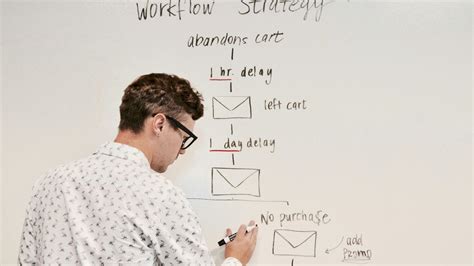
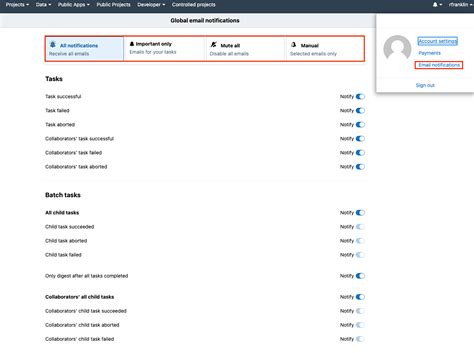
If you subscribe to various gaming newsletters, ensure they provide value. Unsubscribe from those that frequently send irrelevant content. For mobile notifications, be selective. Only allow notifications from critical sources or for major updates to games you actively play. Constant pings can disrupt focus and contribute to information overload.
Dedicate Time and Regularly Prune Your Sources
Set aside specific times each day or week to catch up on gaming news rather than constantly checking throughout the day. This disciplined approach helps prevent distraction and ensures you’re consuming news intentionally. Furthermore, regularly review your subscribed sources, social media follows, and community memberships. Is a particular source no longer relevant? Unfollow it. Is a Discord server too chaotic? Mute or leave it. An active pruning process is crucial for maintaining an efficient news flow.
Conclusion: Take Control of Your Gaming Information
Filtering essential gaming news from the daily noise is not about missing out; it’s about optimizing your information consumption to focus on what enhances your gaming experience. By defining your interests, choosing reputable sources, managing your social media and communities, leveraging tools like RSS, and regularly pruning your subscriptions, you can transform the overwhelming flood of gaming news into a manageable and enjoyable stream of relevant updates. Take control, stay informed, and spend more time playing and less time sifting.



