





How to efficiently receive crucial game updates & patch notes without overload?
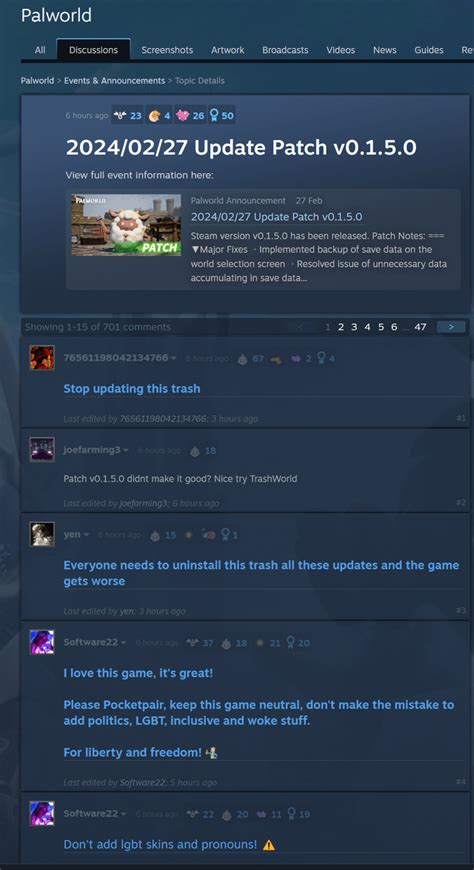
In the fast-paced world of gaming, staying abreast of the latest game updates, bug fixes, and balance changes is crucial for competitive play and an enjoyable experience. However, the sheer volume of information released daily can quickly lead to overload, making it challenging to filter the essential from the trivial. This guide will help you develop an efficient system to receive crucial game updates and patch notes without drowning in a sea of data.
The Double-Edged Sword of Information
Developers are constantly refining their games, releasing patches that can range from minor hotfixes to massive expansions. While this commitment to improvement is commendable, it often translates into a relentless stream of announcements across various platforms. Gamers find themselves checking official forums, social media, dedicated news sites, and community hubs, often leading to wasted time and missed critical information amidst the noise.
Leveraging Official Channels Smartly
Your first line of defense should always be official sources, but used strategically. Bookmark the official developer blogs, dedicated patch note sections on the game’s website, or the relevant news feed on platforms like Steam, Epic Games Store, or PlayStation Blog. These sources provide unfiltered, accurate information directly from the creators.
Many games also maintain a dedicated ‘patch notes’ page that compiles all changes in one place, often with filter options for specific versions or types of updates. Prioritizing these direct channels reduces the risk of misinformation and ensures you’re getting the full picture.
Harnessing Community and Aggregation Tools
Beyond official channels, well-curated community hubs and aggregation tools can be invaluable. Discord servers, especially official ones or those run by reputable fan communities, often have dedicated channels for patch notes, sometimes even with bot integrations that pull updates automatically. Reddit’s game-specific subreddits can also be great, but ensure you follow those with strong moderation that prioritize factual news.
Furthermore, websites like Wowhead for World of Warcraft, U.GG for League of Legends, or similar game-specific databases often compile and analyze patch notes, offering insights and context that can be highly beneficial. Consider using an RSS reader for your favorite gaming news sites or developer blogs if they offer a feed.

Strategic Notification Management
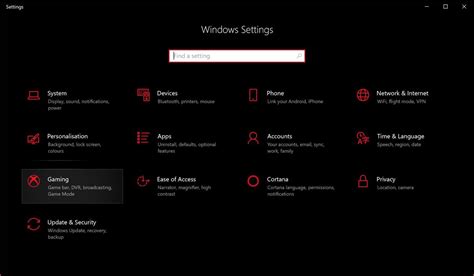
The key to avoiding overload lies in controlling your notifications. Instead of allowing every app and website to push alerts, selectively enable notifications for only the most critical updates from your chosen few sources. Most modern gaming platforms and apps offer granular control over what types of notifications you receive.
For example, you might want to receive an email for major game updates but only a Discord ping for urgent hotfixes. Disable notifications for marketing, social interactions, or less important announcements. Regularly review your notification settings to ensure they align with your current needs and gaming habits.
Avoiding the Overload Trap
To truly combat information overload, adopt a proactive approach. Set aside specific times to review updates rather than constantly checking. Unsubscribe from newsletters or unfollow social media accounts that frequently post irrelevant or low-priority news. Focus your attention on the games you actively play and prioritize updates that directly impact your experience.
Remember that not every minor tweak requires immediate attention. Learn to discern critical balance changes or bug fixes from cosmetic additions or lore snippets, allowing you to quickly scan and identify what truly matters for your gameplay.
Embracing a Curated Approach
Ultimately, efficient update reception is about building a curated information pipeline. Choose a handful of reliable, high-quality sources, whether they are official developer channels, respected community aggregators, or a combination of both. Implement strict notification management and dedicate time to processing information intentionally, rather than reactively. By being selective and strategic, you transform the overwhelming stream of updates into a manageable, valuable resource.
Conclusion: Stay Informed, Not Drowned
Staying informed about game updates and patch notes doesn’t have to be a source of stress. By employing smart strategies such as leveraging official channels, utilizing effective community tools, and mastering notification management, you can create a streamlined process. This allows you to quickly grasp crucial changes, adapt your gameplay, and continue enjoying your favorite titles without the constant distraction and pressure of information overload.



