





How to filter gaming news for specific game updates and new releases efficiently?
In the fast-paced world of gaming, staying on top of the latest updates and new releases for your favorite titles can feel like an overwhelming task. With an endless stream of announcements, reviews, and speculation, sifting through the noise to find the information that truly matters requires a strategic approach. This guide will walk you through efficient methods to filter gaming news, ensuring you catch every crucial update and new game announcement without getting lost in the deluge.
The Challenge of Information Overload
The sheer volume of gaming content generated daily across countless websites, social media platforms, and forums makes it difficult to focus. From major AAA releases to indie gems, patches, DLCs, and esports news, the ecosystem is vast. Without a proper filtering system, you risk missing vital information about games you care about or wasting time on irrelevant content.
Leveraging Dedicated Gaming News Platforms
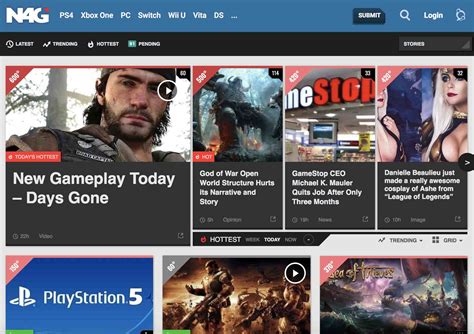
Major gaming news outlets like IGN, GameSpot, PC Gamer, and Eurogamer are excellent starting points. Many of these sites offer robust search functionalities and category filters that allow you to narrow down news by specific game titles, genres, or platforms. Create accounts, follow games, and customize your feed where available. Some even offer email newsletters tailored to your preferences.
Utilizing Game-Specific Subreddits and Forums
For highly targeted information, game-specific subreddits on Reddit or official game forums are invaluable. Communities dedicated to a single game often feature passionate fans and direct communication from developers. Threads discussing patch notes, new content, and community theories are usually well-moderated and provide concise updates. Subscribing to these communities means their top posts will appear in your feed, often highlighting critical news.
Customizing RSS Feeds and News Aggregators
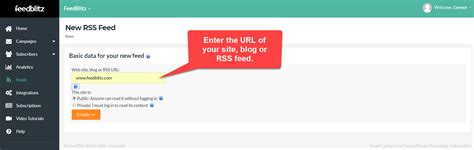
RSS (Really Simple Syndication) feeds, combined with a news aggregator like Feedly or Inoreader, offer unparalleled control. Most major gaming sites provide RSS feeds for their news. You can subscribe to these feeds and then use the aggregator’s filtering features to create custom boards or streams for specific games. Set up keywords for your favorite titles to ensure only the most relevant articles pop up.
Following Developers and Publishers on Social Media
Direct communication often comes from the source itself. Following the official Twitter accounts, Facebook pages, YouTube channels, and Discord servers of game developers and publishers is a direct route to updates. Many significant announcements, patch notes, and release date reveals are first made on these platforms. Be mindful, however, that these feeds can also be filled with marketing or less critical information, so some manual sifting might still be required.

Setting Up Google Alerts and Advanced Search Filters
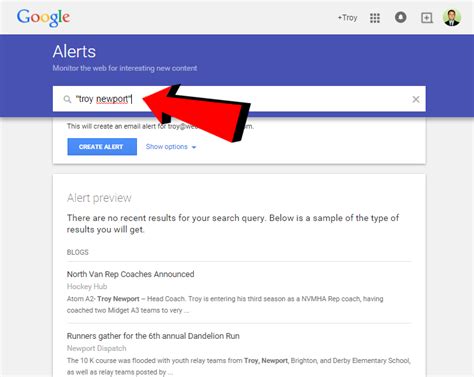
For a hands-off approach, Google Alerts can be a powerful tool. Set up alerts for specific game titles combined with keywords like “update,” “patch,” “DLC,” or “release date.” For example, an alert for “Cyberpunk 2077 patch notes” will notify you when new articles or blog posts containing those terms are published. Similarly, using advanced search operators (e.g., "game title" OR "developer name" site:example.com) on search engines can help you find specific information quickly.
Niche Communities and Newsletters
Don’t overlook niche gaming communities, fan wikis, and developer newsletters. For certain genres or platforms, specialized websites often provide more in-depth and focused news than general outlets. Many developers also offer direct email newsletters that deliver key updates straight to your inbox, often with exclusive content or early announcements.
Building Your Personalized Gaming News Dashboard
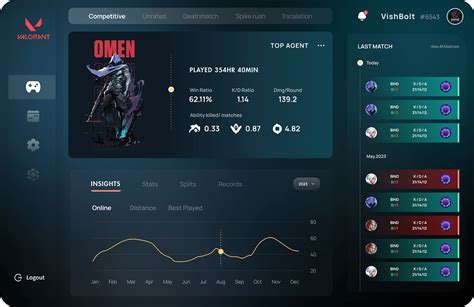
The most effective strategy often involves combining several of these methods. Imagine a personalized dashboard where your RSS aggregator pulls in major news, Google Alerts catches anything you might miss, and quick checks on specific subreddits or developer Twitters fill in the gaps. Experiment with different tools and workflows to find what best suits your gaming habits and desired level of detail.
Conclusion
Efficiently filtering gaming news isn’t about avoiding content; it’s about optimizing your information intake to focus on what truly matters to you. By strategically using dedicated platforms, community forums, RSS feeds, social media, and automated alerts, you can build a robust system that keeps you perfectly informed about your favorite games’ updates and new releases, without succumbing to information overload. Start building your system today and reclaim your time for actual gaming!


