How to filter gaming news overload & find crucial updates for my favorite games fast?
Navigating the Deluge: Why Gaming News Overload is a Real Problem
For avid gamers, staying updated on your favorite titles is crucial. But in today’s fast-paced digital world, the sheer volume of gaming news can feel like an insurmountable flood. From major convention announcements and patch notes to developer interviews and community discussions, distinguishing vital information from mere noise is a constant challenge. This overload can lead to missed crucial updates, wasted time, and even burnout.
The good news is that with a strategic approach and the right tools, you can efficiently filter the noise and zero in on the information that truly matters to you and your favorite games. Here’s how to streamline your gaming news consumption.

1. Prioritize Official Channels First
The most reliable and direct source for crucial updates comes straight from the developers and publishers themselves. Make it a habit to check their official outlets:
- Game Websites: Most games have a dedicated official website with news sections, patch notes, and development blogs.
- Developer/Publisher Social Media: Follow their official accounts on platforms like Twitter, Facebook, or Instagram for real-time announcements.
- Official Forums & Discord Servers: These are often moderated by developers and are excellent for direct communication, Q&As, and community managers sharing updates.
- Email Newsletters: Sign up for newsletters from your favorite games to get key updates delivered directly to your inbox.
2. Leverage Curated News Aggregators & Reputable Sites
While official channels are great, they don’t always provide a holistic view or third-party analysis. Supplement them with trusted gaming news aggregators and websites:
- Gaming News Sites: Identify 2-3 reputable gaming journalism sites (e.g., IGN, GameSpot, PC Gamer, Eurogamer) that align with your preferences. Many allow you to filter news by specific games or genres.
- RSS Feeds: If your chosen sites offer RSS feeds, subscribe to them using an RSS reader. This centralizes headlines from multiple sources, allowing for quick scanning.
- Dedicated Gaming Apps: Some apps are designed to aggregate gaming news and can be customized to show only content relevant to the games you follow.

3. Master Your Social Media Feeds
Social media is a double-edged sword: a source of both information and extreme noise. Tame it with these techniques:
- Create Lists: On platforms like Twitter, create private lists of official game accounts, reputable journalists, and trusted content creators. Check these lists instead of your main feed.
- Mute Keywords: Use platform features to mute keywords or hashtags associated with games you don’t care about, or even spoiler tags.
- Follow Specific Accounts: Be selective. If an account consistently posts irrelevant content, unfollow it, even if it’s generally popular.
4. Join Dedicated Game Communities & Forums
For extremely specific or niche updates, especially those concerning strategies, meta changes, or bug discussions, dedicated communities are invaluable:
- Reddit Subreddits: Most popular games have active subreddits. Filter by ‘New’ or ‘Hot’ to catch breaking news, and look for official developer posts or highly upvoted discussions.
- Discord Servers: Many games have official or large community-run Discord servers. These often have dedicated channels for news, patch notes, and discussions, allowing for real-time interaction.
- Game-Specific Forums: Sometimes, older or more niche games still thrive on traditional web forums.

5. Utilize Notification Tools & Alerts
Don’t just passively consume; set up active notifications:
- Google Alerts: Set up Google Alerts for your favorite game titles. You’ll receive email notifications when new articles or web pages containing those keywords are published.
- Streamer Alerts: If you follow game-specific streamers or content creators, utilize their notification features for when they go live with game updates or discussions.
- News Apps with Customization: Many news aggregator apps allow you to set up push notifications for specific topics or game tags.
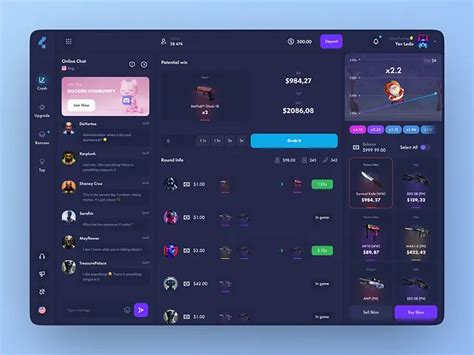
6. Create a Personalized News Dashboard
Bring it all together by building your own centralized hub. This could be:
- A dedicated browser folder: Bookmark all official game sites, key news sites, and community forums.
- A customized RSS reader: Consolidate all your RSS feeds into one place.
- A personal Trello board or Notion page: Create a system to track games, links to their news sources, and pending updates.
7. Be Strategic with Your Time
Finally, optimize your approach to news consumption itself:
- Set Aside Specific Times: Dedicate 15-30 minutes once or twice a day to quickly scan your curated sources. Avoid constant checking.
- Learn to Skim: Develop the skill of quickly scanning headlines and introductory paragraphs to determine if an article is worth a deeper read.
- Don’t Be Afraid to Unfollow: If a source consistently provides low-value content, unfollow it without guilt. Your time is valuable.
By implementing these strategies, you’ll transform your gaming news experience from an overwhelming chore into an efficient and enjoyable way to stay on top of all the crucial updates for your beloved games. Reclaim your time and never miss an important patch or announcement again.