How to filter overwhelming gaming news to find only crucial updates for my favorite games?
Navigating the Deluge: Why Gaming News Feels Overwhelming
In the vibrant and ever-evolving world of gaming, staying informed about your favorite titles can feel like an impossible task. Developers constantly release patches, expansions, announcements, and teasers, while a multitude of gaming journalists, content creators, and community members add their voices to the mix. This constant stream of information, while exciting, often leads to an overwhelming sense of “news fatigue,” making it difficult to discern what’s truly important for the games you care about most from the general noise.
The sheer volume isn’t the only challenge. News sources often cover a broad spectrum of games, many of which you may not play. Generic industry news, speculative rumors, and updates for unrelated genres can bury the critical information you seek, making manual sifting inefficient and time-consuming. The key, therefore, lies not in trying to consume everything, but in developing effective filtering strategies.

Strategic Filtering: Pinpointing Crucial Updates
To cut through the clutter and zero in on the news that truly matters for your beloved games, adopt a multi-pronged approach focusing on direct sources and smart aggregation.
1. Go Directly to Official Channels
The most reliable and concise source for crucial updates is always the official one. Follow your favorite game developers and publishers directly. This includes:
- Official Websites & Blogs: These often host detailed patch notes, development roadmaps, and major announcements first.
- Official Social Media Accounts: Twitter, Facebook, and even specific Discord channels managed by the developers provide real-time updates and community engagement.
- Game-Specific Launchers/Clients: Platforms like Steam, Epic Games Store, Battle.net, and others often have dedicated news sections for games in your library.
2. Curate Your Social Media Feeds
Social media can be a double-edged sword, but with careful curation, it becomes a powerful filtering tool. Unfollow generic gaming news outlets that don’t align with your interests. Instead:
- Follow Game-Specific Accounts: Beyond the developers, seek out reputable fan accounts, community managers, or dedicated content creators who focus solely on your game(s).
- Utilize Lists/Circles: Platforms like Twitter allow you to create lists of specific accounts. Group all your favorite game news sources into a single list you can check regularly, bypassing your main feed.
- Engage Selectively: Focus your engagement on posts directly relevant to your games to help algorithms prioritize similar content.
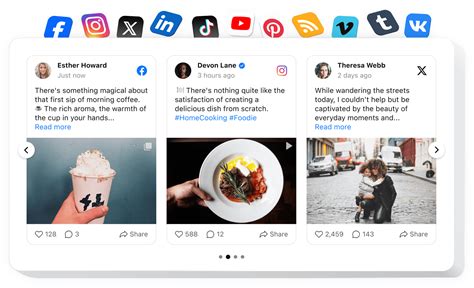
3. Leverage News Aggregators and RSS Feeds Smartly
While general aggregators can be overwhelming, many offer customization options. Services like Feedly or even Google News allow you to set up specific RSS feeds or keyword alerts. Subscribe only to feeds from sites or sub-sections specifically dedicated to your games or genres. Create custom searches for “[Game Name] Patch Notes,” “[Game Name] Update,” or “[Game Name] DLC” to receive alerts for new content.
4. Join Dedicated Game Communities
Active fan communities on platforms like Reddit, Discord, or dedicated forums are often the quickest to dissect and discuss crucial updates. Members frequently share insights, summarize patch notes, and highlight key changes:
- Reddit: Subscribe to game-specific subreddits. Often, mods or dedicated community members will post consolidated update threads.
- Discord Servers: Many games have official or large unofficial Discord servers with dedicated channels for announcements, patch notes, and discussion.
- Fan Forums: While less prevalent than before, some long-running games still have very active and informative fan forums.

5. Set Up Targeted Email Alerts or Notifications
For critical updates, consider setting up specific alerts:
- Google Alerts: Create alerts for highly specific phrases related to your game, such as “[Game Title] major patch” or “[Game Title] new expansion release date.”
- Developer Newsletters: Many developers offer email newsletters that consolidate important information. Sign up for these to get curated updates directly to your inbox.

Conclusion: Take Control of Your Gaming News
The digital age brings with it an abundance of information, but also the tools to manage it. By proactively curating your news sources, focusing on official channels, utilizing smart aggregation, and engaging with dedicated communities, you can transform the overwhelming deluge of gaming news into a streamlined flow of crucial updates for your favorite games. This strategic approach not only saves time but ensures you’re always in the loop about what truly matters to your gaming experience.