How to get instant game update alerts without notification fatigue?
For many gamers, staying on top of the latest patches, expansions, and game news is crucial. However, the sheer volume of information and constant pings can quickly lead to ‘notification fatigue’ – a state where you’re so overwhelmed by alerts that you start ignoring them all, potentially missing important updates. The challenge lies in finding a balance: getting instant, relevant information without sacrificing your peace of mind. This article explores how to curate your news feed and leverage smart tools to achieve just that.
The Double-Edged Sword of Gaming Notifications
In today’s fast-paced gaming world, developers release updates frequently to fix bugs, introduce new content, or balance gameplay. While essential for a healthy game, the methods of announcing these updates often contribute to notification overload. From platform alerts (Steam, PlayStation, Xbox), to Discord pings, social media posts, and endless email newsletters, it’s easy to feel like you’re drowning in information. The goal is to cut through the noise and focus on what truly matters to you.
Traditional push notifications, while immediate, are often too broad or too frequent. They don’t differentiate between a critical security patch for your main game and a minor cosmetic update for a title you haven’t played in months. This lack of intelligent filtering is the primary culprit behind notification fatigue, leading many to disable all alerts, only to feel out of the loop later.

Curating Your Information Stream
The key to avoiding fatigue is to be proactive in how you receive information. Instead of letting notifications come to you indiscriminately, create a curated stream tailored to your specific interests.
Official Developer Channels
The most reliable source for game updates is always the developers themselves. Instead of relying on general platform notifications, consider these more controlled methods:
- Developer Blogs & Forums: Many studios maintain active blogs or official forums where they post detailed patch notes and development roadmaps. You can often subscribe to RSS feeds for these, giving you control over when and how you view them.
- Specific Social Media Accounts: Follow only the official Twitter, Facebook, or Reddit accounts for the games you actively play. Mute general news outlets or fan accounts if they prove too noisy.
- Official Discord Servers: Join official game Discord servers but be strategic. Use Discord’s notification settings to only get alerts from specific channels (e.g., #patch-notes) and mute others.
Leveraging Third-Party Aggregators and Community Hubs
For a broader overview or to track multiple games, third-party services can be invaluable:
- Dedicated Gaming News Sites: Websites like PC Gamer, IGN, or Kotaku often have dedicated sections for major game updates. Many offer personalized feeds or email digests.
- Community-Run Wikis & Trackers: For some games (especially MMOs or live-service titles), community wikis or sites like SteamDB (for Steam games) provide granular update tracking, often with changelogs parsed more efficiently than official announcements.
- RSS Feed Readers: Use a dedicated RSS reader to subscribe to update feeds from various sources. This centralizes all your news into one place you can check at your leisure.

In-Platform Solutions and Launchers
Many gaming platforms and launchers now offer built-in news and update features designed to keep you informed without relying on system-level notifications:
- Steam News Hub: Steam’s client has a dedicated ‘News’ section that aggregates updates from games in your library and wishlist. You can often customize which games you get news from.
- Console Dashboards: PlayStation and Xbox dashboards often feature a ‘News’ or ‘What’s New’ section that highlights recent game updates and system changes.
- Game Launchers (Epic, GOG, Battle.net): Most individual game launchers include a news feed or ‘updates’ tab. Checking these periodically can replace constant push notifications.
Advanced Strategies for Personalized Alerts
To truly master your update alerts, consider these more tailored approaches.
RSS Feeds and Custom Trackers
For ultimate control, setting up custom RSS feeds for developer blogs, specific forum threads, or even game-related subreddits (using services like Reddit’s built-in RSS) allows you to pull updates on your schedule. Combine this with an RSS reader that offers keyword filtering, and you can get incredibly specific alerts.
Scheduled Digests and Newsletters
If instant alerts aren’t critical, opt for scheduled digests. Many gaming news outlets and even some developers offer weekly or bi-weekly email newsletters that summarize major updates. This allows you to review all relevant news in a single, digestible format at a time convenient for you, rather than being interrupted throughout the day.

Practical Tips to Avoid Overwhelm
Optimize Your Platform Settings
- Discord: Use server notification settings to suppress @everyone/here mentions and only enable notifications for specific channels or direct messages.
- Steam/Epic/Battle.net: Dive into each launcher’s notification preferences. You can often disable desktop notifications for game updates while still allowing in-app news feeds to populate.
Utilize Dedicated Gaming News Apps
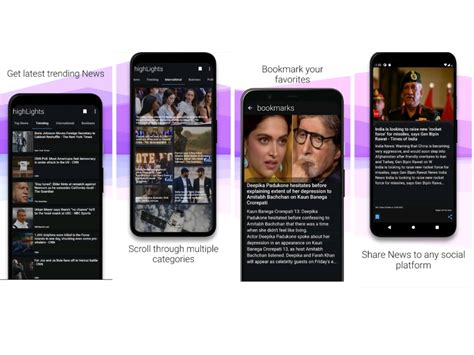
Mobile apps specifically designed for gaming news (e.g., specialized news aggregators) often allow deep customization. You can select specific games you follow, topics of interest, and even choose to receive daily summaries rather than real-time alerts. This centralizes your gaming news consumption into a single, manageable application.
Set Boundaries with Device Notifications
On your phone and desktop, manage system-level notifications for all gaming-related apps. Disable intrusive pop-ups and badge icons for apps that are not critical. Use ‘Do Not Disturb’ modes during gaming sessions or work hours to prevent interruptions.
Finding Your Balance
Getting instant game update alerts without notification fatigue is entirely achievable with a strategic approach. By actively curating your information sources, leveraging smart tools, and making conscious choices about when and how you receive updates, you can stay informed and engaged with your favorite games without feeling overwhelmed. The goal is to transform a flood of pings into a clear, concise stream of valuable information that enhances your gaming experience, rather than detracting from it.