





How to structure game guides for quick player lookup of specific info?
The Importance of Well-Structured Game Guides
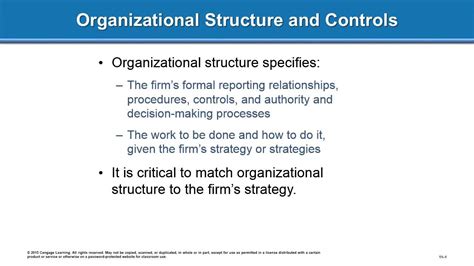
In the vast and intricate worlds of modern video games, players often turn to guides for assistance. Whether it’s to uncover a hidden secret, master a complex boss battle, or simply find the location of a rare item, the primary goal is always quick, precise information retrieval. A poorly structured guide can be more frustrating than helpful, leading players to abandon it in favor of another resource. Therefore, understanding how to organize your content for optimal lookup is paramount to creating a valuable and frequently used guide.
Fundamental Principles for Quick Info Access
At the heart of an effective game guide is a user-centric design approach. Imagine yourself as a player with a specific question and design your guide to answer it with minimal effort. This involves several key principles, starting with clear segmentation and navigability.
1. Implement a Comprehensive Table of Contents
For any guide exceeding a few paragraphs, a clickable Table of Contents (TOC) at the top is non-negotiable. This serves as an immediate overview of the guide’s scope and allows players to jump directly to relevant sections. Use clear, descriptive headings in your TOC that accurately reflect the content of each section. Ideally, make these internal links (anchors) within the HTML document.
2. Utilize Clear and Consistent Headings and Subheadings
Employ <h2>, <h3>, and even <h4> tags effectively to break down your content into digestible chunks. Each heading should succinctly describe the information below it. For example, instead of a generic ‘Quests’, use ‘Main Story Quests: Chapter 5’ or ‘Side Quests: Eldoria Region’. This hierarchical structure not only aids readability but also helps players scan for keywords.

3. Prioritize Searchability and Keywords
Modern players often use search engines to find specific game information. Structure your guide with search engine optimization (SEO) in mind. Use common game terms, item names, character names, and quest titles as keywords within your headings and opening sentences. This increases the likelihood of your guide appearing in search results for specific queries.
4. Employ Lists and Tables for Data Presentation
Complex information is best presented in structured formats. Use unordered lists (<ul>) for step-by-step instructions or lists of items, and ordered lists (<ol>) for sequences that require a specific order. For stats, item properties, character abilities, or comparison data, tables (<table>) are invaluable. They allow players to quickly compare and contrast information at a glance without sifting through dense paragraphs.
5. Incorporate Visual Aids Strategically
While this guide focuses on text structure, remember that images and short videos are incredibly powerful for quick lookup. If your platform supports it, integrate screenshots of map locations, item appearances, or crucial puzzle solutions. Annotate these visuals when necessary to highlight key areas. Visuals often convey information faster than text alone.

6. Maintain Conciseness and Directness
Avoid verbose explanations where a direct answer suffices. Players looking for specific info aren’t typically interested in elaborate lore dumps or personal anecdotes. Get straight to the point. If further context is necessary, place it in a separate ‘Notes’ or ‘Lore’ section that players can choose to read.
7. Dedicated Sections for Common Lookups
Consider creating dedicated sections or even separate pages for frequently looked-up information types, such as:
- Item Databases: Sortable lists of items with their stats, locations, and acquisition methods.
- Quest Logs: Detailed walkthroughs for each quest, clearly marked with quest names and objectives.
- Character Builds: Optimized setups for different playstyles, including gear, skills, and stats.
- Map Overlays: Interactive or static maps marking key points of interest, collectibles, and quest markers.
By compartmentalizing these areas, players know exactly where to go for a specific type of information without having to scroll through an entire linear walkthrough.

Conclusion
Structuring a game guide for quick player lookup is an art that blends logical organization with user experience design. By consistently applying principles like clear navigation, hierarchical headings, searchable keywords, structured data presentation, and directness, you can transform a basic walkthrough into an indispensable resource. A well-designed guide not only saves players time but also significantly enhances their overall gaming experience, solidifying its reputation as a go-to source for valuable in-game knowledge.

