Long game guides can be incredibly valuable resources, offering in-depth strategies, comprehensive item lists, and detailed quest walkthroughs. However, their sheer volume of information can quickly become overwhelming for players if not organized properly. The key to a successful lengthy guide lies in its structure, ensuring players can effortlessly navigate through content and pinpoint specific answers without frustration. This article will explore proven techniques to make your extensive game guides user-friendly and highly effective.
The Foundation: Planning Your Guide’s Architecture
Before you even begin writing, a solid architectural plan is paramount. Think of your guide as a complex building; without a blueprint, it’s destined to be chaotic. Start by outlining the game’s major components: acts, chapters, areas, quests, characters, items, and mechanics. Consider your target audience – are they new players needing basic explanations, or veterans seeking advanced tactics?
Breaking down the game into logical, manageable sections is the first step. For story-driven games, a chronological walkthrough by chapter or quest is intuitive. For open-world titles, organizing by geographical region or specific objectives might be more appropriate. Each section should have a clear purpose and scope, preventing information overload within a single block of text.
Essential Navigation Elements
Easy navigation is the bedrock of a user-friendly long guide. Implement robust tools that allow players to jump directly to the information they need.
Dynamic Table of Contents (TOC)
A comprehensive, interactive Table of Contents at the beginning of your guide is non-negotiable. This TOC should list all major sections (e.g., H2 headings) and ideally key subsections (H3 headings), with each entry linked directly to its corresponding part in the guide. For extremely long guides, consider a floating or sticky TOC that remains visible as the user scrolls.
Clear Headings and Subheadings
Employ a hierarchical heading structure using HTML tags (`
`, `
`, `
`, etc.) consistently. Each heading should be descriptive and concise, accurately reflecting the content that follows. For example, instead of a generic “Boss Fight,” use “Boss Guide: The Obsidian Golem – Phase 2 Strategy.” This allows players to quickly scan and identify relevant sections.
Formatting for Readability and Scannability
Even with great navigation, the content itself needs to be easy on the eyes and quick to digest. Avoid dense walls of text.
Short Paragraphs and Bullet Points
Break up your information into short, focused paragraphs, ideally no more than 3-5 sentences. Utilize bulleted (`
`) and numbered lists (`
`) extensively for items, steps, tips, advantages/disadvantages, and any sequence of actions. This significantly improves scannability, allowing readers to extract key details at a glance.
Bold Text and Callouts
Use bold text (``) judiciously to highlight crucial keywords, names, warnings, or essential instructions. Consider dedicated “Callout Boxes” or “Tip” sections (perhaps styled with a distinct background color) for critical information that shouldn’t be missed, such as missable items, complex mechanics, or common pitfalls.
Incorporating Visuals and Interactive Elements
Text alone, no matter how well-formatted, can struggle to convey complex information. Visual aids are powerful allies.
Screenshots, Maps, and Diagrams
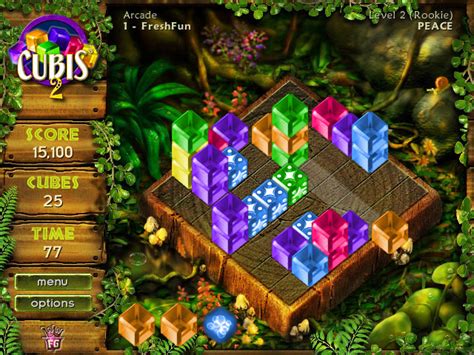
Integrate high-quality screenshots to illustrate specific locations, item placements, puzzle solutions, or enemy patterns. Annotated maps are invaluable for directions and highlighting points of interest. Diagrams can simplify complex systems like skill trees, crafting recipes, or combat mechanics. Ensure all visuals are relevant and placed close to the text they support.
While the input rule states to leave `src` empty, in a real-world scenario, you would link to hosted images to further enhance understanding. Adding `alt` text to images is also crucial for accessibility and SEO.
Advanced Tips for Quick Answer Finding
Beyond basic structure, these techniques can further reduce the time it takes for a player to find specific answers.
Consistent Terminology and Indexing
Always use the official in-game terminology for items, characters, locations, and abilities. Incredibly long guides might benefit from an alphabetized index of key terms, allowing users to look up specific elements and find all mentions throughout the guide. This is especially useful for games with many unique nouns.
Search Functionality (if applicable)
If your guide is hosted on a platform with a search bar, encourage its use and ensure your content is optimized for common search queries. Good heading structures and clear keywords naturally aid internal search engines.
“Quick Start” or “FAQ” Sections
For games with a steep learning curve or common early-game questions, a “Quick Start” section or an extensive “Frequently Asked Questions” (FAQ) at the beginning or end of the guide can be immensely helpful. These sections distill critical information into easily digestible chunks, catering to players who just need a rapid overview or solution.
Conclusion
Creating a long game guide that is both comprehensive and easily navigable is an art form. By meticulously planning its architecture, implementing robust navigation tools like an interactive Table of Contents and clear headings, prioritizing readability through proper formatting, and leveraging visuals, you can transform a daunting volume of information into an accessible and invaluable resource. A well-structured guide not only enhances the player’s experience but also establishes your guide as a reliable and go-to authority for the game.