





My gaming PC runs hot. What’s the best airflow setup for optimal cooling performance?
Understanding PC Airflow Fundamentals
A hot gaming PC isn’t just an inconvenience; it can lead to thermal throttling, reduced performance, and even shorten the lifespan of your components. The key to combating heat is establishing an efficient airflow system within your PC case. This involves carefully orchestrating how cool air enters and hot air exits your system, creating a continuous current that carries heat away from critical components.
The Importance of Balanced Air Pressure
Before diving into specific fan placements, it’s crucial to understand the concept of air pressure within your case: positive, negative, and balanced. Achieving the right balance is paramount for effective cooling and dust management.
- Positive Air Pressure: More air is pushed into the case than exhausted. This forces air out through all unsealed openings, helping to prevent dust from entering through unfiltered gaps.
- Negative Air Pressure: More air is exhausted than pulled in. This draws air in through all available openings, including unfiltered ones, which can lead to increased dust buildup.
- Balanced Air Pressure: An ideal state where intake and exhaust are roughly equal, aiming for a consistent flow without excessive dust intake or fighting internal resistance.
Strategic Fan Placement for Optimal Flow
The placement and direction of your case fans are the most critical factors in airflow optimization. Think of your PC case as a wind tunnel, guiding air from one end to the other.
Intake Fans
These fans pull cooler ambient air into your PC. They are typically located at the front and bottom of the case. Front intake fans are essential for cooling your hard drives, GPUs, and providing fresh air for your CPU cooler. Bottom intake fans can be beneficial for GPUs, especially those with custom cooling solutions that benefit from direct cool air.
Exhaust Fans
Exhaust fans are responsible for expelling hot air out of your system. They are usually found at the rear and top of the case. Rear exhaust fans effectively remove hot air rising from the CPU cooler, while top exhaust fans leverage the natural tendency of hot air to rise, creating a powerful upward draft.
Recommended Configurations
A common and highly effective setup involves two or three front intake fans, one rear exhaust fan, and one or two top exhaust fans. This creates a clear front-to-back and bottom-to-top airflow path, ensuring hot air doesn’t get trapped. Experimenting with fan speeds and configurations, often through your motherboard’s BIOS or dedicated software, can help fine-tune this balance.
The Role of Cable Management
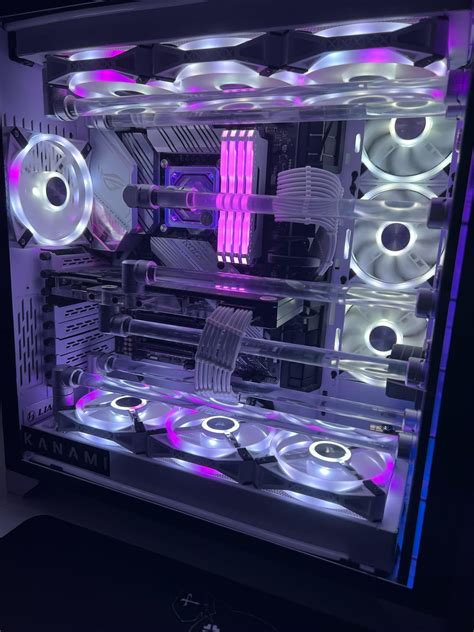
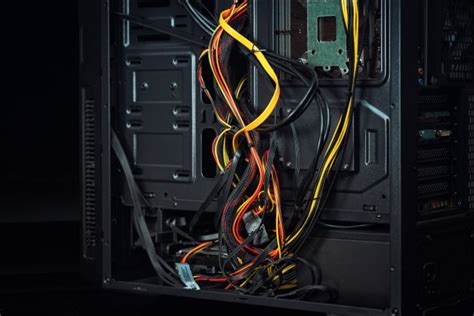
Messy cables aren’t just an aesthetic issue; they can significantly impede airflow. A tangled mess of power and data cables can act as an obstruction, creating pockets of stagnant hot air and reducing the efficiency of your carefully planned fan setup. Spend time routing cables neatly behind the motherboard tray or bundling them discreetly to minimize their impact on airflow.
Choosing the Right Hardware
While fan placement is crucial, the hardware you choose also plays a significant role in overall cooling performance.
PC Case Design
Not all cases are created equal. Look for cases designed with airflow in mind, featuring mesh front panels, ample fan mounts, and spacious interiors that allow for unobstructed air pathways. Compact cases often present greater airflow challenges.
Fan Quality and Type
High static pressure fans are excellent for pushing air through restrictive areas like radiators or drive cages, while high airflow fans are better for open areas where less resistance is present. Investing in good quality fans with appropriate CFM (Cubic Feet per Minute) ratings and low noise levels can make a noticeable difference.
CPU and GPU Coolers
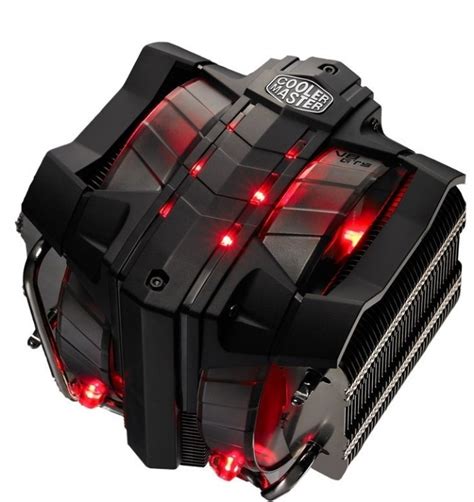
Your CPU and GPU coolers are vital. For CPUs, consider larger air coolers or AIO (All-in-One) liquid coolers. For GPUs, ensure your card has an effective cooler design. These components generate the most heat, and their dedicated cooling solutions work in conjunction with your case airflow to dissipate that heat effectively.
Monitoring and Maintenance
Once you’ve set up your airflow, it’s essential to monitor your system’s temperatures using software like HWMonitor or MSI Afterburner. This allows you to verify the effectiveness of your setup and make adjustments if needed. Regular cleaning of dust filters and internal components is also critical, as dust acts as an insulator and can quickly degrade cooling performance over time.

Conclusion
Optimizing your gaming PC’s airflow is a crucial step in maintaining peak performance and ensuring the longevity of your hardware. By understanding basic principles, strategically placing your fans, managing cables, and selecting appropriate components, you can transform a hot-running rig into a cool, efficient, and stable gaming powerhouse. Regular monitoring and maintenance will keep your system running smoothly for years to come.


