





Should I upgrade my CPU or GPU first for better gaming performance?
Navigating the Upgrade Dilemma: CPU vs. GPU for Gaming
For any PC gamer looking to squeeze more frames, improve visual fidelity, or simply ensure their system keeps up with the latest titles, the question inevitably arises: should I upgrade my CPU or my GPU first? This isn’t a one-size-fits-all answer, as the optimal choice depends heavily on your current hardware, the games you play, and your desired gaming experience. Understanding the distinct roles each component plays is crucial.
The GPU’s Dominance: Rendering the Visuals
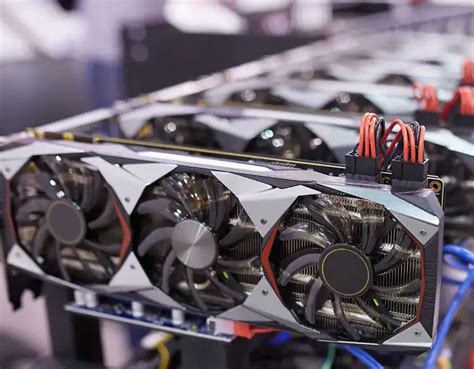
The Graphics Processing Unit (GPU) is, without a doubt, the single most critical component for gaming performance in terms of raw frames per second and visual quality. Its primary job is to render the graphics – processing textures, shaders, and complex 3D environments. This means:
- Higher Resolutions (1440p, 4K): A powerful GPU is essential to push games at these resolutions.
- Graphical Settings: Maxing out settings like anti-aliasing, shadow quality, and texture detail heavily relies on your GPU.
- Visual Fidelity: The better your GPU, the more beautiful and immersive your game worlds will look.
If you’re playing at 1080p and aren’t hitting your desired framerates, or if you’re aiming for higher resolutions with demanding visual settings, your GPU is likely the bottleneck.

The CPU’s Foundation: Processing the Game Logic
While the GPU paints the picture, the Central Processing Unit (CPU) dictates what happens within that picture. It handles the game’s logic, physics, AI, player input, audio processing, and instructs the GPU what to draw (known as draw calls). A strong CPU ensures consistent frame times and prevents ‘stuttering’, especially in complex scenarios:
- High Refresh Rates (144Hz, 240Hz): To achieve very high FPS (e.g., above 100-120 FPS), a robust CPU is needed to feed frames to the GPU fast enough.
- Open-World Games: Titles with expansive worlds, many NPCs, and dynamic environments put a significant load on the CPU.
- Strategy Games & Simulations: Games with complex AI, unit pathing, and intricate calculations are CPU-intensive.
- Competitive Gaming: Consistent minimum framerates, crucial for smooth gameplay, are often CPU-bound.
If you have a high-end GPU but notice framerate drops in CPU-heavy scenarios or struggle to maintain high framerates even at lower settings, your CPU might be holding your system back.

Identifying Your Bottleneck: The Key to a Smart Upgrade
The most effective way to determine whether your CPU or GPU is the primary limitation is to monitor their usage while gaming. Tools like MSI Afterburner (with RivaTuner Statistics Server), HWMonitor, or even Task Manager can help:
- High GPU Usage (90-100%) and Lower CPU Usage: Your GPU is working at its limit, indicating a GPU bottleneck. An upgraded GPU will likely yield significant performance gains.
- High CPU Usage (90-100%) and Lower GPU Usage: Your CPU is struggling to keep up, indicating a CPU bottleneck. An upgraded CPU (and potentially motherboard/RAM) is the solution here.
- Both High: Your system is balanced, and upgrading either might improve performance, but look at which one hits 100% first or more consistently.

Making the Right Choice: A Decision Framework
Consider the following to guide your decision:
- Current Resolution & Target Framerate: Aiming for 4K at 60Hz or 1080p at 240Hz? Higher resolutions are typically GPU-bound, while very high framerates at lower resolutions often push the CPU.
- Age of Your Components: If your GPU is several generations old, it’s a prime candidate. If your CPU is an older quad-core, it might struggle with modern titles.
- Budget: GPU upgrades often offer a more straightforward performance boost per dollar if your CPU is reasonably modern. CPU upgrades can sometimes require a new motherboard and RAM, increasing overall cost.
- Games You Play: Play mostly visually stunning single-player games? GPU first. Play competitive esports titles or complex simulations? CPU might be the priority.
Conclusion
There’s no universal answer to whether to upgrade your CPU or GPU first. By understanding their distinct roles, monitoring your system’s performance, and considering your specific gaming habits and goals, you can make an informed decision that maximizes your gaming enjoyment and gets the most out of your hardware investment. In most cases, especially if your goal is higher resolution or better graphical quality, the GPU takes precedence. However, for those chasing ultra-high framerates or playing CPU-intensive genres, a new CPU can unlock significant performance.



