Top gaming PC upgrade for FPS boost: GPU, CPU, or RAM?

Decoding the FPS Dilemma: Where to Invest for Better Gaming
For any PC gamer, the quest for higher Frame Rates Per Second (FPS) is perpetual. Smooth, responsive gameplay at high frame rates can dramatically enhance the gaming experience, offering a competitive edge and superior visual fidelity. But when it comes to upgrading your system, a common and often perplexing question arises: should you prioritize a new Graphics Processing Unit (GPU), a faster Central Processing Unit (CPU), or more Random Access Memory (RAM)? Each component plays a vital role in game performance, but their impact on FPS varies significantly depending on your existing setup, the games you play, and your desired resolution.

The GPU: The Undisputed FPS King
In most modern gaming scenarios, especially at higher resolutions (1080p, 1440p, 4K) and with demanding graphical settings, the GPU is king. This dedicated piece of hardware is specifically designed to render complex 3D graphics, process textures, and handle visual effects. A more powerful GPU can process more data per second, leading directly to higher frame rates and the ability to run games with more eye candy enabled, such as advanced anti-aliasing, detailed shadows, and realistic lighting (e.g., ray tracing).
If your current GPU is several generations old or struggles to maintain playable frame rates in your favorite games, upgrading it will almost always yield the most substantial FPS boost. It’s the primary component responsible for pushing pixels to your monitor.
The CPU: The Unsung Hero of Minimum FPS
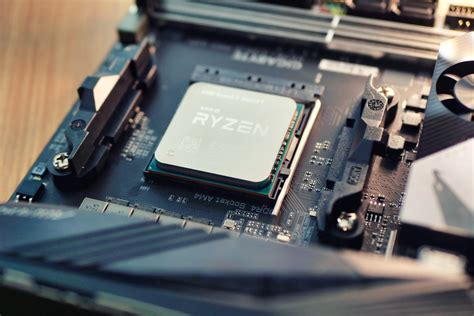
While the GPU handles the visual heavy lifting, the CPU is the brain of your entire system, orchestrating game logic, artificial intelligence (AI), physics calculations, and handling draw calls (telling the GPU what to render). A weak CPU can bottleneck even the most powerful GPU, especially in CPU-intensive games (like open-world titles, strategy games, or multiplayer shooters with many players/NPCs) or at lower resolutions where the GPU isn’t fully utilized. While a new CPU might not always increase your average FPS as dramatically as a GPU, it often improves your minimum frame rates (1% and 0.1% lows), leading to a smoother, more consistent gaming experience with fewer stutters.

RAM: The Adequate Support System
RAM (Random Access Memory) acts as your computer’s short-term memory, storing data that your CPU needs to access quickly. For gaming, having enough RAM is crucial, but having an excessive amount typically offers diminishing returns for pure FPS gains. Most modern games recommend 16GB of RAM, with 32GB becoming the new sweet spot for enthusiasts or those who run many background applications. If you’re currently running with 8GB or less, upgrading to 16GB will likely improve performance, reduce stuttering, and prevent game crashes due to insufficient memory.
Beyond capacity, RAM speed (measured in MHz) and timings (latency) also play a role, particularly with certain CPUs (like AMD’s Ryzen processors). Faster RAM can provide a modest FPS boost, especially to minimums, but this impact is usually less significant than a GPU or CPU upgrade.

How to Identify Your Bottleneck
To make the smartest upgrade decision, you need to understand where your current system is bottlenecking. Use monitoring software like MSI Afterburner, HWiNFO, or your operating system’s Task Manager while gaming. Pay attention to:
- GPU Usage: If your GPU usage is consistently at or near 99-100% while gaming, it’s likely your primary bottleneck. An upgrade here will yield the biggest FPS boost.
- CPU Usage: If your CPU usage (especially individual core usage) is consistently high (e.g., 90-100% on multiple cores) while your GPU usage is lower (e.g., 70-80%), then your CPU is bottlenecking the system.
- RAM Usage: If your RAM usage is maxing out (e.g., 15GB of 16GB used), and your drive activity is high during gameplay, you need more RAM.
The Smart Upgrade Path
In conclusion, the ‘best’ upgrade depends entirely on your specific situation. However, a general hierarchy for FPS gains often looks like this:
- GPU: For the vast majority of gamers seeking higher average FPS, especially at higher resolutions and settings, a new GPU is the most impactful upgrade.
- CPU: If your CPU is an older generation or struggles in CPU-intensive games, or if your GPU usage is consistently low, a CPU upgrade will provide smoother minimum FPS and better overall system responsiveness.
- RAM: Ensure you have sufficient RAM (16GB is usually enough) and a decent speed. Upgrading from 8GB to 16GB is crucial, but going beyond 32GB or chasing marginal speed increases offers diminishing returns for pure FPS.
Always consider your budget and the games you play. Sometimes, a balanced approach upgrading two components (e.g., a mid-range GPU and CPU) might offer a more significant overall improvement than a single top-tier component that’s bottlenecked by another part of your system.