





Upgrade for 1440p gaming: CPU or GPU first for best performance?
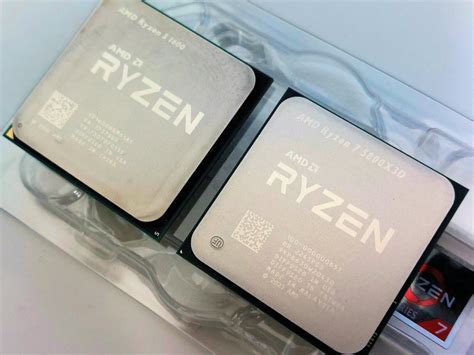
The 1440p Sweet Spot: Balancing Visuals and Performance
1440p resolution has rapidly become the preferred sweet spot for many PC gamers, offering a significant visual upgrade over 1080p without the extreme hardware demands of 4K. At this resolution, games look sharper, more detailed, and often feel more immersive. However, achieving smooth, high frame rate gameplay at 1440p requires a capable system, and when performance begins to dip, the question inevitably arises: should you upgrade your CPU or your GPU first?
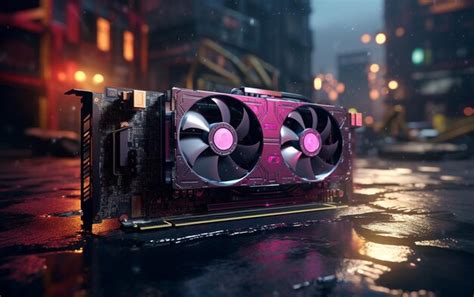
The Graphics Card: The Obvious Powerhouse
For most gamers, the graphics card (GPU) is the first component that comes to mind when thinking about gaming performance, and for good reason. The GPU is primarily responsible for rendering all the pixels on your screen, handling complex textures, shaders, and graphical effects. At 1440p, your GPU is working overtime to push over 3.6 million pixels per frame, compared to just over 2 million at 1080p. This 78% increase in pixel count demands significantly more raw power and VRAM (Video Random Access Memory).
- Higher Resolution: More pixels mean the GPU has to render more data.
- Visual Settings: Enabling high or ultra settings for textures, anti-aliasing, and shadows puts immense pressure on the GPU.
- Frame Rates: To achieve 60+ FPS at 1440p, you need a GPU with substantial horsepower.
In many scenarios, especially with graphically intensive AAA titles, an underpowered GPU will be the primary bottleneck, preventing you from reaching desirable frame rates or forcing you to significantly reduce visual fidelity.
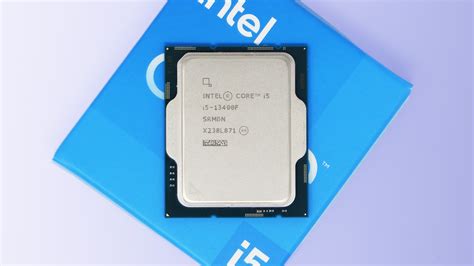
The CPU: The Unsung Hero Behind the Scenes
While the GPU handles the visuals, the Central Processing Unit (CPU) is the brain of your entire system, including your gaming experience. Its role is often underestimated, but it’s crucial for maintaining stable frame rates, especially minimum frame rates, and handling various game logic elements. The CPU processes everything from AI routines, physics calculations, game world interactions, and instructing the GPU on what to render.
- Frame Consistency: A strong CPU ensures consistent frame delivery, preventing noticeable dips and stutters.
- Minimum FPS: Important for a smooth experience, a good CPU helps raise your minimum frame rates in busy scenes.
- Game Logic: Open-world games, strategy titles, and simulation games often place heavy demands on the CPU due to complex AI and physics engines.
- Multiplayer: Managing player actions and network code in online games is also CPU-intensive.
If your CPU isn’t fast enough, it can’t feed instructions to your GPU quickly enough, leading to your powerful graphics card sitting idle for periods, resulting in lower overall frame rates even if your GPU isn’t at 100% utilization. This is known as a CPU bottleneck.
Identifying Your Bottleneck: CPU or GPU?
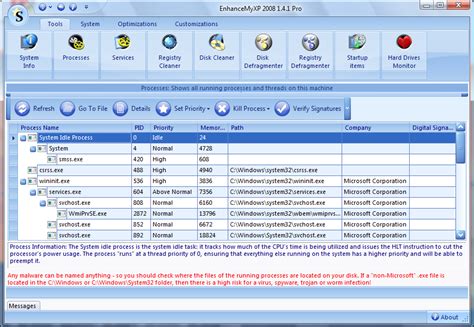
Before spending money, it’s crucial to identify which component is holding your system back. The easiest way to do this is by monitoring your CPU and GPU utilization while gaming. Tools like MSI Afterburner (with RivaTuner Statistics Server), HWMonitor, or even Windows Task Manager can help.
- GPU Bottleneck: If your GPU utilization is consistently at or near 99-100% while your CPU utilization is significantly lower (e.g., 50-70%), your GPU is the bottleneck. Upgrading it will likely yield the most significant performance increase.
- CPU Bottleneck: If your CPU utilization is high (e.g., 90-100% on some cores/threads) while your GPU utilization is lower (e.g., 60-80%), your CPU is the bottleneck. In this scenario, a new GPU won’t be fully utilized, and a CPU upgrade would be more beneficial.
Remember that bottlenecks can shift depending on the game, resolution, and graphical settings. A game might be CPU-bound at lower resolutions and GPU-bound at 1440p.
The “Which First?” Decision
Upgrade GPU First If:
- Your current GPU is several generations old (e.g., GTX 10-series, RX 500-series or older).
- Your GPU utilization is consistently at 99-100% in most games at 1440p.
- You want to play the latest AAA titles with high visual settings at 1440p.
- Your CPU is relatively modern (e.g., an Intel i5/i7 10th gen or newer, or AMD Ryzen 5 3000 series or newer).
Upgrade CPU First If:
- You have a relatively powerful GPU already (e.g., RTX 2070/3060/4060 Ti, RX 6700 XT/7700 XT or better).
- Your CPU utilization is consistently high, and your GPU utilization is lower, especially in CPU-intensive games (e.g., Cyberpunk 2077, Starfield, Microsoft Flight Simulator).
- You experience frequent frame drops or stutters even when your GPU isn’t maxed out.
- Your CPU is significantly older (e.g., Intel i5/i7 7th gen or older, AMD Ryzen 1000/2000 series).
A Balanced Approach and Other Considerations
Ultimately, a well-balanced system offers the best performance. It’s rare that upgrading just one component will solve all your problems indefinitely. Often, upgrading one part will simply shift the bottleneck to another. If your budget allows, planning for both a CPU and GPU upgrade (even if staggered) is ideal.
Don’t forget about other components! Sufficient RAM (16GB is the minimum for 1440p gaming, 32GB is recommended for future-proofing) and a fast SSD (NVMe is best) can also significantly improve system responsiveness and game load times, though they usually don’t impact raw frame rates as much as the CPU or GPU.
Conclusion: Make an Informed Decision
There’s no single, universal answer to whether you should upgrade your CPU or GPU first for 1440p gaming. The best approach involves understanding the roles of each component, monitoring your current system’s performance, and aligning your upgrade strategy with your budget and gaming priorities. By diagnosing your system’s specific bottleneck, you can make an informed decision that yields the most significant and satisfying performance boost for your 1440p gaming experience.


