





What GPU/CPU upgrade gives the best FPS boost for 1440p gaming?
Decoding the 1440p Gaming Upgrade Dilemma
Achieving smooth, high-frame-rate gaming at 1440p resolution is the sweet spot for many PC enthusiasts, offering a significant visual upgrade over 1080p without the extreme hardware demands of 4K. But when you’re looking to boost your Frames Per Second (FPS), the perennial question arises: should you prioritize upgrading your Graphics Processing Unit (GPU) or your Central Processing Unit (CPU)? The answer isn’t always straightforward, as it depends heavily on your current system configuration, the games you play, and your performance targets.
Understanding the Bottleneck Principle
In any PC system, a “bottleneck” occurs when one component limits the performance of others. For gaming, this typically means either the GPU isn’t rendering frames fast enough, or the CPU isn’t feeding the GPU data quickly enough. At higher resolutions like 1440p, the workload on the GPU dramatically increases. Each frame contains significantly more pixels (2560×1440 = 3,686,400 pixels) compared to 1080p (1920×1080 = 2,073,600 pixels), requiring the GPU to work nearly twice as hard per frame.
The Dominance of the GPU at 1440p
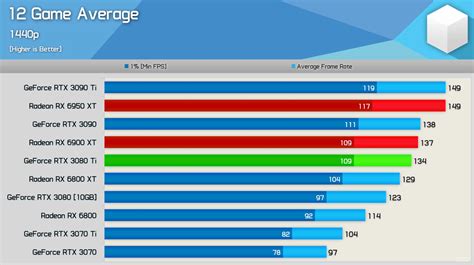
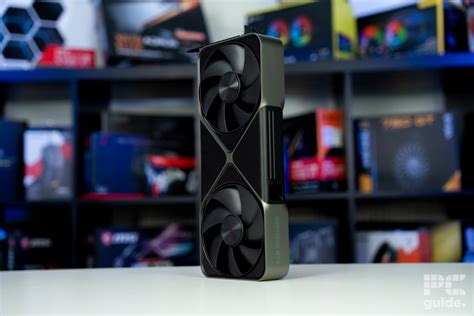
For most 1440p gaming scenarios, the GPU is the primary driver of performance. It’s responsible for rendering the complex graphics, textures, and effects that make games look stunning. A more powerful GPU can process more pixels and apply more intricate graphical settings at a higher frame rate. If you’re experiencing low FPS or stuttering at 1440p, especially in graphically demanding titles, a GPU upgrade is almost always the first and most impactful step.
Modern high-end GPUs like NVIDIA’s RTX 40-series (e.g., RTX 4070, 4070 Ti, 4080) or AMD’s RX 7000-series (e.g., RX 7800 XT, 7900 XT) are designed to excel at this resolution, offering significant generational leaps in performance over older cards. Upgrading from an older mid-range GPU (e.g., GTX 1070, RTX 2060, RX 5700 XT) to a current-gen equivalent will likely yield the most dramatic FPS increase.
When the CPU Matters for 1440p
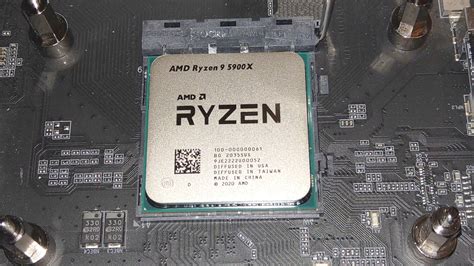
While the GPU shoulders most of the burden at 1440p, the CPU still plays a vital role. Its tasks include game logic, AI, physics, draw calls, and preparing frames for the GPU. A weak or outdated CPU can struggle to keep up, even if you have a top-tier GPU. This is particularly noticeable in specific scenarios:
- High Refresh Rate Monitors: If you’re aiming for very high FPS (e.g., 144Hz or 240Hz monitors) even at 1440p, the CPU needs to process game logic and prepare frames incredibly quickly to feed the GPU.
- CPU-Intensive Games: Titles like grand strategy games (e.g., Civilization, Stellaris), open-world RPGs with many NPCs (e.g., Cyberpunk 2077, Starfield), or simulation games (e.g., Microsoft Flight Simulator) often put a heavier load on the CPU.
- Minimum FPS and Stuttering: A struggling CPU often manifests as lower minimum FPS, leading to noticeable dips and stuttering, even if your average FPS looks decent.
- Older Generation CPUs: If you’re still running a very old CPU (e.g., Intel i5 6th/7th gen or older, AMD Ryzen 1000/2000 series or older) alongside a modern powerful GPU, your CPU could be bottlenecking your system.
How to Identify Your Bottleneck
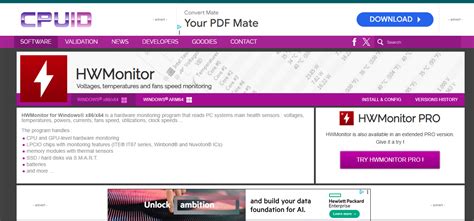
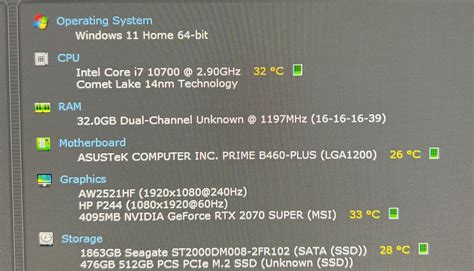
Before spending your money, it’s crucial to identify your current system’s bottleneck. Tools like MSI Afterburner (with RivaTuner Statistics Server) allow you to monitor your CPU and GPU usage in real-time while gaming. Look for these signs:
- High GPU Usage (90-100%) and Low FPS: This is a clear indicator that your GPU is the bottleneck. A GPU upgrade will provide the biggest boost.
- Low GPU Usage (<90%) and Low FPS, coupled with High CPU Usage (90-100% on some cores/threads): This suggests a CPU bottleneck. An older CPU might struggle to fully utilize a powerful GPU.
- Low GPU Usage and Low CPU Usage: This is less common but could point to issues like insufficient RAM, slow storage, or background processes.
Upgrade Recommendations
1. The GPU-First Approach (Most Common)
For most gamers looking for an FPS boost at 1440p, especially those with a CPU from the last 4-6 years (e.g., Intel i5/i7 9th gen or newer, AMD Ryzen 3000 series or newer), upgrading your GPU will yield the best results. Target a card that fits your budget and performance goals, keeping an eye on current generation options that offer excellent 1440p performance.
2. CPU Upgrade if Bottlenecked (Less Common at 1440p)
If your monitoring tools consistently show a CPU bottleneck, or if you’re chasing extremely high refresh rates with a powerful GPU, then a CPU upgrade is warranted. Be aware that a CPU upgrade often entails replacing your motherboard and RAM as well, which can significantly increase costs. Modern CPUs like Intel’s i5/i7 13th/14th gen or AMD’s Ryzen 7000 series offer exceptional gaming performance.
3. Balanced Upgrade
If you have an older system (both GPU and CPU are several generations old) and a healthy budget, a balanced approach might be best. Start with a strong GPU upgrade, then assess if your CPU is holding it back. If so, plan for a platform upgrade (CPU, motherboard, RAM) down the line.
Conclusion
For the majority of 1440p gamers seeking a significant FPS boost, a GPU upgrade will provide the most impactful improvement. The higher resolution inherently shifts the workload more heavily onto the graphics card. However, don’t completely discount your CPU, especially if you’re aiming for ultra-high refresh rates, playing CPU-intensive titles, or have an aging processor. Always monitor your system’s performance to accurately identify your bottleneck before making an upgrade decision, ensuring your investment delivers the best possible gaming experience.


