What’s the best way to get instant alerts for game patch notes and new DLC releases?
The Quest for Instant Gaming Updates
For dedicated gamers, staying ahead of the curve is crucial. Whether it’s to dive into new content the moment it drops, understand crucial balance changes, or exploit a newly discovered mechanic, instant alerts for game patch notes and DLC releases can make all the difference. But with so many games and platforms, how do you cut through the noise and get timely, reliable information?
Official Channels: Straight from the Source
The most authoritative information always comes directly from the developers and publishers themselves. While sometimes slower, these channels offer the most accurate details.
-
Developer/Publisher Websites & Forums
Many games maintain dedicated news sections or forums where patch notes and DLC announcements are first posted. While you might need to actively check these, some offer RSS feeds or email subscriptions for updates.
-
Official Social Media Accounts
Twitter, Facebook, and Instagram are often the fastest official sources for short, immediate announcements. Follow your favorite game’s official accounts and enable post notifications.
-
Discord Servers
Many games have official Discord servers with dedicated ‘announcements’ channels. These often provide real-time updates and discussions. Make sure to adjust your notification settings for these specific channels.
-
Email Newsletters
Signing up for publisher or game-specific email newsletters can provide comprehensive summaries of updates, though they might not be as instant as social media.
Community-Driven Alerts: The Power of Players
Sometimes, the community itself is the fastest at dissecting and sharing new information.
-
Reddit Subreddits
Game-specific subreddits are hotbeds of activity. Dedicated players often post patch notes or DLC announcements almost instantly, accompanied by lively discussion and analysis. Tools like Reddit’s own notification features or third-party apps can alert you to new posts.
-
Gaming News Sites & Apps
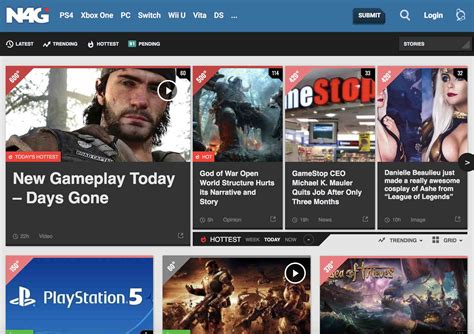
Major gaming news outlets like IGN, PC Gamer, Eurogamer, and others have dedicated teams covering game releases and patches. Many offer mobile apps with push notifications for breaking news. Subscribing to their newsletters can also keep you informed.
Platform-Specific & Aggregator Tools
Beyond official and community channels, several tools and platforms offer specialized alerts.
-
Steam, PlayStation, Xbox News Feeds
Each major gaming platform has its own news section or library update notifications. While often a bit delayed compared to direct developer channels, they’re convenient for console players.
-
SteamDB, GOGdb, etc.
For PC gamers, sites like SteamDB track backend updates to games on Steam, often revealing incoming patches or DLC before official announcements. You can set up alerts for specific game updates.
-
RSS Feeds & Readers
If a game’s website or news blog offers an RSS feed, an RSS reader (like Feedly or Inoreader) can aggregate all updates into a single stream, often with notification options.
Best Practices for Staying Ahead
To truly get instant alerts, a multi-pronged approach is usually best. Combine official social media or Discord channels with a reliable community source (like Reddit) and potentially an aggregator tool. Prioritize channels that allow you to customize notification settings, ensuring you only get alerted for the games and types of updates you care most about. Remember to manage your notification settings to avoid being overwhelmed, striking a balance between instant information and digital fatigue.
Conclusion: Tailor Your Alert Strategy
Staying informed about game patches and DLC releases doesn’t have to be a chore. By leveraging a combination of official developer communications, active community platforms, and smart aggregation tools, you can craft a personalized alert system that keeps you instantly updated on all the exciting developments in your gaming universe. The key is to find the right balance of sources that deliver the information you need, when you need it most, without overwhelming you.