What’s the best way to get personalized gaming news & update alerts?

Navigating the Gaming News Landscape
In the fast-paced world of video games, staying on top of the latest releases, patches, esports developments, and industry news can feel like an insurmountable challenge. For dedicated gamers, generic news feeds often miss the mark, delivering irrelevant information while crucial updates for beloved titles fly under the radar. The key to true engagement lies in personalization—tailoring your news sources to reflect your unique gaming interests. But what’s the best strategy to achieve this?
Leveraging Dedicated Gaming Platforms and Aggregators
One of the most direct routes to personalized news is through platforms designed specifically for gamers or intelligent news aggregators. These services often allow for deep customization:
- Game-Specific Hubs: Platforms like Steam, Xbox, PlayStation, and Nintendo often have integrated news feeds within their storefronts or dashboards. By following games, developers, or publishers directly on these platforms, you’ll receive updates relevant to your library and preferences.
- Specialized Gaming News Sites: Reputable sites such as IGN, GameSpot, PC Gamer, and Eurogamer offer sections where you can filter by genre, platform, or even specific game tags. Many also provide opt-in newsletters for specific franchises or topics.
- AI-Powered News Aggregators: Services like Flipboard or Google News can be trained to prioritize gaming content you care about. By consistently indicating your interests and disliking irrelevant articles, their algorithms become more effective at curating a personalized feed for you.
The Power of Social Media and Community Platforms
Social media has become an indispensable tool for real-time updates and community-driven news. Its strength lies in its immediacy and the ability to directly follow official sources and influential figures.
- Twitter: Follow official game developer accounts, publishers, esports organizations, and prominent gaming journalists. Many developers use Twitter for urgent announcements, patch notes, and community engagement. Lists can help organize your follows.
- Reddit: Subreddits dedicated to specific games (e.g., r/Cyberpunkgame), genres (r/RPG), or general gaming news (r/Games) are vibrant hubs. You can subscribe to these communities and even set up custom feeds or third-party alerts for new posts.
- Discord: Many games and gaming communities host official Discord servers. These often have dedicated announcement channels for patches, events, and news, which you can receive direct notifications for.

RSS Feeds and Custom Notifications
For those who prefer a more traditional, yet highly customizable, approach, RSS (Really Simple Syndication) feeds remain a powerful tool. Many gaming news sites still offer RSS feeds, which you can subscribe to using a dedicated RSS reader.
- RSS Readers: Tools like Feedly or Inoreader allow you to aggregate news from multiple sources into a single feed. You can often filter these feeds using keywords or create custom folders for different gaming interests.
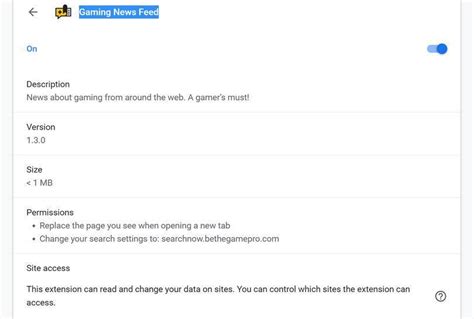
- Browser Extensions & Apps: Various browser extensions and desktop apps offer keyword-based alerts across web pages, allowing you to be notified when specific game titles or keywords appear on news sites you frequent.
- Email Newsletters: While often overlooked, signing up for official newsletters from your favorite developers or publishers can provide direct, curated updates straight to your inbox, often with exclusive content or early access information.
Optimizing for Alert Frequency and Relevance
Personalization isn’t just about what content you get, but also how and when you get it. Managing notifications is crucial to avoid being overwhelmed:
- Fine-tune Notification Settings: Most apps and platforms allow you to adjust the frequency and type of alerts. Prioritize critical updates for your top games and opt for daily or weekly digests for broader news.
- Create Keyword Alerts: Use services like Google Alerts or custom RSS filters to get notifications specifically for game titles, developers, or genres you’re keenly following.
- Regularly Curate Your Sources: Gaming interests evolve. Periodically review your subscribed channels, followed accounts, and RSS feeds to ensure they still align with your current preferences. Unfollow or unsubscribe from sources that no longer provide value.
Conclusion: A Multi-Pronged Approach
There isn’t a single ‘best way’ to get personalized gaming news and update alerts, but rather a combination of strategies. For most gamers, a multi-pronged approach yields the best results:
- Utilize official platform news for games you own.
- Engage with game-specific subreddits and Discord servers for community insights and immediate announcements.
- Follow key developers/publishers and reputable journalists on Twitter for real-time updates.
- Supplement with an RSS reader or AI aggregator for a broader, yet still curated, overview.
By actively curating your digital environment, you can transform the flood of gaming information into a personalized stream that keeps you informed, engaged, and always ready for your next adventure.