Which GPU upgrade gives best 1440p gaming performance for my budget?
Decoding 1440p: The Sweet Spot for Gaming
1440p resolution has emerged as the sweet spot for many PC gamers, offering a significant visual upgrade over 1080p without the extreme hardware demands of 4K. It delivers sharper images, more screen real estate, and a truly immersive experience. However, achieving smooth frame rates at 1440p, especially with higher graphics settings, requires a capable graphics card. The challenge for many is finding the ‘best’ GPU that aligns with their budget while still delivering satisfactory performance.
This guide aims to help you navigate the current market, identifying GPUs that offer excellent value and performance for 1440p gaming across various budget points. We’ll look at specific recommendations from both NVIDIA and AMD, along with key factors to consider beyond just the GPU itself.
Understanding 1440p Performance Demands
Before diving into specific recommendations, it’s crucial to understand what 1440p gaming entails for your hardware. Compared to 1080p, rendering at 1440p requires approximately 78% more pixels, which translates directly to higher GPU workload. While a GPU might comfortably hit 60+ FPS at 1080p, it might struggle to maintain the same frame rate at 1440p without lowering settings.
Factors like your desired frame rate target (e.g., 60 FPS for casual gaming, 100+ FPS for competitive esports), graphics settings (medium, high, ultra), and whether you plan to use features like ray tracing will all influence the GPU power you need. Most gamers target a consistent 60 FPS on high settings as a baseline for an enjoyable 1440p experience.
Budget Tiers and GPU Recommendations
The GPU market is dynamic, with prices constantly shifting. We’ll categorize recommendations into general budget tiers. Always check current retail prices before making a purchase.
Entry-Level 1440p (Approx. $250 – $400)
At this budget, you’re looking for solid 1440p performance primarily at medium-to-high settings, often targeting 60 FPS. You might need to tweak settings in demanding AAA titles, but you’ll get a great visual experience.
- AMD Radeon RX 6700 XT / RX 6800: These older-generation AMD cards often provide incredible value on the used market or during sales. They offer strong rasterization performance, often beating newer NVIDIA cards in a similar price bracket for raw frames.
- NVIDIA GeForce RTX 4060 Ti (8GB): While sometimes criticized for its value, it offers DLSS 3 frame generation capabilities which can significantly boost FPS in supported games, pushing it closer to 1440p viability. Its 8GB VRAM can be a limitation in future titles.
Mid-Range 1440p Sweet Spot (Approx. $400 – $600)
This tier represents the sweet spot for many, offering excellent 1440p performance with high-to-max settings in most games, often exceeding 60 FPS comfortably and reaching higher refresh rates in less demanding titles.
- AMD Radeon RX 7800 XT: Often considered the king of this segment for raw 1440p performance. It boasts 16GB of VRAM and delivers exceptional frame rates, making it a fantastic choice for high settings without breaking the bank.
- NVIDIA GeForce RTX 4070 Super: A significant upgrade over the non-Super version, the 4070 Super provides strong 1440p performance, excellent ray tracing capabilities, and the advantage of DLSS 3. Its power efficiency is also a plus.
High-Performance 1440p (Approx. $600 – $800+)
If your budget allows for more, these cards will push 1440p to its limits, offering very high frame rates, excellent ray tracing performance, and the ability to max out virtually all settings in modern AAA titles.
- AMD Radeon RX 7900 XT: A powerful card that often undercuts its NVIDIA competition while offering superb rasterization performance and 20GB of VRAM, ensuring future-proofing.
- NVIDIA GeForce RTX 4070 Ti Super: This card offers a substantial performance boost over the 4070 Super, featuring more VRAM (16GB) and stronger core counts. It excels at 1440p, especially with ray tracing and DLSS enabled.
- AMD Radeon RX 7900 XTX / NVIDIA GeForce RTX 4080 Super: These cards technically push beyond what some might consider ‘budget,’ but if your budget stretches, they offer top-tier 1440p performance for competitive gamers or those who demand the absolute best visuals at high refresh rates.
Beyond the GPU: Other Critical Considerations
A powerful GPU is only one piece of the puzzle. To truly get the best 1440p gaming experience, ensure the rest of your system can keep up:
- CPU: A weak CPU can bottleneck even the most powerful GPU, especially at lower resolutions or very high frame rates. Aim for a modern mid-to-high range CPU (e.g., Intel i5/i7 12th gen or newer, AMD Ryzen 5/7 5000 series or newer).
- RAM: 16GB of DDR4 (3200MHz+) or DDR5 RAM is the minimum for modern gaming. 32GB is becoming increasingly recommended for future-proofing.
- Power Supply Unit (PSU): Ensure your PSU has enough wattage and the correct connectors for your new GPU. Check the GPU manufacturer’s recommendations.
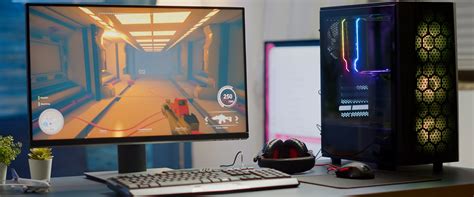
- Monitor: Invest in a good 1440p monitor with a high refresh rate (144Hz or higher) and adaptive sync technology (G-Sync or FreeSync) to fully utilize your GPU’s capabilities.
The Second-Hand Market: A Budget Goldmine
Don’t overlook the used market (e.g., eBay, Facebook Marketplace, r/hardwareswap). Older-generation cards that were high-end in their time can offer exceptional 1440p performance at a fraction of their original cost. Just be sure to buy from reputable sellers and understand the risks involved with used hardware.
Making Your Decision
Choosing the best GPU for 1440p gaming on your budget involves balancing price, performance, and features. AMD typically offers better raw rasterization performance per dollar, especially with more VRAM, while NVIDIA excels with ray tracing and its DLSS upscaling technology. Consider which features are most important to you and consult recent benchmarks for the games you play most. By carefully evaluating your budget and performance expectations, you can find the perfect GPU to elevate your 1440p gaming experience.