





Best practices for mod teams managing game updates that break community mods?

Game updates are exciting, bringing new features, bug fixes, and performance enhancements. However, for communities built around extensive modding, these updates often come with a hidden cost: broken mods. When a beloved game patch renders countless hours of community creativity unusable, it can lead to frustration, alienation, and a strain on developer-community relations. This article explores best practices for game development teams, particularly those responsible for mod liaison, to navigate these challenging situations gracefully and maintain a vibrant, engaged community.
Proactive Communication is Key
The first and most crucial step in managing mod-breaking updates is early and transparent communication. Announce upcoming patches that might affect mods well in advance, ideally with a rough timeline. Provide as much detail as possible about potential API changes, internal file structure alterations, or engine updates that could cause compatibility issues. This gives mod developers precious time to prepare, test, and potentially update their creations.
Consider offering beta branches or early access to upcoming patches for a select group of trusted modders. This allows them to identify breaking changes before the public release, providing valuable feedback and enabling them to have day-one compatible versions ready.
Foster a Modder-Friendly Environment
Beyond simple announcements, establish dedicated channels for mod developers. This could be a specific forum section, a Discord server, or a private developer portal where they can interact directly with the game’s development team. Such an environment facilitates direct questions, bug reporting related to modding, and collaborative problem-solving. A dedicated Modding API or SDK, kept up-to-date and well-documented, is an invaluable asset, significantly reducing the guesswork for mod creators.
Provide Timely Documentation and Tools
When an update goes live, the impact on mods needs to be immediately addressable. Release updated documentation detailing all changes relevant to modding alongside the patch. This includes explanations of new systems, removed functions, or altered data structures. If possible, provide specific tools or guides to help modders identify and fix common issues introduced by the update. Sometimes, simple scripts or diff tools can make a world of difference.
Be Transparent About Breaking Changes
There will be times when breaking changes are unavoidable, perhaps due to critical bug fixes, engine upgrades, or major gameplay overhauls. In these instances, transparency is paramount. Explain why these changes were necessary and the benefits they bring to the game in the long run. Acknowledge the inconvenience caused to mod users and creators, and express appreciation for their patience and understanding. A little empathy goes a long way in defusing frustration.
Offer Support and Rollback Options (Where Possible)
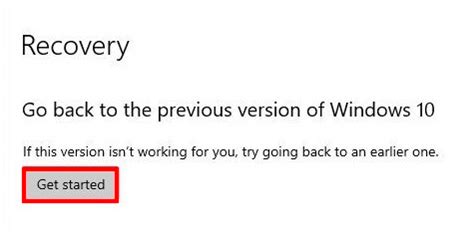
For critically affected communities, consider offering a “legacy” or “modding” branch on platforms like Steam. This allows players to roll back to a previous, mod-compatible version of the game while modders work on updates for the latest patch. While not always feasible due to technical constraints or online multiplayer requirements, this option can be a lifesaver for single-player games with extensive modding scenes, preventing immediate obsolescence of entire mod libraries.
Engage with the Community Post-Update
The conversation doesn’t end once the update is out. Actively monitor community forums, social media, and modding platforms for feedback. Address common issues, provide updates on known mod-breaking problems, and celebrate modders who successfully update their creations. Showcasing updated mods or even offering temporary support channels can reinforce goodwill and demonstrate the team’s commitment to the modding community.
Furthermore, consider regular “mod spotlights” or developer streams where you engage with popular modders, discuss their work, and offer insights into upcoming changes that might affect them. This not only promotes their work but also builds stronger relationships and trust.
Learn and Adapt
Every update provides an opportunity to refine your approach. After each major patch, conduct an internal review: What went well? What could have been handled better? Gather feedback from modders and the wider community. Use these insights to improve your communication strategies, documentation, and support mechanisms for future updates. A continuous cycle of feedback and improvement will strengthen the bond between developers and modders, fostering a healthier, more collaborative ecosystem.

Conclusion
Managing game updates that break community mods is an ongoing challenge, but it’s also an opportunity to demonstrate a commitment to your player base and the creative individuals who enrich your game. By prioritizing proactive communication, providing robust tools and documentation, offering transparent explanations, and engaging actively with the modding community, development teams can turn potential frustration into renewed loyalty and a stronger, more vibrant game ecosystem.

